
Start Learning Free: Master Holistic Web Development with Responsive UIs, Application Logic, and Deployment

Modern web applications are complex digital products.
They need attractive interfaces, reliable server-side logic, structured databases, secure authentication, fast performance, stable deployment environments, and the ability to scale as traffic increases.
Learning only one part of the development process can make it difficult to understand how a complete application works.
A frontend developer may create an excellent interface but still need to understand how it communicates with APIs and databases.
A backend developer may build reliable services but still benefit from understanding responsive design, user experience, deployment, and cloud infrastructure.
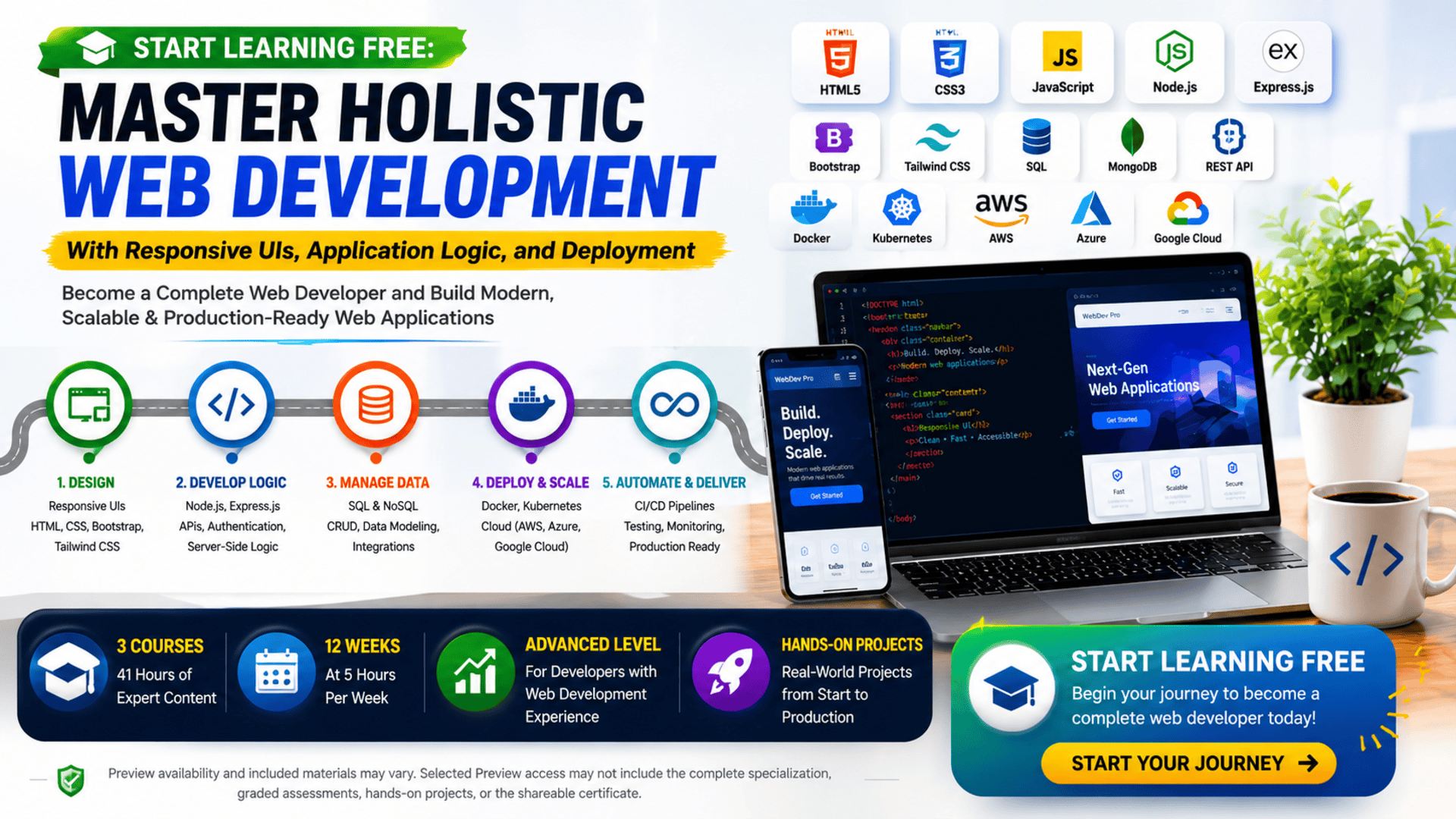
The Holistic Web Development program brings these areas together through a structured three-course learning path.
Learners begin with responsive user-interface design, progress into server-side logic and database integration, and finish with containerization, cloud deployment, Kubernetes, and CI/CD.
The result is a practical overview of how modern web applications are designed, developed, connected, tested, deployed, and scaled.
You may also be able to Start Learning Free by opening one of the individual courses and checking whether selected Preview materials are available.
What Is Holistic Web Development?
Holistic web development means understanding the complete web-application lifecycle rather than studying isolated technologies.
It connects:
- Interface design
- Frontend development
- Responsive layouts
- Server-side logic
- Database management
- API development
- Authentication
- Testing
- Containerization
- Cloud hosting
- Automated deployment
- Scalability
- Performance optimization
A complete application may include a browser-based interface, a backend server, a database, several APIs, authentication services, cloud infrastructure, and an automated delivery pipeline.
Each layer depends on the others.
For example, when a user submits a registration form:
- The responsive interface collects the information.
- Frontend logic validates the fields.
- An API sends the request to the server.
- Server-side logic processes the information.
- The database stores the new account.
- Authentication services create a secure session.
- The server returns a response.
- The interface displays a success or error message.
- Deployment infrastructure keeps the application available to real users.
Holistic development helps learners understand this complete flow.
Why Learn End-to-End Web Development?
Employers and clients increasingly expect developers to understand how multiple technologies work together.
Even when someone specializes in frontend, backend, or DevOps, knowledge of the complete system can improve communication and decision-making.
End-to-end web-development skills can help you:
- Build complete web applications
- Create responsive user interfaces
- Design backend services
- Manage structured application data
- Integrate external services
- Build secure authentication workflows
- Deploy applications to cloud platforms
- Automate testing and releases
- Improve application scalability
- Troubleshoot problems across several layers
- Collaborate with product, design, engineering, and infrastructure teams
These capabilities are valuable for full-stack developers, software engineers, technical founders, freelancers, and professionals working on digital products.
About the Holistic Web Development Program
This advanced learning path contains three connected courses:
- Mastering Responsive UI Design for Modern Web Development
- Comprehensive Guide to Server-Side Logic and Development
- Scalable Deployment and DevOps for Web Development
The courses provide approximately 41 hours of listed learning material:
- Responsive UI Design: 13 hours
- Server-Side Logic and Development: 13 hours
- Scalable Deployment and DevOps: 15 hours
The recommended schedule is approximately 12 weeks when studying for around five hours each week.
The program is fully online and offers a flexible schedule.
Because it is classified as advanced level, learners should ideally have prior knowledge of basic web development.
The three courses should be completed in order because the sequence moves logically from frontend design to backend development and then to deployment.
What Will You Learn?
The program develops skills across the complete web-application lifecycle.
Key learning outcomes include:
- Creating responsive web interfaces
- Applying modern UI design principles
- Writing semantic HTML
- Styling applications with CSS
- Applying mobile-first design
- Creating responsive typography
- Optimizing images
- Using Bootstrap
- Using Tailwind CSS
- Improving usability and accessibility
- Improving frontend performance
- Building server-side applications
- Working with Node.js
- Applying Express.js concepts
- Creating and managing databases
- Performing CRUD operations
- Working with SQL and NoSQL concepts
- Designing RESTful APIs
- Integrating APIs into frontend applications
- Applying authentication and authorization
- Managing backend request and response flows
- Preparing applications for deployment
- Working with cloud environments
- Deploying to AWS
- Deploying to Azure
- Deploying to Google Cloud
- Containerizing applications with Docker
- Managing containers
- Orchestrating workloads with Kubernetes
- Applying continuous integration
- Applying continuous delivery
- Automating tests and deployments
- Improving scalability and performance
Course Breakdown
Course 1: Mastering Responsive UI Design for Modern Web Development
Estimated learning time: 13 hours
The first course focuses on building user interfaces that remain clear, accessible, and effective across different devices.
Responsive design is essential because users may access the same application from:
- Desktop computers
- Laptops
- Tablets
- Smartphones
- Portrait screens
- Landscape screens
- High-resolution displays
A professional interface should adapt to these environments without becoming difficult to read or navigate.
HTML and Semantic Structure
HTML defines the structure and meaning of web content.
Learners explore how to organize:
- Headings
- Paragraphs
- Navigation
- Forms
- Images
- Buttons
- Tables
- Page sections
- Lists
- Application content
Semantic HTML uses elements that clearly describe the role of the content.
This can improve:
- Accessibility
- Search visibility
- Maintainability
- Browser interpretation
- Developer collaboration
Clear HTML structure creates a strong foundation for responsive styling and dynamic functionality.
CSS for Professional Interfaces
CSS controls how the application looks and behaves visually.
Learners apply CSS to manage:
- Colors
- Typography
- Spacing
- Margins
- Padding
- Borders
- Backgrounds
- Alignment
- Positioning
- Layouts
- Responsive behavior
Strong CSS skills help developers reproduce designs accurately while keeping code understandable and reusable.
Mobile-First Design
Mobile-first design begins with the smallest screen size and progressively adds enhancements for larger displays.
This approach encourages developers to prioritize:
- Essential content
- Readable text
- Clear navigation
- Fast performance
- Touch-friendly controls
- Simple layouts
After building the mobile foundation, developers can add columns, larger images, expanded navigation, and more detailed layouts for desktop screens.
Responsive Typography and Images
Typography affects readability, hierarchy, and the overall user experience.
Responsive typography may adjust:
- Font size
- Line height
- Letter spacing
- Heading scale
- Paragraph width
- Text alignment
Images also need to adapt to different displays.
Poorly optimized images can slow an application and damage usability.
Learners explore methods for creating flexible and efficient media experiences.
Bootstrap
Bootstrap is a frontend framework that provides a responsive grid and reusable UI components.
It can help developers create:
- Navigation bars
- Buttons
- Forms
- Cards
- Tables
- Modals
- Alerts
- Responsive columns
Bootstrap can accelerate development, especially when creating prototypes or business applications.
Learners should also understand how to customize components so an application does not look identical to every default template.
Tailwind CSS
Tailwind CSS uses utility classes to style interfaces.
Instead of writing a separate custom class for every element, developers combine utility classes directly in the markup.
Tailwind can support:
- Fast interface development
- Consistent spacing
- Responsive layouts
- Reusable design systems
- Typography
- Color management
- Component styling
Learning both Bootstrap and Tailwind helps learners compare different frontend-development workflows.
Accessibility and Usability
Professional interfaces should be usable by a broad range of people.
Accessibility considerations may include:
- Semantic structure
- Keyboard navigation
- Color contrast
- Alternative text
- Clear labels
- Focus indicators
- Readable content
- Accessible forms
Usability focuses on how easily users can understand and complete tasks.
An interface should provide clear feedback, predictable navigation, and helpful error messages.
Frontend Performance
A visually attractive interface is not effective if it loads slowly or performs poorly.
Frontend performance may be improved through:
- Optimized images
- Reduced file sizes
- Efficient CSS
- Cleaner page structure
- Limited unnecessary scripts
- Responsive media
- Caching
- Performance testing
The first course helps learners connect interface quality with usability, accessibility, and speed.
Course 2: Comprehensive Guide to Server-Side Logic and Development
Estimated learning time: 13 hours
The second course focuses on the backend layer of a web application.
The backend processes requests, manages business rules, works with databases, applies authentication, and communicates with the frontend through APIs.
Learners explore Node.js, server-side development, databases, CRUD operations, API design, and integration.
Node.js for Backend Development
Node.js allows developers to run JavaScript outside the browser.
It can be used to build:
- Web servers
- REST APIs
- Backend services
- Real-time applications
- Authentication systems
- Data-processing applications
- Microservices
Using JavaScript on both the frontend and backend can create a more consistent full-stack development workflow.
Server-Side Logic
Server-side logic controls how the application responds to requests.
For example, when a user submits an order, the server may need to:
- Validate the request
- Confirm the user identity
- Check product availability
- Calculate the total
- Store the order
- Update inventory
- Return a response
Backend logic should remain secure, predictable, and maintainable.
Databases and Data Management
Databases store the information used by an application.
Common examples include:
- User accounts
- Products
- Orders
- Messages
- Transactions
- Settings
- Content
- Activity records
Learners explore how to:
- Create database structures
- Add records
- Retrieve information
- Update records
- Delete information
- Filter data
- Manage relationships
- Protect sensitive data
These operations are commonly described as CRUD:
- Create
- Read
- Update
- Delete
SQL and NoSQL Concepts
Relational databases organize data in structured tables.
They can be effective when an application requires:
- Clear relationships
- Consistent schemas
- Transactions
- Structured business data
NoSQL databases offer more flexible storage models.
They may be useful for:
- Rapidly changing data
- Document-based information
- Large-scale applications
- Flexible schemas
Understanding both approaches helps developers select a database based on the application’s requirements.
RESTful API Development
RESTful APIs allow frontend and backend systems to communicate through structured endpoints.
Common methods include:
- GET for retrieving data
- POST for creating data
- PUT or PATCH for updating data
- DELETE for removing data
For example:
GET /productsretrieves products.POST /userscreates an account.PATCH /orders/123updates an order.DELETE /comments/10removes a comment.
Clear API design improves maintainability and makes integration easier.
API Integration
Frontend applications use APIs to retrieve and update information.
Professional API integration should handle:
- Loading states
- Successful responses
- Empty results
- Validation problems
- Authorization failures
- Network errors
- Server errors
- Timeouts
The course helps learners understand how data moves between interfaces, backend services, and databases.
Authentication and Authorization
Authentication confirms who the user is.
Authorization determines what the user is allowed to do.
For example:
- A visitor may view public content.
- A registered user may update a profile.
- A manager may approve requests.
- An administrator may manage accounts.
Secure authentication and authorization help protect application data and functionality.
Course 3: Scalable Deployment and DevOps for Web Development
Estimated learning time: 15 hours
The third course focuses on preparing applications for production environments.
Developers need to understand how to package, deploy, monitor, and update applications reliably.
The course covers cloud platforms, Docker, Kubernetes, test automation, CI/CD, and scalable deployment.
Deployment Environments
Applications normally move through several environments:
- Local development
- Testing
- Staging
- Production
Each environment may use different:
- Configuration values
- Databases
- API credentials
- Security controls
- Logging settings
- Infrastructure
Understanding these environments reduces deployment mistakes and improves release quality.
Cloud Platforms
The program introduces deployment concepts for major cloud platforms, including:
- Amazon Web Services
- Microsoft Azure
- Google Cloud
Cloud platforms can provide:
- Virtual servers
- Managed databases
- Storage
- Networking
- Monitoring
- Application hosting
- Container services
- Scaling tools
Learners explore how cloud services support reliable and scalable web applications.
Docker and Containerization
Docker packages an application and its dependencies into a container.
A container can include:
- Application code
- Runtime environment
- Libraries
- Configuration
- Supporting tools
Containerization can help teams create consistent environments across development, testing, and production.
This reduces the risk that an application works on one computer but fails elsewhere.
Kubernetes
Kubernetes is used to manage and orchestrate containers.
It can help with:
- Deployment
- Scaling
- Load balancing
- Service discovery
- Health checks
- Recovery
- Configuration management
- Rolling updates
Kubernetes becomes particularly useful when an application contains several services or needs to support increasing traffic.
Continuous Integration
Continuous integration automatically checks code changes.
A CI workflow may:
- Retrieve the latest code.
- Install dependencies.
- Run automated tests.
- Check code quality.
- Build the application.
- Report failures.
This helps teams identify problems before changes reach production.
Continuous Delivery and Deployment
Continuous delivery prepares validated changes for release.
Continuous deployment can automatically release approved changes into production.
These practices can help teams:
- Release updates more frequently
- Reduce manual work
- Improve consistency
- Detect deployment problems faster
- Maintain a clear release history
Test Automation
Automated testing is an important part of reliable deployment.
Tests may include:
- Unit tests
- Integration tests
- API tests
- Interface tests
- Performance tests
- Security checks
When tests are connected to the deployment pipeline, they can stop defective changes from moving forward.
Scalability and Performance
A scalable application should remain reliable as traffic, users, and data increase.
Scaling strategies may involve:
- Adding more application instances
- Load balancing
- Database optimization
- Caching
- Container orchestration
- Monitoring
- Efficient API design
- Cloud infrastructure
The final course helps learners connect deployment technology with performance and business growth.
Applied Learning Projects
The program emphasizes practical application.
Learners work on scenarios involving:
- Responsive website interfaces
- Mobile-first layouts
- Bootstrap and Tailwind components
- Node.js server logic
- Database operations
- REST API design
- Frontend and backend integration
- Authentication
- Docker containers
- Kubernetes deployments
- CI/CD pipelines
- Cloud application hosting
The applied projects help learners understand how a web application moves from design to production.
Skills You Can Develop
Responsive UI Development
Create interfaces that work across desktops, tablets, and smartphones.
HTML and CSS
Build clear page structures and professional visual systems.
Bootstrap and Tailwind CSS
Develop responsive interfaces using modern frontend frameworks.
Frontend Performance
Improve loading speed and interface responsiveness.
Node.js Development
Build server-side applications and backend services.
Database Management
Store, retrieve, update, and protect application data.
RESTful API Development
Design endpoints that connect application components.
Authentication and Authorization
Protect user accounts, data, and restricted features.
Cloud Deployment
Deploy applications to major cloud platforms.
Docker
Package applications into portable containers.
Kubernetes
Manage and scale containerized applications.
CI/CD
Automate testing, building, and deployment.
DevOps
Connect development, operations, testing, and delivery workflows.
Tools and Technologies Covered
The learning path introduces:
- HTML
- CSS
- Bootstrap
- Tailwind CSS
- Node.js
- Express.js
- RESTful APIs
- SQL databases
- NoSQL databases
- Authentication tools
- Docker
- Kubernetes
- AWS
- Microsoft Azure
- Google Cloud
- CI/CD tools
- Test-automation tools
- Cloud-development environments
Who Should Take This Program?
This program may be suitable for:
Frontend Developers
Developers who want to add backend, deployment, and cloud skills.
Backend Developers
Professionals who want stronger knowledge of responsive UI design and frontend integration.
Aspiring Full-Stack Developers
Learners who want to understand complete application development.
Software Engineers
Developers interested in cloud environments, scalable systems, and DevOps.
DevOps Engineers
Professionals who want deeper understanding of application structure and development workflows.
Freelancers
Developers who want to build and deploy complete websites for clients.
Entrepreneurs
Founders who want to understand how modern web products are designed, developed, and operated.
Advanced Web-Development Students
Learners who already understand basic programming and want a more complete full-stack pathway.
Is This Program Suitable for Beginners?
The program is classified as advanced level.
It is best suited to learners who already understand some web-development concepts.
Recommended prior knowledge may include:
- Basic HTML
- Basic CSS
- JavaScript fundamentals
- General programming concepts
- Web applications
- Basic development tools
Complete beginners may benefit from studying foundational frontend and JavaScript courses before starting.
Learners with existing web experience can use this program to connect frontend development, backend logic, cloud deployment, and DevOps practices.
How Long Does the Program Take?
The recommended schedule is approximately 12 weeks at five hours per week.
The three courses contain approximately 41 hours of listed content:
- Responsive UI Design: 13 hours
- Server-Side Logic and Development: 13 hours
- Scalable Deployment and DevOps: 15 hours
Actual completion time depends on:
- Previous development experience
- Weekly study availability
- Project complexity
- Time spent practicing
- Deployment configuration
- Debugging requirements
- Additional portfolio work
Should You Complete the Courses in Order?
Yes.
The recommended sequence is:
- Mastering Responsive UI Design
- Comprehensive Guide to Server-Side Logic
- Scalable Deployment and DevOps
The first course builds the user-facing interface.
The second adds backend logic, databases, APIs, and authentication.
The third prepares the complete application for cloud deployment and scaling.
Following the sequence creates a clear progression from design to production.
How to Start Learning Free
The complete three-course specialization is not currently available entirely free.
However, you can check an individual course page to see whether selected Preview materials are offered.
Follow these steps:
- Open the program link.
- Scroll down until you find the three individual courses.
- Select the course you want to explore.
- Open the individual course page.
- Click Enroll.
- Sign in or create an account when requested.
- Look for a Preview option instead of choosing Start Free Trial or a paid enrollment plan.
- When Preview is available, open the accessible videos or learning materials and begin studying.
Preview availability may vary by course, account, location, and current enrollment options.
Selected Preview access may not include:
- Every lesson
- Complete exercises
- Hands-on projects
- Graded assessments
- Full specialization access
- The shareable certificate
When Preview is unavailable, check whether financial aid or a scholarship is offered.
“Start Learning Free” refers to checking for an available no-cost entry option. It does not mean that the complete specialization and certificate are guaranteed to be free.
Can You Earn a Certificate?
A shareable career certificate is available after completing the required courses and assessments through an eligible enrollment option.
The certificate may be added to:
- A LinkedIn profile
- A resume
- A CV
- A professional portfolio
- A performance review
- A personal development record
Preview access does not provide the complete certificate.
A strong professional profile should combine the credential with deployed applications, code repositories, responsive interfaces, backend services, and documented cloud projects.
How to Build a Strong Full-Stack Portfolio
Consider building projects such as:
- A responsive e-commerce application
- A customer portal
- A booking system
- A task-management platform
- An inventory application
- A business dashboard
- A content-management system
- A REST API
- A containerized web application
- A cloud-deployed microservice project
Each project should include:
- Responsive UI
- Mobile-first design
- Server-side logic
- A database
- CRUD functionality
- API endpoints
- Authentication
- Error handling
- Docker configuration
- Automated tests
- CI/CD documentation
- Cloud-deployment details
- A source-code repository
A complete project demonstrates the ability to connect design, development, infrastructure, and deployment.
Frequently Asked Questions
Can I Start Learning Free?
You can check individual course pages for a Preview option. When available, Preview may provide selected videos or learning materials.
Is the complete program free?
No. The complete specialization, projects, graded assessments, and certificate are not currently available entirely free.
Is this program suitable for complete beginners?
The program is advanced level, so previous web-development knowledge is recommended.
How many courses are included?
The program contains three courses covering responsive UI design, server-side development, and scalable deployment.
Will I learn responsive web design?
Yes. The first course covers mobile-first design, responsive typography, images, Bootstrap, Tailwind CSS, accessibility, and performance.
Will I learn Node.js?
Yes. The server-side course includes Node.js, backend logic, databases, APIs, and authentication.
Does the program cover databases?
Yes. Learners explore database setup, CRUD operations, SQL, NoSQL, and database integration.
Will I learn RESTful APIs?
Yes. API design, development, authentication, and frontend integration are included.
Does the program cover Docker and Kubernetes?
Yes. The deployment course covers Docker containerization and Kubernetes orchestration.
Will I learn cloud deployment?
Yes. The curriculum includes AWS, Microsoft Azure, and Google Cloud deployment concepts.
Does the program include CI/CD?
Yes. Continuous integration, continuous delivery, test automation, and deployment pipelines are included.
How long does the program take?
The recommended schedule is approximately 12 weeks at five hours per week.
Can Preview access provide a certificate?
No. Preview access does not include the complete shareable certificate.
Start Building Complete and Scalable Web Applications
Holistic web development connects interface design, server-side logic, databases, APIs, cloud environments, containers, and automated delivery.
This three-course learning path begins with responsive interfaces, progresses into backend development, and finishes with scalable cloud deployment and DevOps.
Learners can develop practical skills in HTML, CSS, Bootstrap, Tailwind CSS, Node.js, databases, RESTful APIs, Docker, Kubernetes, CI/CD, and cloud platforms.
Open one of the individual courses and check whether selected Preview materials are available.
Start Learning Free today and begin developing the complete web-development skills needed to build responsive, secure, scalable, and production-ready applications.
Complete Full-Stack and Cloud Development
Master Holistic Web Development
Learn responsive UI design, Node.js, databases, RESTful APIs, authentication, Docker, Kubernetes, CI/CD, and scalable cloud deployment through practical web-development projects.
Start Learning FreePreview availability and included materials may vary. Selected Preview access may not include the complete specialization, practical projects, graded assessments, or the shareable certificate. Financial aid may be available for eligible learners. This page may contain a promotional link.





