
Start Learning Free: Master Holistic Mobile App Design & Development for Professional Android and iOS Applications

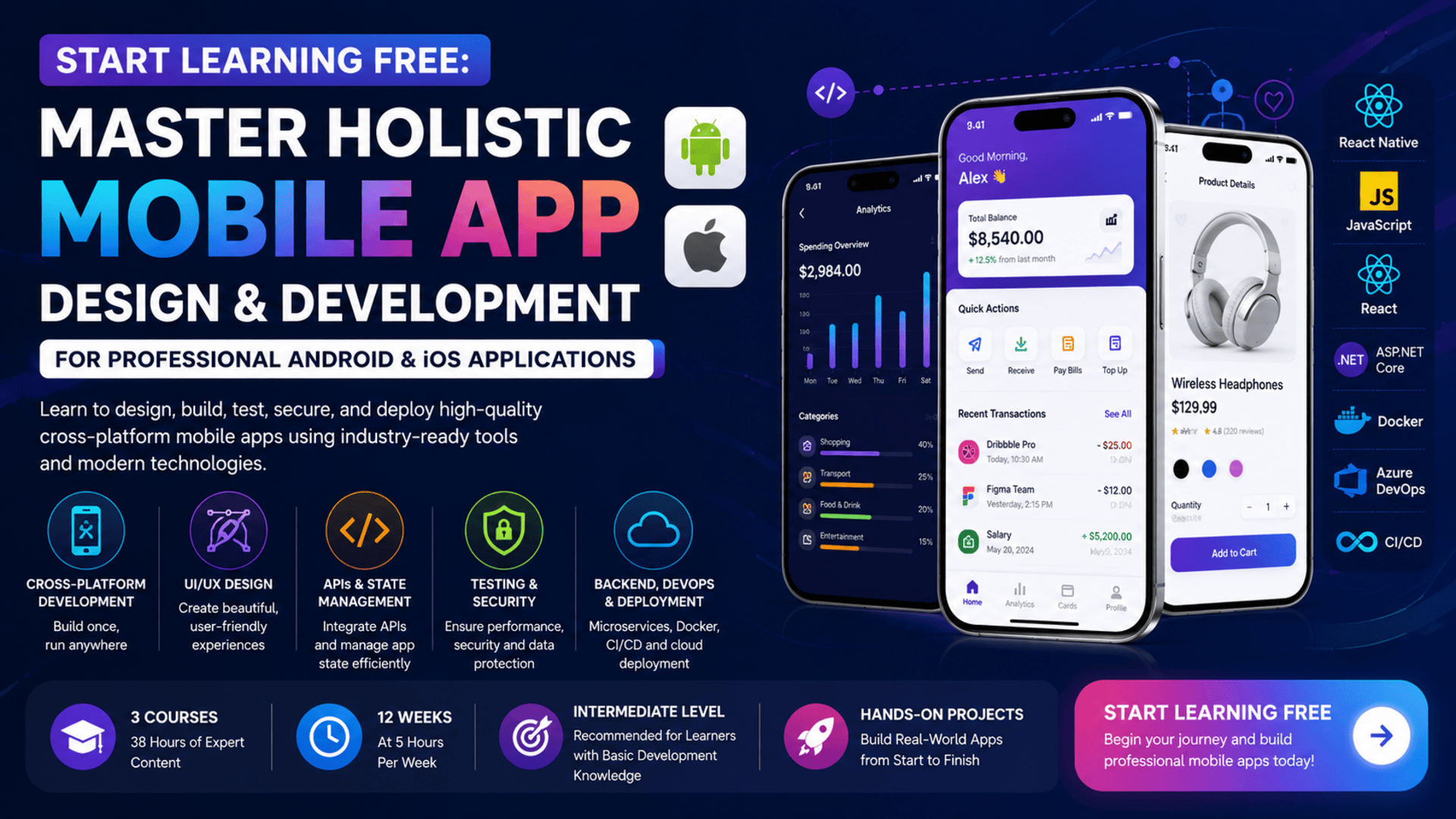
Building a successful mobile application requires more than writing code.
Professional applications need intuitive interfaces, reliable navigation, responsive layouts, efficient data handling, secure authentication, smooth animations, effective testing, scalable backend services, and a structured deployment process.
The Holistic Mobile App Design & Development program brings these areas together in one connected learning path.
Across three courses, learners explore React Native development, UI and UX principles, application state, navigation, APIs, local storage, native-device capabilities, testing, debugging, security, microservices, Docker, and continuous delivery.
The program is designed for learners who want to understand the complete mobile-development lifecycle rather than focusing on one isolated technology.
You may also be able to Start Learning Free by opening one of the individual courses and checking whether selected Preview materials are available.
What Is Holistic Mobile App Development?
Holistic mobile app development means considering the complete product experience.
It includes:
- User research
- Interface design
- User-experience planning
- Application architecture
- Frontend development
- Backend services
- State management
- Data storage
- API communication
- Testing
- Security
- Deployment
- Monitoring
- Continuous delivery
A mobile application may look attractive but still fail if it is slow, confusing, insecure, difficult to maintain, or unable to scale.
A holistic approach connects design, development, quality, security, and deployment into one coordinated process.
Why Learn Cross-Platform Mobile Development?
Developing separate applications for Android and iOS can require different tools, programming languages, and development teams.
Cross-platform development allows developers to reuse a significant amount of code across both operating systems.
React Native supports this approach by allowing developers to build mobile applications using JavaScript and React concepts.
Learning cross-platform development can help you:
- Build Android and iOS applications
- Reuse interface components
- Reduce duplicated work
- Maintain visual consistency
- Create shared business logic
- Integrate external services
- Improve development efficiency
- Test applications across platforms
- Prepare applications for deployment
- Build stronger mobile portfolios
About the Holistic Mobile App Design & Development Program
This intermediate-level learning path contains three courses:
- Cross Platform Mobile Development with React Native
- Advanced Concepts in React Native Development
- Microservices and Deployment Using ASP.NET
The courses provide approximately 38 hours of listed learning content:
- Course 1: 16 hours
- Course 2: 11 hours
- Course 3: 11 hours
The recommended schedule is approximately 12 weeks when studying for around five hours each week.
The program is completely online and offers a flexible schedule.
Basic experience in mobile or web development is recommended.
The courses should be completed in order because the sequence moves from application foundations to advanced mobile features and then to backend architecture and deployment.
What Will You Learn?
The program develops skills across mobile application design, engineering, testing, security, backend services, and deployment.
Key learning outcomes include:
- Understanding cross-platform mobile development
- Explaining React Native architecture
- Using JavaScript in mobile applications
- Creating functional components
- Styling React Native interfaces
- Designing responsive mobile layouts
- Managing state
- Building navigation between screens
- Fetching external data
- Integrating RESTful APIs
- Applying local data storage
- Managing application context
- Creating animations and transitions
- Integrating native-device capabilities
- Working with third-party libraries
- Debugging React Native applications
- Profiling mobile performance
- Writing unit tests
- Protecting sensitive information
- Applying authentication
- Implementing mobile security controls
- Designing microservices
- Building backend services with ASP.NET
- Creating RESTful API services
- Containerizing applications with Docker
- Working with Docker Compose
- Applying continuous integration
- Applying continuous delivery
- Using Azure DevOps pipelines
- Preparing applications for deployment
Course Breakdown
Course 1: Cross Platform Mobile Development with React Native
Estimated learning time: 16 hours
The first course introduces the main principles of cross-platform mobile application development.
Learners explore React Native architecture, project setup, user interfaces, styling, navigation, state management, data handling, and local storage.
Understanding React Native Architecture
React Native allows developers to use JavaScript and React concepts to create mobile interfaces.
Its architecture connects JavaScript application logic with native mobile components.
Learners explore:
- React Native fundamentals
- Application structure
- Development environments
- Mobile components
- JavaScript frameworks
- Responsive interfaces
- Mobile-development tools
Understanding the architecture helps developers see how the application communicates with native Android and iOS capabilities.
Creating Functional Components
Functional components represent reusable parts of a mobile interface.
A component may represent:
- A button
- A profile card
- A search field
- A login form
- A navigation header
- A product item
- A dashboard widget
- A settings panel
Reusable components can improve:
- Code consistency
- Maintainability
- Testing
- Development speed
- Interface standardization
Responsive Mobile Interface Design
Mobile devices have different screen sizes, orientations, and display characteristics.
Responsive design helps applications remain usable across these differences.
Learners work with:
- Layouts
- Spacing
- Typography
- Flexible components
- Device dimensions
- Responsive styles
- User-interface patterns
A responsive interface should remain clear on both smaller phones and larger mobile devices.
Navigation Between Screens
Most mobile applications contain several screens.
Navigation allows users to move between areas such as:
- Login
- Registration
- Home
- Profile
- Settings
- Product details
- Search results
- Notifications
Learners explore how to create clear and predictable navigation flows.
Good navigation helps users understand where they are and how to complete a task.
State Management
State represents information that changes while the application is running.
Examples include:
- User login status
- Selected products
- Search results
- Form input
- Notifications
- Theme preferences
- Loading states
State management helps ensure that the interface updates correctly when data changes.
Learners also explore context management for sharing information across multiple components.
Data Fetching and API Integration
Mobile applications frequently need information from external systems.
An application may use an API to:
- Retrieve products
- Load user profiles
- Display news
- Submit forms
- Update records
- Authenticate users
- Process transactions
Learners develop experience with data fetching and integrating remote information into a React Native interface.
Local Storage and Data Persistence
Some application information should remain available after the user closes the app.
Local storage may be used for:
- Preferences
- Session information
- Saved records
- Recently viewed content
- Offline data
- User settings
Learners explore data persistence methods that support a smoother user experience.
Course 2: Advanced Concepts in React Native Development
Estimated learning time: 11 hours
The second course moves into advanced interface design, native integrations, performance, testing, security, and privacy.
Advanced UI and UX Design
High-quality mobile applications need more than functional screens.
They should also provide a clear and engaging experience.
Learners explore:
- UI and UX strategy
- Interaction design
- Animations
- Transitions
- Optimized layouts
- User feedback
- Visual consistency
- Accessibility
- Responsive behavior
Animations should support the user experience rather than distract from it.
They may be used to communicate:
- Loading
- Navigation
- Completion
- Errors
- Selection
- Progress
- State changes
Native Device Integrations
Mobile devices provide capabilities that web browsers may not offer in the same way.
Applications may interact with:
- Cameras
- Location services
- Notifications
- File systems
- Sensors
- Device storage
- Contacts
- Media libraries
Learners explore how third-party libraries and native integrations can extend application functionality.
Testing and Debugging
Testing helps developers confirm that application features work correctly.
Debugging helps identify and resolve problems.
Learners explore:
- Unit testing
- Software testing
- Development testing
- Error analysis
- Debugging tools
- Application profiling
- Code quality
- Testable application design
Common problems may include:
- Incorrect navigation
- Failed API requests
- State errors
- Broken layouts
- Slow rendering
- Data-handling issues
- Platform-specific behavior
Performance Optimization
Mobile users expect applications to respond quickly.
Poor performance can lead to low engagement and negative reviews.
Performance optimization may involve:
- Reducing unnecessary renders
- Improving list performance
- Optimizing images
- Managing memory
- Reducing network requests
- Improving state updates
- Profiling code
- Identifying bottlenecks
Learners develop techniques for creating smoother and more reliable mobile experiences.
Mobile Security and Secure Coding
Mobile applications may handle sensitive information such as:
- Passwords
- Personal details
- Location data
- Payment information
- Authentication tokens
- Private messages
The course introduces:
- Data security
- Authentication
- Security controls
- Secure coding
- Privacy considerations
- Sensitive-data protection
- Compliance awareness
Developers need to protect both stored data and information transferred between the mobile app and external services.
Course 3: Microservices and Deployment Using ASP.NET
Estimated learning time: 11 hours
The third course focuses on backend architecture and deployment.
It connects the mobile application layer with scalable server-side services.
Learners explore ASP.NET, RESTful APIs, microservices, Docker, Azure DevOps, CI/CD, and application deployment.
What Are Microservices?
Microservices divide an application into smaller services.
Each service focuses on a specific business responsibility.
Examples include:
- User authentication
- Product management
- Orders
- Payments
- Notifications
- Reporting
- Search
Each service can be developed, tested, and deployed independently.
This can improve scalability and maintainability, but it also requires careful communication and deployment management.
ASP.NET Backend Development
ASP.NET can be used to develop web services and application backends.
Learners explore:
- .NET Core
- API design
- RESTful services
- Backend logic
- Request handling
- Data communication
- Service architecture
- Code quality
A React Native application can communicate with an ASP.NET backend through APIs.
RESTful API Development
RESTful APIs organize application resources through structured endpoints.
They may support operations such as:
- Retrieving information
- Creating records
- Updating data
- Deleting records
- Authenticating users
- Processing business logic
Learners develop a stronger understanding of how mobile interfaces communicate with backend services.
Docker and Containerization
Docker packages an application and its dependencies into a container.
Containers can make applications easier to:
- Test
- Move between environments
- Deploy consistently
- Scale
- Manage
- Reproduce
Learners explore:
- Docker images
- Containers
- Dockerfiles
- Registries
- Networking
- Volumes
Docker Compose
Docker Compose helps define and operate applications containing several containers.
For example, a system may include:
- An API container
- A database container
- An authentication service
- A monitoring service
Docker Compose helps configure and run these parts together.
Continuous Integration and Continuous Delivery
Continuous integration automatically checks and tests code changes.
Continuous delivery prepares validated changes for deployment.
These practices can help teams:
- Detect problems earlier
- Improve release quality
- Reduce manual deployment work
- Release updates more frequently
- Maintain consistent environments
Azure DevOps Pipelines
Azure DevOps pipelines can automate:
- Builds
- Tests
- Packaging
- Container creation
- Deployment
- Release management
Learners explore how CI/CD supports a professional software-development lifecycle.
Applied Learning Projects
The learning path uses realistic application scenarios.
Learners apply their skills by creating cross-platform mobile applications and connecting them to backend services.
Projects may include:
- Responsive React Native screens
- Navigation workflows
- API-connected applications
- Local data persistence
- Animated interfaces
- Native-device features
- Secure authentication
- Tested mobile functionality
- ASP.NET microservices
- Containerized backend services
- Automated deployment pipelines
These projects simulate practical challenges faced by mobile-development teams.
Skills You Can Develop
React Native Development
Build cross-platform applications using JavaScript and React Native.
Mobile UI and UX Design
Create responsive, usable, and visually consistent mobile interfaces.
State Management
Control how changing application information updates the interface.
Navigation
Build clear workflows between application screens.
API Integration
Connect mobile applications to external services and backend systems.
Local Storage
Store selected data on the device for improved continuity and offline access.
Animations and Interactions
Create engaging and meaningful mobile experiences.
Native Integrations
Use device features and third-party mobile libraries.
Testing and Debugging
Identify defects and verify application behavior.
Performance Optimization
Improve rendering, responsiveness, and resource usage.
Mobile Security
Protect user information and apply secure coding practices.
Microservices
Design backend systems as smaller independent services.
Containerization
Package applications and services with Docker.
DevOps
Automate testing, delivery, and deployment.
Tools and Technologies Covered
The program introduces:
- React Native
- JavaScript
- React
- RESTful APIs
- ASP.NET
- .NET Core
- Docker
- Docker Compose
- Azure DevOps
- Azure DevOps Pipelines
- CI/CD tools
- Testing frameworks
- Debugging tools
- Mobile-development tools
- Version-control tools
- Container registries
Who Should Take This Program?
This program may be suitable for:
Mobile Developers
Developers who want to strengthen React Native, testing, security, and deployment skills.
Web Developers
JavaScript and React developers who want to expand into mobile applications.
Aspiring Full-Stack Mobile Developers
Learners who want to understand both the mobile interface and backend services.
Software Engineering Students
Students interested in mobile development, APIs, microservices, and DevOps.
UI and UX Designers
Designers who want to understand how mobile interfaces are implemented technically.
Backend Developers
Developers who want to connect ASP.NET services to mobile clients.
DevOps Engineers
Professionals interested in containerized mobile backends and automated delivery.
Career Changers
Learners with basic technical experience who want to enter mobile application development.
Is This Program Suitable for Beginners?
The program is classified as intermediate level.
Basic knowledge of mobile or web development is recommended.
Learners will benefit from understanding:
- JavaScript basics
- React concepts
- Web development
- APIs
- Basic programming logic
- Version control
Complete beginners may need to study JavaScript and React fundamentals before starting.
The program is better suited to learners who already understand basic development concepts and want to build more complete, production-oriented mobile applications.
How Long Does the Program Take?
The recommended schedule is approximately 12 weeks at five hours per week.
The three courses contain approximately 38 hours of listed content:
- Cross Platform Mobile Development with React Native: 16 hours
- Advanced Concepts in React Native Development: 11 hours
- Microservices and Deployment Using ASP.NET: 11 hours
Actual completion time will depend on:
- Previous programming experience
- Weekly availability
- Time spent practicing
- Project complexity
- Debugging requirements
- Deployment work
- Additional portfolio development
Should You Complete the Courses in Order?
Yes.
The recommended sequence is:
- Cross Platform Mobile Development with React Native
- Advanced Concepts in React Native Development
- Microservices and Deployment Using ASP.NET
The first course develops the application foundation.
The second adds advanced user interfaces, native features, performance, testing, and security.
The third connects the mobile app to scalable backend services and deployment pipelines.
Following the order provides a complete progression from interface development to production delivery.
How to Start Learning Free
The complete three-course specialization is not currently available entirely free.
However, you can check an individual course page to see whether a Preview option is offered.
Follow these steps:
- Open the program link.
- Scroll down until you find the three individual courses.
- Select the course you want to explore.
- Open its individual course page.
- Click Enroll.
- Sign in or create an account when requested.
- Look for a Preview option instead of selecting Start Free Trial or a paid enrollment plan.
- When Preview is available, open the accessible videos or learning materials and begin studying.
Preview availability may vary by course, location, account, and current enrollment options.
Selected Preview access may not include:
- Every lesson
- Complete projects
- Graded assignments
- Assessments
- The full specialization
- The shareable certificate
When Preview is unavailable, check whether financial aid or a scholarship is offered.
“Start Learning Free” refers to checking for an available no-cost entry option. It does not mean that the complete specialization and certificate are guaranteed to be free.
Can You Earn a Certificate?
A shareable career certificate is available after completing the required courses and assessments through an eligible enrollment option.
The certificate may be added to:
- A LinkedIn profile
- A resume
- A CV
- A mobile-development portfolio
- A performance review
- A personal development record
Preview access does not provide the complete certificate.
A strong portfolio should combine the credential with working mobile applications, backend services, source-code repositories, and deployment documentation.
How to Build a Strong Mobile App Portfolio
Consider creating projects such as:
- A booking app
- A delivery application
- An e-commerce app
- A fitness tracker
- A messaging interface
- A task-management application
- A location-based service
- A secure customer portal
- A notification-based app
- A mobile app connected to microservices
Each project should include:
- A clear problem statement
- User flows
- UI and UX designs
- Responsive screens
- Navigation
- State management
- API integration
- Local storage
- Authentication
- Testing
- Security considerations
- Backend services
- Deployment notes
- A source-code repository
A complete project demonstrates your ability to connect mobile design, frontend development, backend services, security, and deployment.
Frequently Asked Questions
Can I Start Learning Free?
You can check individual course pages for a Preview option. When available, Preview may provide selected videos or learning materials.
Is the complete program free?
No. The complete specialization, graded work, projects, and certificate are not currently available entirely free.
How many courses are included?
The program contains three courses covering React Native, advanced mobile development, microservices, Docker, and Azure DevOps.
Is previous experience required?
Basic knowledge of mobile or web development is recommended.
Will I learn React Native?
Yes. The first two courses focus on React Native fundamentals, advanced interfaces, performance, testing, and security.
Will I learn UI and UX design?
Yes. The curriculum covers UI components, responsive design, interaction design, animation, and UI/UX strategy.
Does the program cover APIs?
Yes. Learners integrate RESTful APIs into mobile applications and backend services.
Will I learn mobile security?
Yes. The program includes authentication, data security, secure coding, and security controls.
Does the program include Docker?
Yes. The third course covers Docker images, containers, Dockerfiles, registries, networking, volumes, and Docker Compose.
Will I learn CI/CD?
Yes. Azure DevOps pipelines and continuous integration and delivery are included.
How long does the program take?
The recommended schedule is approximately 12 weeks at five hours per week.
Can Preview access provide a certificate?
No. Preview access does not include the complete shareable certificate.
Start Building Complete Mobile Applications
Professional mobile development combines design, frontend engineering, APIs, data, performance, testing, security, backend architecture, and deployment.
This three-course program brings those skills together through React Native, ASP.NET, Docker, and Azure DevOps.
Learners begin by creating cross-platform Android and iOS applications, advance into animations, native integrations, testing, and security, and finish by building scalable backend services and automated deployment pipelines.
Open one of the individual courses and check whether selected Preview materials are available.
Start Learning Free today and begin developing the end-to-end mobile app design and development skills needed to create professional, secure, high-performance Android and iOS applications.
Complete Cross-Platform Mobile Development
Master Holistic Mobile App Design & Development
Learn React Native, UI/UX design, navigation, state management, APIs, testing, security, ASP.NET microservices, Docker, Azure DevOps, and CI/CD through practical mobile projects.
Start Learning FreePreview availability and included materials may vary. Selected Preview access may not include the complete specialization, practical projects, graded assessments, or the shareable certificate. Financial aid may be available for eligible learners. This page may contain a promotional link.





