
Start Learning Free: Master Frontend Development Using React and Build Modern Web Applications

Modern web applications need to be more than visually attractive.
They must load effectively, respond to user actions, work across multiple devices, provide accessible interfaces, manage changing data, and remain easy for development teams to test and maintain.
Frontend developers bring these requirements together.
They combine HTML, CSS, JavaScript, user-interface design, responsive layouts, application logic, reusable components, testing, and modern frameworks to create the experiences users interact with every day.
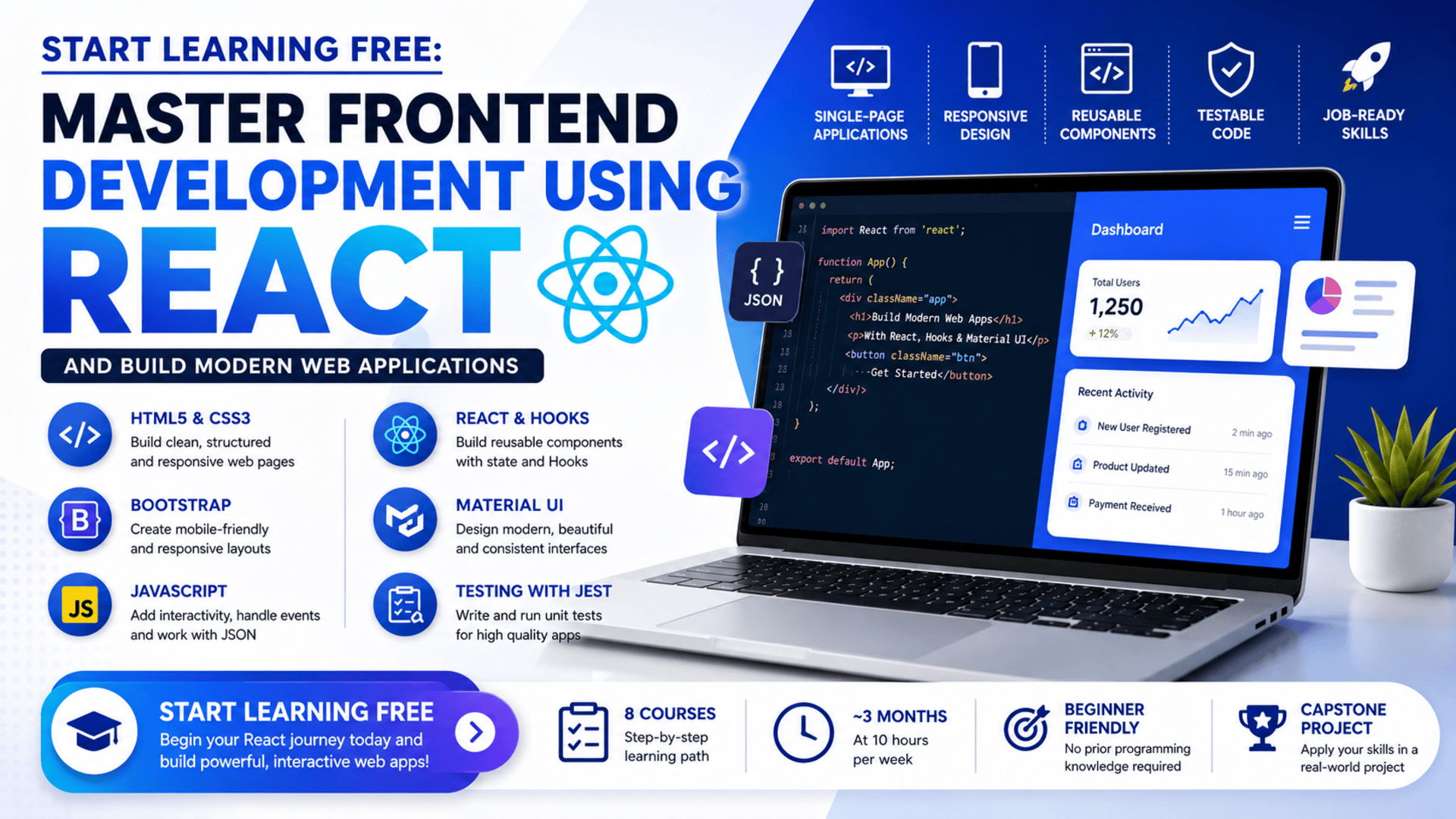
The Frontend Development Using React program provides a structured learning journey from basic webpage creation to complete, interactive single-page applications.
Across eight connected courses, learners study HTML5, CSS3, Bootstrap, JavaScript, React class components, functional components, React Hooks, Material UI, navigation, forms, state management, unit testing, and application development.
The learning path concludes with a capstone project that brings these technologies together in a complete frontend solution.
You can begin by checking an individual course page to see whether selected Preview materials are available and Start Learning Free before choosing a complete enrollment option.
What Is Frontend Development Using React?
Frontend development focuses on the visual and interactive layer of a website or web application.
It includes everything users see and work with, such as:
- Navigation menus
- Buttons
- Forms
- Product cards
- Search features
- Dashboards
- User profiles
- Responsive layouts
- Interactive messages
- Page transitions
- Data-driven interfaces
React is a JavaScript library that helps developers organize these interfaces into reusable components.
Instead of building an entire application as one large block of code, React developers divide the interface into smaller pieces.
A component might represent:
- A header
- A login form
- A shopping-cart item
- A dashboard panel
- A notification
- A search field
- A navigation bar
- A product card
Reusable components can improve consistency, reduce duplicated code, and make applications easier to update.
Why Learn React for Frontend Development?
React introduces a component-based method for creating dynamic web interfaces.
Learning React can help developers:
- Build reusable UI components
- Manage changing application data
- Create single-page applications
- Handle forms and user events
- Build complex navigation workflows
- Share data between components
- Apply modern state-management methods
- Create responsive interfaces
- Improve code reusability
- Test interface behavior
- Build more maintainable applications
React also builds naturally on HTML, CSS, and JavaScript.
For this reason, the program begins with foundational web technologies before moving into React development.
About the Frontend Development Using React Program
This beginner-friendly specialization contains eight connected courses.
The recommended schedule is approximately three months when studying for around ten hours per week.
The program is fully online and allows learners to progress at their own pace.
No prior programming knowledge is required.
The eight-course sequence is:
- Introduction to Building Web Pages Using HTML5 and CSS3
- Developing Responsive Web Pages Using HTML5 and CSS3
- Building Interactive Web Pages Using Modern JavaScript
- Building Interactive User Interfaces Using React Library
- Building User Interfaces Using Functional React Components
- Building High-Quality User Experience Using Material UI
- Building Navigational Workflows Using React
- Capstone Project
The curriculum moves from static webpages to responsive layouts, interactive JavaScript applications, reusable React components, advanced interface design, navigation, testing, and complete application development.
What Will You Learn?
The program develops a broad collection of frontend-development capabilities.
Key learning outcomes include:
- Creating webpage structures with HTML5
- Styling pages with CSS3
- Applying semantic HTML
- Creating mobile-friendly interfaces
- Developing responsive layouts
- Working with Bootstrap
- Writing modern JavaScript
- Accessing and modifying webpage content
- Handling browser events
- Working with JSON
- Validating user input
- Creating testable JavaScript applications
- Building React class components
- Sharing information between components
- Creating React functional components
- Managing stateful logic with React Hooks
- Applying context management
- Creating reusable interface logic
- Testing React applications with Jest
- Building interfaces with Material UI
- Applying user-centered design principles
- Creating forms
- Building navigational workflows
- Developing single-page applications
- Applying unit-testing practices
- Creating a complete capstone solution
Course Breakdown
Course 1: Introduction to Building Web Pages Using HTML5 and CSS3
Estimated learning time: 11 hours
The first course introduces the essential technologies used to create static webpages.
HTML5 defines the structure and meaning of webpage content.
CSS3 controls presentation, layout, colors, typography, spacing, borders, and other visual properties.
Learners explore how to create:
- Headings
- Paragraphs
- Lists
- Links
- Images
- Forms
- Tables
- Navigation sections
- Page containers
- Styled interface elements
Semantic HTML
Semantic HTML uses elements that clearly describe the purpose of the content.
Examples include elements for:
- Navigation
- Headers
- Main content
- Articles
- Sections
- Footers
Semantic structure can improve accessibility, maintainability, and search visibility.
CSS Styling
Learners apply CSS to control:
- Colors
- Fonts
- Text size
- Margins
- Padding
- Borders
- Backgrounds
- Alignment
- Width
- Height
- Page structure
By the end of the course, learners should be able to create accessible and attractive static webpages using HTML5 and CSS3.
Course 2: Developing Responsive Web Pages Using HTML5 and CSS3
Estimated learning time: 17 hours
The second course focuses on creating webpages that work across multiple devices.
A layout that looks correct on a desktop monitor may become difficult to use on a smartphone unless it is designed responsively.
Learners explore:
- Modern CSS
- Responsive web design
- Multi-device compatibility
- Bootstrap
- Responsive UI components
- Flexible page layouts
- Mobile-friendly design
- Web-development frameworks
Responsive Design
Responsive design allows a webpage to adapt according to the available screen size.
Developers may adjust:
- Columns
- Navigation
- Font sizes
- Images
- Spacing
- Content order
- Buttons
- Forms
Bootstrap
Bootstrap provides a responsive grid and reusable frontend components.
It can help developers create:
- Navigation bars
- Cards
- Buttons
- Forms
- Tables
- Alerts
- Modals
- Responsive columns
Learners use Bootstrap and modern CSS to create interfaces that remain usable across desktop, tablet, and mobile screens.
Course 3: Building Interactive Web Pages Using Modern JavaScript
Estimated learning time: 26 hours
The third course introduces the programming language that controls frontend application behavior.
JavaScript allows developers to create interfaces that respond to users and update dynamically.
Learners explore:
- Variables
- Data types
- Functions
- Conditions
- Loops
- Arrays
- Objects
- Data structures
- Events
- JSON
- Data validation
- Browser behavior
- Error handling
- Testing
- Frontend performance
Event-Driven Programming
An event occurs when a user or browser performs an action.
Examples include:
- Clicking a button
- Submitting a form
- Typing into a field
- Selecting an item
- Loading a page
- Moving between sections
JavaScript allows the application to respond to these events.
JSON
JSON is commonly used to exchange structured information between applications.
Learners develop experience working with JSON data and using it inside interactive web applications.
Validation and Testing
Professional applications should validate user input and test important functionality.
Validation helps prevent incomplete or invalid information from being processed.
Testing helps confirm that the interface behaves as expected.
By the end of the course, learners should be able to build interactive, optimized, and testable web applications using JavaScript.
Course 4: Building Interactive User Interfaces Using React Library
Estimated learning time: 18 hours
The fourth course introduces React through class-based components.
Learners study how to create attractive and responsive user interfaces with navigable views.
Important topics include:
- React fundamentals
- Class components
- Props
- State
- Data sharing
- Event handling
- Reusable components
- APIs
- Unit testing
- Jest
- User-interface components
- Test scripts
- Application behavior
React Class Components
Class components are one method of creating reusable interface elements.
They can manage their own state and respond to lifecycle events.
Understanding them remains useful when maintaining existing React applications.
Props and Data Sharing
Props allow components to receive data from other parts of the application.
For example, one product-card component may display different product details depending on the information passed to it.
State
State stores information that may change while the application is running.
Examples include:
- Selected products
- Form values
- Search results
- Loading indicators
- User preferences
- Navigation status
When state changes, React can update the relevant interface components.
Jest Testing
Jest is a testing framework used to verify JavaScript and React application behavior.
Testing can help developers identify problems earlier and make changes with greater confidence.
Course 5: Building User Interfaces Using Functional React Components
Estimated learning time: 6 hours
The fifth course introduces functional components and React Hooks.
Functional components are widely used in modern React development.
Learners explore:
- Functional components
- React Hooks
- Reusable stateful logic
- Context management
- Data sharing
- Unit testing
- Test cases
- Event-driven programming
- Code reusability
- UI components
React Hooks
Hooks allow functional components to use state and other React features.
They help developers organize reusable application logic without relying entirely on class components.
Hooks may be used to:
- Manage state
- Respond to data changes
- Perform side effects
- Share logic
- Access context
- Improve component reuse
Context Management
Context can make information available across several components without passing it manually through every level.
It may be useful for:
- User information
- Themes
- Language settings
- Authentication status
- Shared application data
This course helps learners move from traditional class components toward modern functional React development.
Course 6: Building High-Quality User Experience Using Material UI
Estimated learning time: 8 hours
Material UI is a React component library used to create polished and consistent interfaces.
Learners explore:
- Material UI components
- User-interface design
- User-experience design
- Responsive interfaces
- CSS customization
- Design elements
- User-centered design
- React integration
- Reusable visual systems
Why Use a Component Library?
A component library can accelerate development by providing reusable elements such as:
- Buttons
- Forms
- Cards
- Dialogs
- Navigation bars
- Menus
- Tables
- Alerts
- Icons
- Layout tools
Material UI also helps developers maintain visual consistency across an application.
User-Centered Design
A high-quality interface should help users complete tasks efficiently.
Developers need to consider:
- Readability
- Navigation
- Feedback
- Accessibility
- Visual hierarchy
- Consistency
- Mobile usability
- Error prevention
This course connects React development with stronger UI and UX principles.
Course 7: Building Navigational Workflows Using React
Estimated learning time: 10 hours
The seventh course focuses on forms and navigation.
Modern single-page applications often contain several views and complex user journeys.
Learners explore:
- React navigation
- Forms
- Data validation
- User flows
- UI components
- Application structure
- Navigational libraries
- Web applications
- JavaScript frameworks
Forms
Forms allow users to:
- Register accounts
- Sign in
- Submit requests
- Search for information
- Update profiles
- Enter payment details
- Provide feedback
Forms need validation, clear instructions, error messages, and effective user feedback.
Navigational Workflows
A navigation workflow defines how users move through an application.
Examples include:
- Registration to account setup
- Product list to product details
- Shopping cart to checkout
- Login to dashboard
- Search results to selected content
Well-designed navigation helps users understand where they are and what they should do next.
Course 8: Capstone Project
Estimated learning time: 4 hours
The final course consolidates the knowledge developed throughout the specialization.
Learners create a complete frontend solution using skills from the earlier courses.
The capstone may require learners to apply:
- HTML5
- CSS3
- Bootstrap
- JavaScript
- React
- Reusable components
- Functional components
- Hooks
- Material UI
- Forms
- Navigation
- Data validation
- Unit testing
- UI and UX principles
The project follows a development lifecycle, from understanding the problem to designing, developing, testing, and presenting the final solution.
A completed capstone can also support a professional frontend-development portfolio.
Applied Learning Project
The specialization includes an applied project centered on frontend solutions built with React.
Learners develop interactive, responsive, and testable single-page applications.
The project encourages learners to apply:
- HTML5
- CSS3
- JavaScript
- React
- Responsive design
- Testing
- Design principles
- Development best practices
The goal is to create frontend products that meet professional design and development expectations.
Skills You Can Develop
HTML5 and CSS3
Build structured and visually organized webpages.
Responsive Web Design
Create interfaces that adapt across different screen sizes.
Bootstrap
Develop mobile-friendly layouts and reusable interface components.
Modern JavaScript
Create interactive, data-driven, and event-based application behavior.
React Development
Build reusable components and single-page applications.
React Hooks
Manage state and reusable logic in functional components.
Material UI
Create polished interfaces using a professional React component library.
Navigation and Forms
Build structured user journeys and validated input workflows.
Unit Testing
Use Jest and testing techniques to verify application behavior.
UI and UX Design
Create usable, consistent, accessible, and responsive interfaces.
Code Reusability
Develop components and logic that can be reused across an application.
Tools and Technologies Covered
The learning path introduces:
- HTML5
- CSS3
- JavaScript
- JSON
- Bootstrap
- React
- React class components
- React functional components
- React Hooks
- Material UI
- Jest
- APIs
- UI components
- Web-development tools
- Testing tools
- Development environments
Who Should Take This Program?
This program may be suitable for:
Complete Beginners
No prior programming knowledge is required.
Aspiring Frontend Developers
Learners who want a structured path from basic webpages to React applications.
Career Changers
Professionals preparing to move into web or software development.
UI and UX Designers
Designers who want to understand how interfaces are implemented with HTML, CSS, JavaScript, and React.
Students
Learners who want practical frontend projects alongside their academic studies.
Freelancers
Professionals interested in building websites and interactive web applications for clients.
Entrepreneurs
Business owners who want to understand how modern web interfaces are created.
JavaScript Developers
Developers who want to add structured React, Material UI, testing, and navigation skills.
Is This Program Suitable for Beginners?
Yes.
The specialization is classified as beginner level and does not require previous programming experience.
The curriculum begins with HTML5 and CSS3 before progressing to responsive design, JavaScript, React, Material UI, and testing.
The courses are designed to build skills incrementally.
Beginners should complete them in the recommended order.
However, developing professional skills requires regular practice.
Learners should expect to:
- Write code independently
- Rebuild examples
- Debug errors
- Test responsive layouts
- Create additional components
- Practice JavaScript
- Build small React projects
- Review testing techniques
- Improve the capstone project
How Long Does the Program Take?
The program overview recommends approximately three months at ten hours per week.
The eight listed courses provide about 100 hours of course content:
- Course 1: 11 hours
- Course 2: 17 hours
- Course 3: 26 hours
- Course 4: 18 hours
- Course 5: 6 hours
- Course 6: 8 hours
- Course 7: 10 hours
- Course 8: 4 hours
The program FAQ estimates around 160 hours for full completion, which may include additional assignments, practice, assessments, and project work.
Actual completion time depends on:
- Previous technical experience
- Weekly availability
- Time spent practicing
- Assignment difficulty
- Debugging requirements
- Project customization
Should You Complete the Courses in Order?
Yes.
The courses are designed to build skills progressively:
- HTML5 and CSS3 foundations
- Responsive design and Bootstrap
- Modern JavaScript
- React class components
- Functional components and Hooks
- Material UI
- Navigation and forms
- Capstone project
Following this order helps learners develop the required foundation before moving into more advanced React development.
How to Start Learning Free
The complete eight-course specialization is not currently offered entirely free.
However, you can check an individual course page to see whether a Preview option is available.
Follow these steps:
- Open the program link.
- Scroll down until you find the eight individual courses.
- Select the course you want to explore.
- Open the individual course page.
- Click Enroll.
- Sign in or create an account when requested.
- Look for a Preview option instead of selecting Start Free Trial or a paid enrollment plan.
- When Preview is displayed, open the accessible videos or learning materials and begin studying.
Preview availability may vary according to the selected course, account, region, and current enrollment settings.
Selected Preview access may not include:
- Every lesson
- Complete assignments
- Graded assessments
- The capstone project
- The full specialization
- The shareable certificate
When Preview is unavailable, check whether financial aid or a scholarship is available.
“Start Learning Free” refers to checking for an available no-cost entry option. It does not mean the complete specialization and certificate are guaranteed to be free.
Can You Earn a Certificate?
A shareable career certificate is available after completing the required courses and assessments through an eligible enrollment option.
The certificate may be added to:
- A LinkedIn profile
- A resume
- A CV
- A development portfolio
- A performance review
- A personal learning record
Preview access does not provide the complete certificate.
Combining the credential with a working React application and documented capstone project can provide stronger evidence of practical ability.
How to Build a Strong React Portfolio
After completing the learning path, consider building projects such as:
- A responsive business website
- A product catalog
- A task-management application
- A customer dashboard
- A shopping-cart interface
- An authenticated user portal
- A booking application
- A Material UI admin panel
- A form-heavy business application
- A tested single-page application
Each project should include:
- A clear project description
- Responsive layouts
- Reusable React components
- Forms and validation
- Navigation
- State management
- Hooks
- Material UI or custom styling
- Unit tests
- Screenshots
- A source-code repository
- A deployed demonstration
A well-documented portfolio helps employers and clients understand your development process and technical decisions.
Frequently Asked Questions
Can I Start Learning Free?
You can check individual course pages for a Preview option. When available, Preview may provide selected videos or learning materials.
Is the complete specialization free?
No. The complete eight-course specialization, graded work, capstone, and certificate are not currently offered entirely free.
Is previous programming experience required?
No. The specialization is designed for beginners with no previous programming experience.
How many courses are included?
The program contains eight courses covering HTML, CSS, Bootstrap, JavaScript, React, Hooks, Material UI, navigation, testing, and a capstone project.
Will I learn React Hooks?
Yes. The fifth course focuses on functional components, React Hooks, reusable stateful logic, and context management.
Will I learn Material UI?
Yes. A dedicated course covers Material UI components, responsive design, UI principles, and user experience.
Does the program cover testing?
Yes. Learners explore unit testing, Jest, test cases, test scripts, validation, and testable application design.
Will I build a single-page application?
Yes. The program focuses on interactive, responsive, and testable React single-page applications.
Does the program include a capstone project?
Yes. The final course consolidates the learning from the complete specialization.
How long does the program take?
The overview recommends approximately three months at ten hours per week. The FAQ estimates around 160 hours for full completion.
Can Preview access provide a certificate?
No. Preview access does not include the complete shareable certificate.
Start Building Modern React Applications
Frontend development combines web structure, visual design, interaction, responsive layouts, reusable components, testing, navigation, and user experience.
This eight-course specialization provides a structured path from HTML5 and CSS3 to modern React application development.
Learners build skills in JavaScript, React components, Hooks, Material UI, testing, forms, navigation, and single-page application development.
Open an individual course and check whether selected Preview materials are available.
Start Learning Free today and begin developing the React and frontend skills needed to build responsive, interactive, testable, and professional web applications.
Beginner-Friendly React Development
Master Frontend Development Using React
Learn HTML5, CSS3, Bootstrap, modern JavaScript, React components, Hooks, Material UI, forms, navigation, unit testing, and single-page application development through practical projects.
Start Learning FreePreview availability and included materials may vary. Selected Preview access may not include the complete specialization, graded assignments, capstone project, or shareable certificate. Financial aid may be available for eligible learners. This page may contain a promotional link.





