

Modern websites must do much more than display text and images.
They need to be responsive, accessible, interactive, visually consistent, fast, and easy to use across desktops, tablets, and mobile devices.
Building these experiences requires a combination of programming, design, problem-solving, accessibility, and user-experience skills.
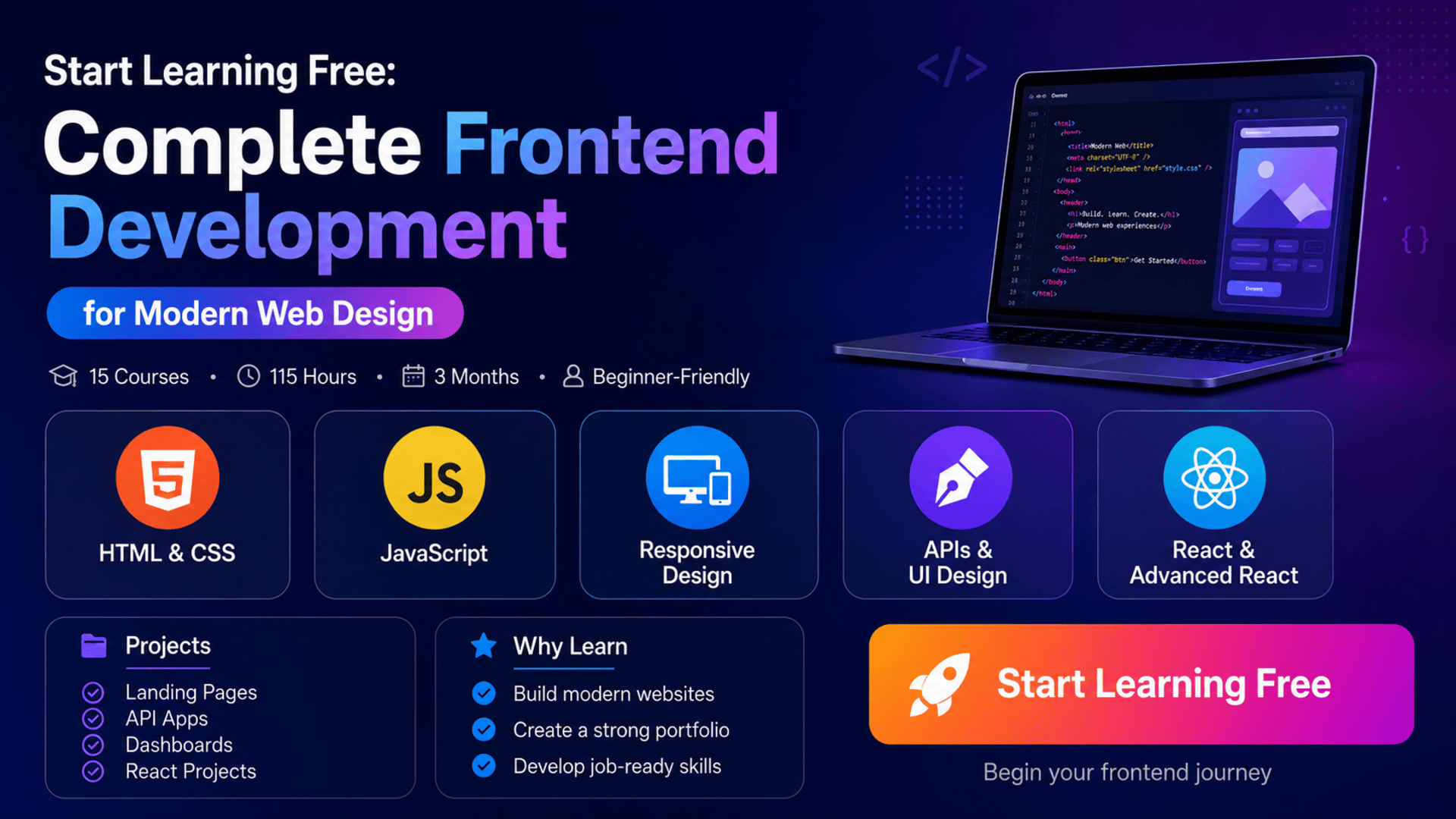
The Complete Frontend Development program provides a structured learning path from the first line of HTML to professional React applications.
Across 15 connected courses, learners study HTML, CSS, JavaScript, accessible web design, responsive layouts, API integration, UI design, React, routing, authentication, performance, and advanced component architecture.
The learning experience emphasizes practical development.
Instead of studying technologies only in isolation, learners complete landing pages, JavaScript applications, games, API-based projects, a personal dashboard, React interfaces, and other projects that can strengthen a professional portfolio.
You can also check an individual course page to see whether selected Preview materials are available and Start Learning Free before choosing a complete enrollment option.
What Is Frontend Development?
Frontend development focuses on the visual and interactive parts of a website or application.
It includes everything users directly see and use, such as:
- Page layouts
- Navigation menus
- Buttons
- Forms
- Images
- Search tools
- Dashboards
- Animations
- Interactive components
- Responsive mobile layouts
- Error messages
- User feedback
Frontend developers transform design concepts into working digital experiences.
They commonly use:
HTML
HTML defines the structure and meaning of web content.
It is used to create headings, paragraphs, links, images, forms, tables, navigation areas, and page sections.
CSS
CSS controls the visual presentation of a website.
It manages colors, typography, spacing, borders, layouts, responsive behavior, animations, and component styling.
JavaScript
JavaScript adds logic and interaction.
It allows websites to respond to clicks, process forms, retrieve information, update content, manage application state, and communicate with APIs.
React
React provides a component-based approach to building interactive user interfaces.
It helps developers organize large applications into reusable and maintainable interface components.
About the Complete Frontend Development Program
This learning path contains 15 courses developed for beginners who want to progress toward a hireable frontend-development level.
The recommended schedule is approximately three months when studying for around ten hours per week.
The program is completely online and offers a flexible schedule, allowing learners to progress according to their own available time.
No previous programming or web-development knowledge is required.
The learning path moves progressively through:
- HTML and CSS foundations
- JavaScript programming
- Accessibility
- Advanced CSS
- JavaScript projects
- Responsive design
- Landing-page development
- CSS Grid
- API fundamentals
- REST and HTTP requests
- Asynchronous JavaScript
- Real-time dashboard development
- UI design
- React
- Advanced React
Together, the listed courses provide approximately 115 hours of learning content.
What Will You Learn?
The specialization develops a broad collection of frontend-development skills.
Key learning outcomes include:
- Creating websites from scratch with HTML
- Styling pages with CSS
- Building responsive mobile layouts
- Applying color, typography, spacing, and visual hierarchy
- Understanding accessible web development
- Using semantic HTML
- Applying accessibility guidelines
- Working with Flexbox and CSS Grid
- Understanding CSS specificity and z-index
- Writing JavaScript variables and functions
- Using loops and conditional statements
- Working with arrays and objects
- Applying array methods
- Debugging JavaScript applications
- Creating event-driven interfaces
- Working with local data storage
- Fetching external information through APIs
- Parsing JSON responses
- Using promises and async/await
- Making HTTP requests
- Building REST-based applications
- Creating real-time dashboards
- Applying UI design principles
- Interpreting professional Figma specifications
- Building React components
- Managing data with props and state
- Applying accessibility in React
- Using React Router
- Managing authentication
- Improving frontend performance
- Building reusable application architecture
- Deploying frontend projects
Course Breakdown
Course 1: Learn HTML and CSS
Estimated learning time: 13 hours
The first course introduces the foundation of web development.
Learners study how HTML structures website content and how CSS controls its presentation.
Topics include:
- HTML elements
- Page structure
- Links
- Images
- Forms
- Typography
- Color palettes
- Fonts
- Spacing
- Layouts
- Styling techniques
- Development tools
- Collaboration
- Website deployment
Learners begin coding websites from scratch and practice translating visual ideas into structured pages.
The course also introduces professional tools used for editing, collaboration, and deployment.
Course 2: Learn JavaScript
Estimated learning time: 15 hours
The second course introduces JavaScript programming.
Learners study:
- Variables
- Data types
- Functions
- Conditional statements
- Loops
- Arrays
- Objects
- Program logic
- Data structures
- Events
- JSON
- Local data storage
- Application development
JavaScript allows websites to respond to users and update information dynamically.
Learners apply these concepts while building real-world web applications.
They also use professional software-development tools for coding, collaboration, and deployment.
Course 3: Learn Accessible Web Design
Estimated learning time: 2 hours
Accessible websites are designed so people with different abilities can use them effectively.
Learners explore:
- Accessible web development
- Semantic HTML
- Accessibility guidelines
- Readable typography
- Color contrast
- Usability
- Page structure
- Inclusive design
Accessibility should not be added only after a website is finished.
It should influence structure, design, navigation, forms, and interactive components throughout development.
These skills help developers create experiences that are easier to use for a wider audience.
Course 4: Essential CSS Concepts
Estimated learning time: 6 hours
The fourth course develops stronger CSS knowledge.
Learners build fully styled and responsive websites while exploring techniques such as:
- Flexbox
- CSS specificity
- z-index
- Positioning
- Typography
- Reusable components
- Maintainable styling
- Responsive behavior
- Debugging layout problems
Understanding CSS specificity helps developers identify why one style overrides another.
The z-index property controls the stacking order of overlapping elements.
Flexbox supports alignment and flexible one-dimensional layouts.
Together, these concepts help solve realistic interface-design challenges.
Course 5: Build Mini Projects in JavaScript
Estimated learning time: 13 hours
This course strengthens JavaScript skills through several practical projects.
Learners explore:
- Arrow functions
- Function expressions
- Array methods
.map().reduce()- Event handling
- Data validation
- Data mapping
- Importing and exporting information
- Debugging
- Error handling
- Interactive interfaces
Mini projects help learners move beyond memorizing syntax.
They provide opportunities to combine logic, user interactions, data, and interface updates in working applications.
Course 6: Build a Responsive Website with HTML and CSS
Estimated learning time: 3 hours
Responsive web design ensures that a website remains usable across different screen sizes.
Learners study:
- Flexible containers
- Media queries
- Responsive typography
- Mobile layouts
- Mobile-first design
- Desktop enhancements
- Application deployment
A mobile-first approach begins with the smallest screen and adds enhancements for larger displays.
This encourages developers to prioritize essential information and usability.
By the end of the course, learners build and deploy a responsive website.
Course 7: Build a Product Splash Page with HTML and CSS
Estimated learning time: 2 hours
This project-based course focuses on developing a professional product landing page.
Learners apply:
- Intermediate HTML
- Intermediate CSS
- Mobile-first design
- Typography
- User-interface design
- Responsive layouts
- Cloud hosting
- Application deployment
A product splash page must communicate value clearly and encourage visitors to take action.
The project helps learners combine design, content hierarchy, responsiveness, and deployment.
Course 8: Build a Responsive Layout with CSS Grid
Estimated learning time: 2 hours
CSS Grid is a two-dimensional layout system used to organize content into rows and columns.
Learners explore:
- Grid columns
- Grid rows
- Grid areas
- Responsive layouts
- Advanced grid techniques
- Cross-device design
- Complex page structures
CSS Grid is especially useful for:
- Dashboards
- Product galleries
- Portfolio pages
- Magazine-style layouts
- Card collections
- Full-page designs
Understanding both Grid and Flexbox helps developers choose the right layout method for different situations.
Course 9: API Basics 1 — Build a Bot
Estimated learning time: 1 hour
The ninth course introduces APIs, JSON, and asynchronous JavaScript.
Learners study:
- What an API is
- How applications communicate
- Fetching external data
- JSON responses
- Asynchronous JavaScript
- Displaying remote information
The practical project involves creating a bot with JavaScript and an external API.
This introduces the process of sending a request, receiving information, processing the response, and updating the page.
Course 10: API Basics 2 — Build a Blog
Estimated learning time: 3 hours
The second API course introduces REST concepts, URLs, servers, and HTTP requests.
Learners explore:
- HTTP methods
- API endpoints
- RESTful services
- JSON data
- Web servers
- Dynamic page content
- API-based blog development
The project involves building a blog that communicates with a server.
This demonstrates how a frontend interface can retrieve and display information through an API.
Course 11: API Basics 3 — Build a Game
Estimated learning time: 4 hours
The third API course focuses on asynchronous programming.
Learners study:
- Callbacks
- Promises
asyncawait- Promise handling
- API data
- Array processing
- Custom functions
- Event-driven programming
The practical project is a card game that retrieves and manages information asynchronously.
This helps learners understand how applications continue functioning while waiting for external data.
Course 12: API Basics 4 — Build a Personal Dashboard
Estimated learning time: 3 hours
This course combines API integration with responsive interface development.
Learners create a personal dashboard that may display:
- Current weather
- Local time
- Real-time cryptocurrency information
- Dynamic background content
- Live external data
The course covers:
- API requests
- Promise rejection
- Error handling
- Real-time information
- Flexbox
- Responsive design
- Dashboard creation
- Wireframing
A dashboard project demonstrates how multiple APIs can work together inside one application.
Course 13: Learn UI Design
Estimated learning time: 13 hours
Frontend developers benefit from understanding design principles, not only programming.
This course introduces:
- UI design
- Layout design
- Typography
- Color theory
- Visual hierarchy
- Spacing
- Usability
- User experience
- Animations
- Interface consistency
- Design systems
- Maintainability
Good UI design helps users understand information and complete tasks efficiently.
Learners also gain experience interpreting design requirements and converting them into working interfaces.
This is particularly useful when working from professional Figma files.
Course 14: Learn React
Estimated learning time: 18 hours
React introduces component-based application development.
Learners study:
- React components
- Props
- State
- Data flow
- Event handling
- Reusable UI elements
- Data mapping
- Accessibility
- Application structure
- Web-development tools
A component may represent:
- A navigation bar
- A product card
- A profile panel
- A search field
- A dashboard widget
- A form
- A notification
Reusable components reduce duplicate code and improve consistency.
State allows a React interface to update when application information changes.
Props allow components to receive and display information.
Learners build several real-world projects while applying accessibility best practices.
Course 15: Learn Advanced React
Estimated learning time: 17 hours
The final course moves beyond React fundamentals.
Learners explore:
- Advanced React patterns
- React Router
- Authentication
- Context management
- Reusable architecture
- Application performance
- Complex component structures
- Data management
- Debugging
- Accessibility
- Internal React behavior
React Router
React Router supports navigation between different views inside a single-page application.
It can be used to create:
- Home pages
- Product pages
- Profile pages
- Dashboards
- Protected routes
- Authentication flows
Authentication
Authentication allows an application to identify users and control access to protected content.
Context Management
Context can help share information across several components without manually passing props through every layer.
Frontend Performance
Performance optimization helps applications load faster and respond more efficiently.
The course prepares learners to create larger, more complex, and more maintainable React applications.
Portfolio Projects You Can Build
Applied learning is a major part of this frontend-development path.
Learners build projects such as:
- Landing pages
- Responsive websites
- Product splash pages
- JavaScript mini applications
- Browser games
- An API-powered bot
- An API-based blog
- A card game
- A real-time personal dashboard
- React applications
- A Chrome extension
- A mobile application
- Advanced React projects
Many projects use professional specifications supplied through Figma files.
This helps learners practice a realistic development workflow:
- Read the design specification.
- Identify components and layouts.
- Build the page structure.
- Apply styling.
- Add interactions.
- Test responsiveness.
- Check accessibility.
- Debug problems.
- Deploy the project.
Skills You Can Develop
HTML and CSS
Create structured, attractive, and maintainable websites.
JavaScript
Develop interactive features, process information, and control application logic.
Responsive Web Design
Build layouts that adapt across mobile, tablet, and desktop screens.
Accessibility
Apply semantic HTML and accessibility practices to improve usability.
API Integration
Retrieve and display external data using JavaScript and RESTful services.
Asynchronous Programming
Use callbacks, promises, and async/await to manage delayed operations.
UI Design
Apply typography, color, spacing, hierarchy, and layout principles.
React Development
Build interactive interfaces through reusable components, props, and state.
Advanced React
Develop applications with routing, authentication, context, and performance optimization.
Debugging
Identify and resolve problems in HTML, CSS, JavaScript, API requests, and React applications.
Deployment
Publish projects so they can be accessed and evaluated online.
Tools and Technologies Covered
The learning path includes:
- HTML
- CSS
- JavaScript
- JSON
- RESTful APIs
- Fetch API
- Flexbox
- CSS Grid
- Media queries
- React
- React Router
- Figma
- Web-development tools
- Browser debugging tools
- Cloud hosting
- Application-deployment tools
- Professional code editors
Who Should Take This Program?
This frontend-development program may be suitable for:
Complete Beginners
No prior programming or web-development knowledge is required.
Aspiring Frontend Developers
Learners who want a structured path from basic websites to advanced React applications.
Career Changers
Professionals interested in moving into web development or technology.
UI and UX Designers
Designers who want to understand how interfaces are implemented with code.
Students
Learners who want practical projects alongside academic study.
Freelancers
Professionals interested in creating websites, landing pages, dashboards, and interactive applications for clients.
Entrepreneurs
Business owners who want to understand how digital products are designed and developed.
Existing Web Developers
Developers who want to strengthen accessibility, API, UI design, or React skills.
Is the Program Suitable for Beginners?
Yes.
The specialization is designed for learners with no previous web-development knowledge.
The recommended course order begins with HTML and CSS, introduces JavaScript, progresses through responsive design and APIs, and finishes with React and advanced React.
Following the sequence helps beginners build one layer of knowledge at a time.
However, frontend development requires consistent practice.
Learners should expect to:
- Write code independently
- Rebuild demonstrations
- Debug errors
- Test responsive layouts
- Review accessibility
- Work with external APIs
- Create additional projects
- Improve existing applications
Watching lessons without practicing will not be enough to develop professional skills.
How Long Does the Program Take?
The recommended schedule is approximately three months at ten hours per week.
The 15 listed courses provide approximately 115 hours of learning content.
Actual completion time depends on:
- Previous experience
- Weekly study availability
- Time spent practicing
- Project complexity
- Debugging requirements
- Portfolio customization
- Additional independent projects
Learners may progress faster or slower because the schedule is flexible.
Should You Complete the Courses in Order?
Beginners should follow the recommended sequence.
The program moves logically from:
- HTML and CSS
- JavaScript
- Accessibility
- Advanced CSS
- JavaScript projects
- Responsive design
- Landing-page development
- CSS Grid
- API fundamentals
- REST and HTTP
- Asynchronous JavaScript
- Real-time dashboards
- UI design
- React
- Advanced React
Learners with previous knowledge may move directly to the areas they want to strengthen.
How to Start Learning Free
The complete 15-course specialization is not currently presented as entirely free.
However, you can check each individual course to see whether a Preview option is available.
Follow these steps:
- Open the program link.
- Scroll down until you find the individual courses included in the specialization.
- Select the course you want to explore.
- Open the individual course page.
- Click Enroll.
- Sign in or create an account when requested.
- Look for a Preview option instead of selecting Start Free Trial or a paid enrollment plan.
- When Preview is available, open the accessible videos or learning materials and begin studying.
Preview availability may vary depending on the individual course, account, location, and current enrollment settings.
Selected Preview access may not include:
- Every lesson
- Interactive challenges
- Complete projects
- Graded assessments
- The entire specialization
- The shareable certificate
When Preview is unavailable, check whether financial aid or a scholarship is offered.
“Start Learning Free” refers to using an available no-cost entry option. It does not guarantee that the complete specialization and certificate are free.
Can You Earn a Certificate?
A shareable career certificate is available after completing the required courses and assessments through an eligible enrollment option.
The credential may be added to:
- A LinkedIn profile
- A resume
- A CV
- A professional portfolio
- A performance review
- A personal development record
Preview access does not provide the complete certificate.
Portfolio projects remain equally important because they demonstrate what you can design, code, test, and deploy.
How to Build a Strong Frontend Portfolio
A strong portfolio should include several complete projects rather than only basic coding exercises.
Consider building:
- A responsive personal website
- A business landing page
- A product splash page
- An accessible form
- A browser game
- A weather dashboard
- A cryptocurrency dashboard
- An API-powered search application
- A React task-management app
- A React e-commerce interface
- An authenticated dashboard
- A multi-page React application
Each project should include:
- A clear description
- Screenshots
- Technologies used
- Responsive behavior
- Accessibility considerations
- API information
- Design files
- Technical decisions
- A live demonstration
- A source-code repository
Professional documentation makes projects easier for employers and clients to evaluate.
Frequently Asked Questions
Can I Start Learning Free?
You can check individual course pages for a Preview option. When available, Preview may provide selected videos or learning materials.
Is the complete frontend-development program free?
No. The complete 15-course specialization, graded projects, and certificate are not currently presented as entirely free.
Is previous experience required?
No. The learning path is designed for complete beginners.
How many courses are included?
The specialization contains 15 courses covering HTML, CSS, JavaScript, accessibility, responsive design, APIs, UI design, React, and advanced React.
Will I learn responsive web design?
Yes. The program covers media queries, mobile-first design, Flexbox, CSS Grid, and responsive projects.
Will I learn JavaScript?
Yes. JavaScript fundamentals, data structures, functions, events, debugging, APIs, promises, and async/await are included.
Will I learn React?
Yes. The final two courses cover React and advanced React development.
Does the program cover APIs?
Yes. Four connected API courses cover Fetch, JSON, REST, HTTP requests, callbacks, promises, async/await, and real-time data.
Will I learn UI design?
Yes. A dedicated UI design course covers typography, color theory, layout, usability, animation, and visual design.
Does the program include practical projects?
Yes. Learners build landing pages, games, API applications, a dashboard, React projects, a Chrome extension, a mobile app, and other portfolio pieces.
How long does the program take?
The recommended schedule is approximately three months at ten hours per week.
Can Preview access provide a certificate?
No. Preview access does not provide the complete shareable certificate.
Start Building Modern Web Experiences
Frontend development combines programming, visual design, accessibility, responsive layouts, APIs, user experience, and reusable application architecture.
This 15-course learning path guides beginners from basic HTML and CSS to professional React application development.
Learners gain practical experience by creating responsive pages, JavaScript applications, API-powered projects, dashboards, UI designs, and advanced React interfaces.
Open an individual course and check whether selected Preview materials are available.
Start Learning Free today and begin developing the frontend skills needed to build responsive, accessible, interactive, and professional web experiences.
Beginner-Friendly Frontend Development
Complete Frontend Development for Modern Web Design
Learn HTML, CSS, JavaScript, accessibility, responsive design, RESTful APIs, UI design, React, advanced React, routing, authentication, and performance through practical projects.
Start Learning FreePreview availability and included materials may vary. Selected Preview access may not include the complete program, interactive challenges, practical projects, graded assessments, or the shareable certificate. Financial aid may be available for eligible learners. This page may contain a promotional link.





