

Data powers nearly every modern digital product.
Online stores use databases to manage customers, products, orders, and payments. Business applications store employee information, transactions, reports, and operational records. Mobile applications retrieve profiles, messages, preferences, and activity history from databases.
Behind these systems are developers, analysts, and database professionals who understand how to organize, query, secure, and scale information.
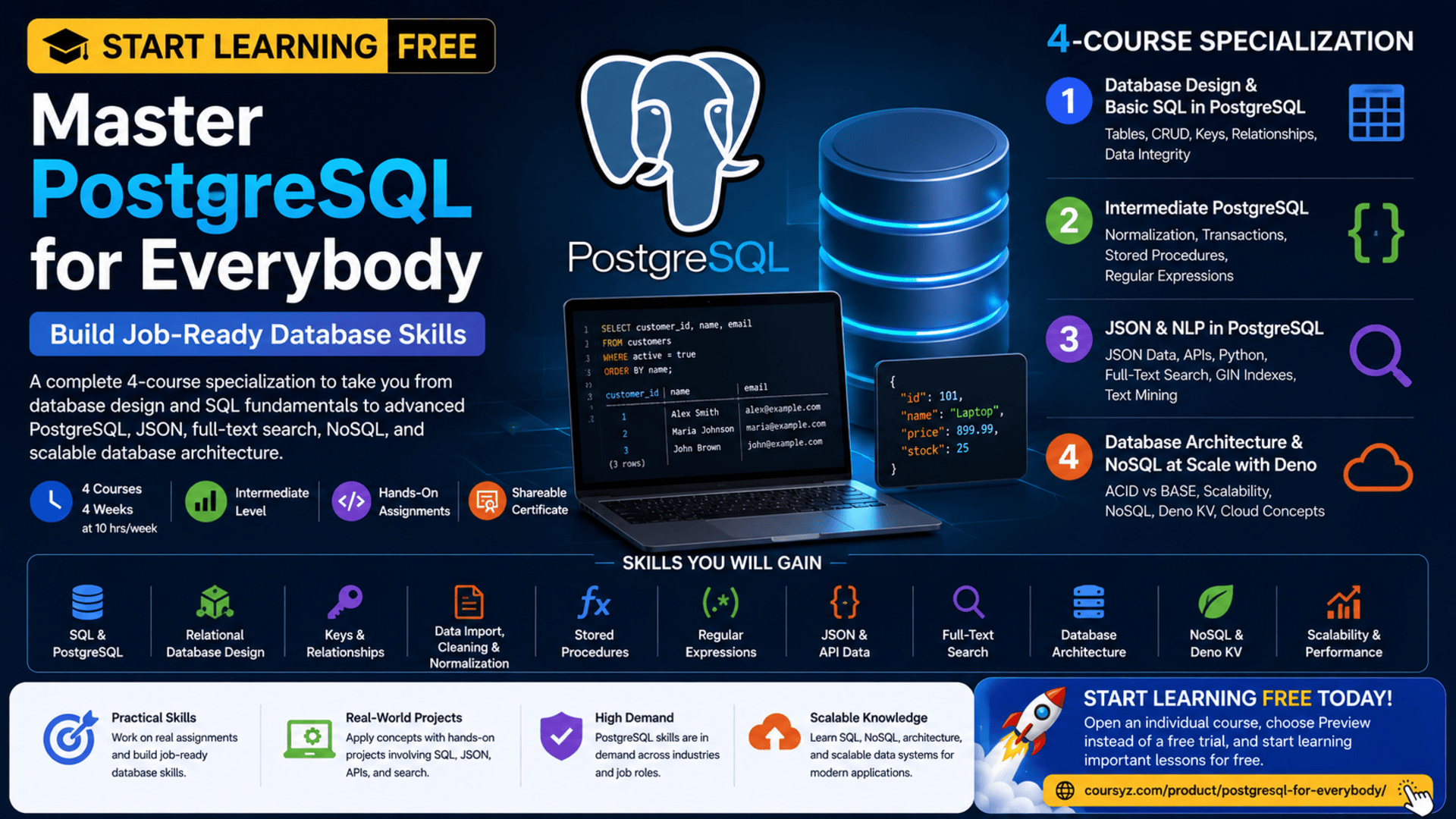
The PostgreSQL for Everybody Specialization provides a structured learning path for people who want to progress from foundational SQL and database design to advanced PostgreSQL features, text processing, JSON, search indexing, database architecture, and NoSQL systems.
You may be able to start learning free by opening an individual course and checking whether selected Preview lessons are currently available.
The program combines theory with hands-on assignments involving table creation, data manipulation, advanced queries, normalization, regular expressions, text indexing, JSON, API data, stored procedures, database architecture, and scalable data storage.
Why Learn PostgreSQL?
PostgreSQL is a powerful open-source relational database-management system used to store, organize, retrieve, and process structured information.
Developers and organizations use PostgreSQL for:
- Web applications
- Mobile applications
- Business platforms
- Financial systems
- Analytics tools
- Customer-management applications
- Content platforms
- E-commerce systems
- Geographic information
- Cloud applications
- Data engineering
- Reporting systems
Learning PostgreSQL can help you understand not only how to write SQL queries, but also how professional database systems are designed and maintained.
PostgreSQL supports features such as:
- Relational tables
- Primary and foreign keys
- Complex SQL queries
- Transactions
- Stored procedures
- JSON data
- Full-text search
- Indexing
- Data integrity
- Advanced data types
- Scalable database architecture
These capabilities make PostgreSQL useful for both traditional relational applications and modern data-driven services.
About the PostgreSQL for Everybody Specialization
PostgreSQL for Everybody is a four-course specialization designed for learners with some previous programming experience.
The program is classified as intermediate level.
Basic Python knowledge is recommended because parts of the specialization use Python when retrieving API data and working with PostgreSQL and JSON.
The estimated learning schedule is approximately:
- Four courses
- Four weeks
- Around 10 hours per week
- Flexible, self-paced learning
The courses should ideally be completed in order because later topics build on earlier database and SQL concepts.
The four courses are:
- Database Design and Basic SQL in PostgreSQL
- Intermediate PostgreSQL
- JSON and Natural Language Processing in PostgreSQL
- Database Architecture and NoSQL at Scale with Deno
Together, they cover PostgreSQL from basic relational design through advanced search, NoSQL, scalability, and database architecture.
What You Will Learn
Throughout the specialization, you will learn how to:
- Use PostgreSQL effectively
- Work with the
psqlcommand-line environment - Create database tables
- Insert, retrieve, update, and delete records
- Design relational database structures
- Use primary, logical, and foreign keys
- Build one-to-many relationships
- Build many-to-many relationships
- Normalize imported data
- Import and transform CSV information
- Work with dates and text
- Create stored procedures
- Write regular expressions
- Search text using PostgreSQL
- Store and query JSON data
- Retrieve data from APIs
- Build PostgreSQL search indexes
- Compare SQL and NoSQL systems
- Understand ACID and BASE architectures
- Explore scalable database design
- Work with Deno KV
- Analyze database-deployment strategies
- Apply database knowledge to application development and data mining
Course 1: Database Design and Basic SQL in PostgreSQL
Estimated duration: 14 hours
The first course introduces the foundations of relational databases and PostgreSQL.
It focuses on practical SQL operations, table design, keys, relationships, and the history and principles behind relational database systems.
You will learn how to:
- Use PostgreSQL commands
- Work with
psql - Create tables
- Insert records
- Read information
- Update records
- Delete records
- Use primary keys
- Use logical keys
- Use foreign keys
- Build database relationships
- Protect data integrity
Understand CRUD Operations
CRUD represents four fundamental database operations:
Create
Add new information to a database.
INSERT INTO customers (name, email)
VALUES ('Alex Smith', '[email protected]');
Read
Retrieve stored information.
SELECT name, email
FROM customers;
Update
Modify an existing record.
UPDATE customers
SET email = '[email protected]'
WHERE customer_id = 10;
Delete
Remove a record.
DELETE FROM customers
WHERE customer_id = 10;
Nearly every database-driven application depends on these operations.
Create Database Tables
A table organizes information into rows and columns.
A customer table might include:
- Customer ID
- Name
- Account status
- Registration date
Example:
CREATE TABLE customers (
    customer_id SERIAL PRIMARY KEY,
    name VARCHAR(100) NOT NULL,
    email VARCHAR(150) UNIQUE,
    account_status VARCHAR(30),
    created_at TIMESTAMP DEFAULT CURRENT_TIMESTAMP
);
A well-designed table should use appropriate data types, constraints, and identifiers.
Understand Primary Keys
A primary key uniquely identifies each row in a table.
For example, two customers may have the same name, but they should not have the same customer ID.
Primary keys help databases:
- Locate records
- Connect related tables
- Prevent duplicates
- Maintain integrity
- Improve query performance
Understand Foreign Keys
A foreign key creates a relationship between tables.
For example, an orders table may contain a customer ID that connects each order to the correct customer.
CREATE TABLE orders (
    order_id SERIAL PRIMARY KEY,
    customer_id INTEGER REFERENCES customers(customer_id),
    order_date DATE,
    total_amount NUMERIC(10,2)
);
Foreign keys help ensure that related information remains valid.
Build One-to-Many Relationships
A one-to-many relationship occurs when one record relates to several records in another table.
Examples include:
- One customer has many orders
- One department has many employees
- One author has many articles
- One category has many products
This is one of the most common database relationships.
Build Many-to-Many Relationships
A many-to-many relationship occurs when records from both tables can connect to several records in the other table.
Examples include:
- Students and courses
- Products and orders
- Users and roles
- Authors and books
A junction table is normally used to represent the relationship.
For example:
CREATE TABLE student_courses (
    student_id INTEGER REFERENCES students(student_id),
    course_id INTEGER REFERENCES courses(course_id),
    PRIMARY KEY (student_id, course_id)
);
Protect Data Integrity
Data integrity means keeping information accurate, valid, and consistent.
PostgreSQL supports integrity through:
- Primary keys
- Foreign keys
- Unique constraints
- Required fields
- Data types
- Check constraints
- Transactions
Strong database design reduces invalid records and makes applications more reliable.
Course 2: Intermediate PostgreSQL
Estimated duration: 16 hours
The second course develops more advanced SQL and PostgreSQL skills.
It covers:
- Editing tables
- Importing CSV files
- Database normalization
- Text processing
- Date handling
- Stored procedures
- Regular expressions
- Transaction processing
- Data transformation
- Performance considerations
Import and Normalize CSV Data
Real-world data is often stored in spreadsheets or CSV files.
Imported data may include:
- Repeated values
- Inconsistent formatting
- Missing identifiers
- Combined fields
- Incorrect data types
- Duplicate records
Normalization reorganizes the data into a cleaner relational structure.
For example, instead of repeating customer information in every order record, customer details can be stored once in a customer table and referenced through a customer ID.
This can improve:
- Consistency
- Storage efficiency
- Data integrity
- Query clarity
- Application maintenance
Understand Database Normalization
Normalization is the process of organizing data to reduce duplication and improve integrity.
A normalized design commonly separates different types of information into related tables.
For example, an online store may use:
- Customers
- Products
- Orders
- Order items
- Payments
Rather than storing all information in one large table, each table has a clear responsibility.
Work with Text in PostgreSQL
Databases frequently store text such as:
- Names
- Addresses
- Product descriptions
- Articles
- Messages
- Tags
- Search terms
PostgreSQL provides functions for:
- Converting text case
- Extracting parts of strings
- Combining text
- Replacing values
- Matching patterns
- Cleaning imported data
Text-processing skills are especially useful when working with inconsistent external data.
Work with Dates and Times
Applications use dates for:
- Orders
- Registrations
- Appointments
- Activity history
- Reports
- Expiration dates
- Transactions
PostgreSQL supports date and time data types and functions that allow developers to:
- Store timestamps
- Calculate intervals
- Filter by date ranges
- Extract years or months
- Sort chronological records
- Compare dates
Create Stored Procedures
A stored procedure is reusable database logic stored within the database system.
Stored procedures can:
- Perform repeated operations
- Apply business rules
- Process several SQL statements
- Centralize database logic
- Improve permission control
- Support transaction workflows
They can be useful when an operation must be executed consistently by several applications.
Use Regular Expressions
Regular expressions allow developers to find text matching specific patterns.
They can be used to:
- Identify hashtags
- Validate structured text
- Find codes
- Extract matching records
- Search text patterns
- Clean imported information
For example, a query may identify records containing a hashtag or a specific text format.
Regular expressions are powerful, but complex patterns should be documented clearly.
Understand Transactions
A transaction groups several database operations into one controlled process.
For example, transferring funds may involve:
- Subtracting money from one account.
- Adding money to another account.
- Creating a transaction record.
If one step fails, the database may need to reverse the entire operation.
Transactions help protect data consistency.
Course 3: JSON and Natural Language Processing in PostgreSQL
Estimated duration: 16 hours
The third course explores how PostgreSQL can store, index, and retrieve modern data formats.
It combines:
- PostgreSQL
- SQL
- Python
- JSON
- API data
- Text mining
- Natural language processing
- Search indexes
- Data storage
- Scripting
Work with JSON in PostgreSQL
JSON is widely used by web services and APIs.
Example:
{
  "customer_id": 125,
  "name": "Alex Smith",
  "interests": ["databases", "python", "analytics"]
}
PostgreSQL can store JSON documents while still providing relational database capabilities.
This allows developers to work with flexible data when every record may not have exactly the same structure.
Compare Relational Data and JSON
Relational tables are ideal when information has a clear, consistent structure.
JSON can be useful when:
- Data contains nested objects
- Fields may vary
- Information comes from external APIs
- Flexible attributes are required
- Rapid schema changes are expected
Developers should choose the model that fits the application rather than using JSON for every problem.
Retrieve Data from APIs
APIs provide information to applications through structured requests and responses.
A developer may use Python to:
- Request data from an API.
- Receive a JSON response.
- Process the information.
- Insert it into PostgreSQL.
- Query and analyze the stored data.
This workflow is common in:
- Data engineering
- Application integration
- Reporting
- Analytics
- Automation
- Data mining
Build Text Search in PostgreSQL
PostgreSQL includes advanced full-text search capabilities.
Developers can:
- Break text into searchable terms
- Create indexes
- Rank results
- Search large text collections
- Retrieve documents matching keywords
- Build internal search tools
Applications that may benefit from text search include:
- Article platforms
- Product catalogs
- Documentation systems
- Help centers
- Message archives
- Research databases
Understand GIN Indexes
GIN stands for Generalized Inverted Index.
GIN indexes can improve searches involving:
- Arrays
- JSON
- Full-text data
- Multiple contained values
An inverted index maps values or words to the records that contain them.
This is similar to how a book index maps topics to page numbers.
Using an index can make repeated searches significantly faster.
Use tsvector for Full-Text Search
PostgreSQL can convert text into a searchable tsvector representation.
The database can then match search queries against indexed text.
This supports features such as:
- Keyword search
- Ranked results
- Text normalization
- Language-aware processing
- Efficient retrieval
These features allow PostgreSQL to support search functionality that might otherwise require a separate search service for smaller or moderately sized applications.
Build a Search Engine with PostgreSQL
The course includes practical work involving text indexing and retrieval.
A simplified search workflow may involve:
- Store text records.
- Convert text into searchable terms.
- Build an index.
- Accept a search query.
- Match the query against the index.
- Rank relevant results.
- Return matching records.
This introduces important concepts used in search engines, text mining, and information retrieval.
Course 4: Database Architecture and NoSQL at Scale with Deno
Estimated duration: 11 hours
The final course explores database architecture and scalable data-storage approaches.
It covers:
- PostgreSQL architecture
- SQL databases
- NoSQL systems
- ACID
- BASE
- Distributed computing
- Scalability
- Database deployment
- Cloud-oriented systems
- Deno KV
- Data stores
- Database architecture
Understand PostgreSQL Architecture
Database architecture describes how a database system stores data, processes queries, manages connections, and protects transactions.
Important architectural concepts may include:
- Database server
- Client connections
- Storage
- Memory
- Query processing
- Transactions
- Indexes
- Concurrency
- Backup and recovery
- Deployment
Understanding architecture helps developers design applications that use the database effectively.
Compare SQL and NoSQL
SQL databases generally use:
- Structured tables
- Defined schemas
- Relationships
- SQL queries
- Strong transaction support
NoSQL systems may use:
- Key-value data
- Documents
- Graphs
- Wide-column structures
- Flexible schemas
- Distributed storage
Neither approach is automatically better.
The correct choice depends on:
- Data structure
- Consistency requirements
- Query patterns
- Scale
- Availability
- Development needs
- Operational complexity
Understand ACID
ACID describes important transaction properties:
Atomicity
A transaction is completed fully or not at all.
Consistency
A transaction moves the database from one valid state to another.
Isolation
Concurrent transactions should not interfere with one another incorrectly.
Durability
Committed information remains stored even after a failure.
ACID is important for systems such as banking, orders, inventory, and financial transactions.
Understand BASE
BASE is commonly associated with distributed NoSQL systems.
It represents:
- Basically Available
- Soft state
- Eventual consistency
In eventual-consistency systems, data across distributed nodes may not update at exactly the same moment, but it becomes consistent over time.
This may be acceptable for certain large-scale applications where availability and distribution are prioritized.
Explore Deno KV
Deno KV is a key-value data store associated with the Deno runtime.
Key-value systems store information using a unique key and its corresponding value.
They can be useful for:
- Application settings
- Sessions
- Caching
- User preferences
- Fast lookups
- Distributed application data
The course uses Deno KV to demonstrate NoSQL indexing and scalable database concepts.
Understand Database Scalability
Scalability refers to the ability of a system to handle increasing data, users, and requests.
Database scalability may involve:
- More powerful servers
- Additional servers
- Replication
- Partitioning
- Caching
- Load distribution
- Query optimization
- Indexing
- Distributed data stores
A scalable architecture should be chosen according to the real requirements of the application.
Applied Learning and Hands-On Assignments
The specialization uses a custom autograding environment for practical assignments.
Hands-on activities include:
- Creating database tables
- Manipulating data
- Designing data models
- Building relationships
- Writing advanced SQL queries
- Normalizing imported information
- Working with text
- Using regular expressions
- Creating stored procedures
- Processing JSON
- Retrieving API data
- Building PostgreSQL indexes
- Creating full-text search
- Comparing SQL and NoSQL architectures
- Working with scalable key-value data
Practical database work is essential because SQL skills improve through writing, testing, and correcting real queries.
Skills You Can Build
After completing the program and practising independently, you can develop knowledge in:
- PostgreSQL
- SQL
- Relational databases
- Database design
- Database development
- Data modeling
- Database theory
- Data integrity
- Database management
- CRUD operations
- Stored procedures
- Transactions
- Data transformation
- Import and export
- Regular expressions
- JSON
- Python integration
- API data storage
- Text mining
- Natural language processing
- Full-text search
- NoSQL
- Scalability
- Database architecture
- Cloud-oriented database deployment
- Distributed systems
Who Should Take This Specialization?
The program may be useful for:
Aspiring Database Developers
Learners can develop practical PostgreSQL and SQL knowledge.
Back-End Developers
Back-end developers frequently need to create data models, queries, indexes, and database integrations.
Data Analysts
SQL skills help analysts retrieve, filter, combine, and transform business information.
Data Engineers
The program introduces API ingestion, text data, JSON, database architecture, and scalable storage.
Python Developers
Python developers can learn how to connect applications and scripts with PostgreSQL.
Full-Stack Developers
Full-stack developers benefit from understanding the database layer behind web applications.
Software Engineering Students
Students can strengthen their understanding of relational design, transactions, indexing, and data architecture.
Application Support Professionals
Support teams can use database knowledge to diagnose data, query, and performance issues.
Recommended Knowledge Before Starting
The program is classified as intermediate level.
Learners should ideally understand:
- Basic Python
- Variables
- Loops
- Functions
- Lists and dictionaries
- Basic programming logic
- Files and data
- Command-line concepts
Previous SQL experience can be helpful but is not required for every topic because the first course introduces basic SQL and database design.
How to Start Learning Free
The complete specialization is not available entirely free.
However, individual courses may sometimes offer selected Preview lessons.
Follow these steps:
- Open the program link using the call-to-action button in this article.
- Scroll down to the four individual courses.
- Select the course you want to explore.
- Open the selected course.
- Click Enroll.
- Sign in or create an account.
- Look for Preview instead of beginning a paid trial.
- Open any available lessons and start learning free.
Important Access Notice
The Preview option may not appear.
When Preview is unavailable, check whether the enrollment page provides:
- Financial aid
- Scholarships
- Employer-sponsored learning
- University access
- A subscription trial
The full specialization, assignments, graded activities, and certificate may require paid enrollment.
Always review the current enrollment and payment conditions before confirming.
How to Get the Best Results
Practise SQL Daily
Write queries instead of only reading examples.
Build Your Own Database
Create a database for a realistic project such as:
- Online store
- Library
- Booking system
- Student-management platform
- Customer-management application
- Help-desk service
Design the Schema First
Identify:
- Tables
- Columns
- Data types
- Primary keys
- Foreign keys
- Relationships
- Constraints
Import Realistic Data
Practise cleaning and normalizing CSV files.
Write Advanced Queries
Use:
- Joins
- Subqueries
- Aggregations
- Date functions
- Text functions
- Regular expressions
Add Indexes Carefully
Measure query performance before and after indexing.
Work with JSON
Store API responses and compare JSON queries with relational designs.
Build Search Features
Practise full-text search and ranking.
Document Your Database
Include an entity-relationship diagram, schema explanation, sample queries, and setup instructions.
Portfolio Project Ideas
Consider building:
- Product search database
- Customer-order system
- News article search engine
- Job-listing database
- Social-media hashtag analyzer
- Book and author database
- API data warehouse
- Inventory-management database
- Support-ticket search system
- PostgreSQL analytics project
A strong portfolio project could include:
- Relational schema
- CRUD operations
- Normalized tables
- SQL joins
- Stored procedures
- Transactions
- JSON
- API integration
- Full-text search
- Indexing
- Performance notes
- Documentation
Potential Career Opportunities
After developing sufficient PostgreSQL, SQL, and database skills, learners may explore roles such as:
- Junior database developer
- SQL developer
- PostgreSQL developer
- Back-end developer
- Data analyst
- Junior data engineer
- Database application developer
- Application-support engineer
- Reporting developer
- Full-stack developer
Completing the specialization does not guarantee employment.
Employers may also evaluate:
- SQL proficiency
- Database-design knowledge
- Query optimization
- Python ability
- API integration
- Cloud knowledge
- Portfolio quality
- Problem-solving
- Communication
- Technical-interview performance
Frequently Asked Questions
Can I start learning free?
You can check individual courses for selected Preview lessons. Free access is not guaranteed.
Is the program suitable for complete beginners?
The specialization is classified as intermediate. Basic Python knowledge is recommended.
How many courses are included?
The program contains four courses.
How long does the program take?
The listed estimate is approximately four weeks at around 10 hours per week.
Does the program teach SQL?
Yes. It covers SQL from basic CRUD operations through advanced querying and database architecture.
Will I learn PostgreSQL?
Yes. PostgreSQL is the main database platform used throughout the program.
Are database relationships covered?
Yes. You will learn primary keys, foreign keys, one-to-many relationships, and many-to-many relationships.
Does it cover stored procedures?
Yes. Stored procedures are included in the intermediate PostgreSQL course.
Are JSON and APIs included?
Yes. You will retrieve API data, work with JSON, and store it in PostgreSQL.
Does the program include full-text search?
Yes. You will use PostgreSQL indexes and build search capabilities.
Is NoSQL covered?
Yes. The final course compares SQL and NoSQL and introduces Deno KV.
Does free Preview include the certificate?
No. Preview access generally does not include the complete graded experience or certificate.
Start Learning Free and Build Job-Ready PostgreSQL Skills
Learn PostgreSQL, SQL, database design, CRUD operations, normalization, stored procedures, JSON, Python integration, full-text search, NoSQL, database architecture, and scalability.
Select an individual course and check whether Preview is available. Free preview access is not guaranteed. Complete courses, graded assignments, projects, and the certificate may require paid enrollment. Financial aid may be available.





