

Mobile applications have transformed how people communicate, shop, learn, work, travel, manage money, and access entertainment.
Behind every successful mobile application is a combination of programming knowledge, user-interface design, data management, software architecture, testing, and maintainable code.
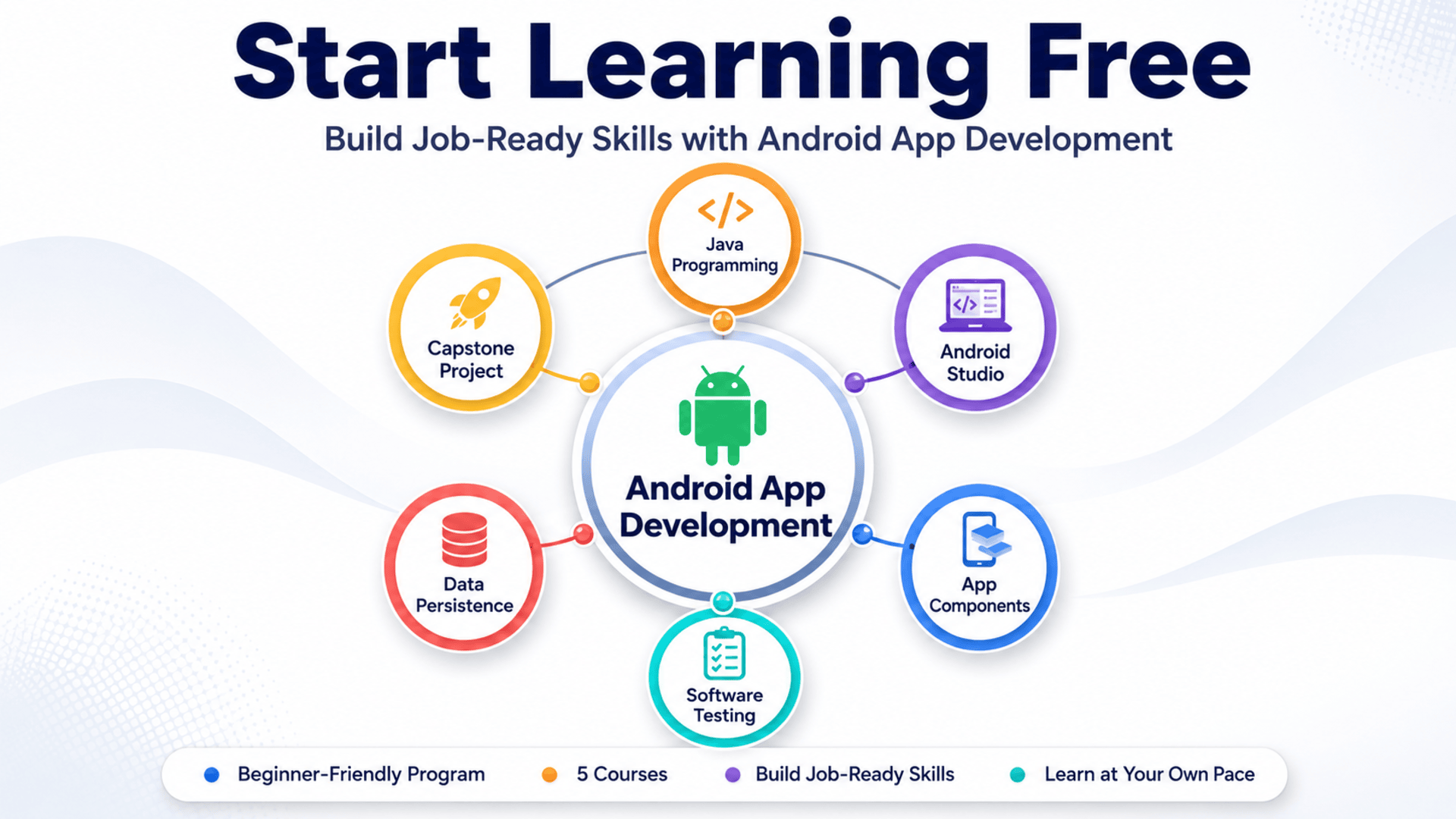
The Android App Development program provides a structured learning path for people who want to understand how professional mobile applications are created.
Through five connected courses, learners explore Java programming, Android Studio, activities, intents, broadcast receivers, services, content providers, Material Design, file storage, Git, automated testing, and software design patterns.
The program concludes with a customizable capstone project that allows learners to combine their knowledge in a complete Android application.
You may also be able to Start Learning Free by previewing selected materials from an individual course when a Preview option is available.
What Is Android App Development?
Android app development is the process of designing, programming, testing, and maintaining applications for devices that use the Android operating system.
These applications may run on:
- Smartphones
- Tablets
- Smart displays
- Wearable devices
- Automotive systems
- Television devices
- Specialized business hardware
Android developers combine programming and software-engineering skills to transform an idea into a functional mobile product.
A professional Android application may require:
- A clear user interface
- Navigation between screens
- Secure data storage
- Background services
- Access to local files
- Communication between application components
- Network connectivity
- Error handling
- Automated tests
- Maintainable software architecture
This learning program introduces these concepts progressively through practical programming activities and application-development projects.
About the Android App Development Program
The Android App Development program is a beginner-friendly specialization developed by Vanderbilt University.
It consists of five connected courses designed to help learners build maintainable Android applications using Java and standard Android development tools.
The program can generally be completed in approximately two months when studying for around ten hours per week.
It is delivered online with a flexible schedule, so learners can study according to their available time.
No previous programming experience is required. The program starts with Java fundamentals before progressing to Android components, application architecture, testing, maintainability, and capstone development.
The courses are designed to be completed in the recommended order because each stage builds on concepts introduced earlier.
Why Learn Android App Development?
Mobile applications remain an important part of modern digital products.
Organizations across healthcare, education, finance, logistics, retail, transportation, entertainment, manufacturing, and professional services use mobile applications to connect with customers and employees.
Learning Android app development can help you understand how to:
- Turn application ideas into functional software
- Create interfaces for mobile users
- Organize application logic
- Manage local data
- Use Android application components
- Test software behavior
- Improve code quality
- Work with version-control systems
- Build maintainable mobile applications
- Create projects for a professional portfolio
Android development also strengthens transferable programming and software-engineering skills.
Java, object-oriented programming, version control, testing, design patterns, data persistence, and application architecture are useful far beyond mobile development.
What Will You Learn?
The program focuses on the knowledge and practical skills needed to develop maintainable Android applications.
Major learning outcomes include:
- Programming with Java
- Using object-oriented programming principles
- Working with variables, methods, classes, and interfaces
- Applying inheritance and polymorphism
- Managing arrays and Java collections
- Handling exceptions
- Using Android Studio
- Creating Android activities
- Building mobile user interfaces
- Working with intents
- Using broadcast receivers
- Managing services
- Understanding local inter-process communication
- Creating content providers
- Applying Material Design
- Reading and writing files
- Using Shared Preferences
- Working with SQLite
- Managing source code with Git
- Writing unit and integration tests
- Applying test-driven development
- Using software design patterns
- Improving application maintainability
- Building a customized Android capstone project
Android App Development Course Breakdown
The learning path includes five courses. Each course introduces a different part of Android software development.
Course 1: Java for Android
Estimated learning time: 35 hours
The first course introduces the Java programming features commonly used to create Android applications.
Learners study how programs control their flow of execution through conditional statements and looping structures.
They also explore structured data using:
- Arrays
- ArrayList
- HashMap
- Java collection classes
The course introduces object-oriented programming concepts that help developers organize related data and behavior into reusable software components.
Important topics include:
- Primitive and user-defined types
- Classes
- Objects
- Fields
- Methods
- Interfaces
- Generic parameters
- Exceptions
- Inheritance
- Method overriding
- Polymorphism
Learners apply these Java concepts in an Android development context using Android Studio, activities, and basic user-interface elements.
Programming assignments help reinforce the concepts introduced through the lessons.
This course is particularly valuable for beginners because it builds the Java foundation required for the remaining Android development courses.
Course 2: Android App Components — Intents, Activities, and Broadcast Receivers
Estimated learning time: 14 hours
The second course explores several core Android application components.
Activities
An activity commonly represents a screen or user-facing interaction within an Android application.
Learners study how activities operate and how they can work together to create a complete mobile experience.
Intents
Intents allow Android components to request actions from one another.
They may be used to:
- Open another screen
- Start an application component
- Pass information
- Request an external action
- Communicate between parts of an app
Broadcast Receivers
Broadcast receivers allow applications to respond to system-wide or application-generated events.
The course also introduces:
- Android concurrency frameworks
- Java file input and output
- Android storage mechanisms
- Shared Preferences
- Git version control
Learners work incrementally on a project that downloads, stores, and displays images from remote websites.
New features are added as the course progresses, helping learners understand how multiple Android components cooperate inside a practical application.
Course 3: Android App Components — Services, Local IPC, and Content Providers
Estimated learning time: 13 hours
The third course continues exploring Android architecture through additional application components.
Services
Services allow applications to perform operations that may continue without a visible user interface.
Learners explore both started services and bound services.
Local Inter-Process Communication
Local IPC enables different parts of an Android system to communicate and exchange information.
Understanding this communication model can help developers create applications with more sophisticated internal architectures.
Content Providers
Content providers create a structured method for managing and sharing application data.
They can help applications access information through consistent interfaces.
The course also introduces databases, data access, user-interface design, software architecture, and Android’s Material Design principles.
Learners work incrementally on a Material Design-based RSS reader application.
This project provides practical experience with services, content providers, interface design, and persistent information.
Course 4: Engineering Maintainable Android Apps
Estimated learning time: 9 hours
Creating an application that works is important. Creating an application that remains understandable, testable, and adaptable is equally important.
The fourth course focuses on software-engineering practices that improve Android application quality.
Topics include:
- Test-driven development
- Unit testing
- Integration testing
- Automated testing
- JUnit
- Android testing frameworks
- Software design patterns
- Application security
- Secure coding
- Testability
- Maintainability
- Extensibility
- Code clarity
Learners examine how software patterns can help organize code and reduce unnecessary complexity.
Automated tests make it easier to confirm that application features behave as expected.
Testing can also help developers change or extend an application with greater confidence because existing functionality can be checked automatically.
This part of the program is particularly relevant for learners who want to move beyond basic coding and develop professional software-engineering habits.
Course 5: Android App Development Capstone
Estimated learning time: 4 hours
The final course combines the concepts introduced throughout the learning path.
Learners create a customized Android application that demonstrates their understanding of:
- Java programming
- Android activities
- Broadcast receivers
- Services
- Content providers
- SQLite
- User-interface development
- Unit testing
- Integration testing
- Interface testing
- Data persistence
- Event-driven programming
The capstone provides less prebuilt skeleton code than earlier assignments.
This gives learners more freedom to customize the application, make technical decisions, and demonstrate creativity.
A completed capstone can become a useful portfolio project because it shows how multiple Android development concepts work together inside one application.
Practical Projects You Will Work On
The program uses hands-on projects to reinforce technical knowledge.
Projects may include:
Java Programming Assignments
Practice Java features, object-oriented programming, collections, control flow, exceptions, and reusable classes.
Remote Image Application
Build an Android application that downloads, stores, and displays images obtained from remote websites.
Material Design RSS Reader
Develop an application that uses Material Design principles and works with services, local communication, content providers, and stored data.
Automated Testing Activities
Create tests that evaluate application functionality, maintainability, and reliability.
Custom Capstone Application
Combine Java, Android components, persistence, interface design, testing, and software patterns in a final personalized project.
These projects help learners move from watching lessons to applying development concepts.
Skills You Can Develop
The Android App Development program covers technical and professional skills that are relevant to mobile and general software development.
Java Programming
Learn how to write Java code and apply core language features to Android applications.
Object-Oriented Programming
Use classes, interfaces, inheritance, polymorphism, and reusable components to structure software.
Android Studio
Work with the primary integrated development environment used throughout the program.
Android Application Components
Understand activities, intents, broadcast receivers, services, and content providers.
Mobile User-Interface Development
Create interfaces and apply Material Design principles to mobile applications.
Data Persistence
Store and retrieve application data using files, Shared Preferences, content providers, and SQLite.
Git Version Control
Track code changes and manage development work using Git.
Software Testing
Apply unit testing, integration testing, interface testing, and test automation.
Software Design Patterns
Use established software patterns to improve application structure and extensibility.
Maintainable Software Engineering
Write code that is easier to understand, test, modify, and extend.
Tools and Technologies Covered
Learners gain exposure to tools and technologies used throughout the Android development process:
- Java
- Android Studio
- Android operating system
- JUnit
- Git
- SQLite
- Shared Preferences
- Android activities
- Intents
- Broadcast receivers
- Android services
- Content providers
- Material Design
- Java file input and output
- Automated testing frameworks
These technologies help learners understand the complete development lifecycle rather than focusing on one isolated coding skill.
Who Should Take This Program?
This program may be suitable for several types of learners.
Complete Programming Beginners
The learning path does not require previous programming knowledge and begins with Java fundamentals.
Aspiring Android Developers
People who want a structured introduction to Android application development and mobile software engineering.
Career Changers
Professionals considering a transition into programming, mobile development, or software engineering.
Students
Computer science, information technology, engineering, and business students who want practical development experience.
Entrepreneurs
Founders who want to understand the technical process behind creating Android applications.
Freelancers
Professionals interested in offering mobile application development or software-testing services.
Developers Learning Java
Programmers from other languages who want to develop Java and Android skills.
Is This Android Development Program Beginner-Friendly?
Yes.
The program is classified as beginner level and does not require prior programming experience.
Learners need only a basic ability to use computers before starting.
The first course introduces Java programming concepts before applying them to Android development.
However, beginner-friendly does not mean effortless.
Programming requires consistent practice, problem-solving, debugging, and patience.
Learners should plan time to:
- Review lessons
- Write code
- Complete assignments
- Test applications
- Fix errors
- Practice independently
- Expand project features
Regular practice is essential for turning theoretical knowledge into practical development ability.
How Long Does the Program Take?
The program is estimated to take approximately two months when studying for around ten hours per week.
The five listed courses contain approximately 75 hours of material in total:
- Java for Android: 35 hours
- Intents, Activities, and Broadcast Receivers: 14 hours
- Services, Local IPC, and Content Providers: 13 hours
- Engineering Maintainable Android Apps: 9 hours
- Android App Development Capstone: 4 hours
Actual completion time will depend on:
- Previous programming experience
- Weekly study availability
- Time spent debugging
- Assignment complexity
- Additional practice
- Capstone customization
Beginners may need more time, particularly when learning Java and Android Studio for the first time.
Should You Complete the Courses in Order?
Yes.
The recommended sequence is:
- Java for Android
- Android App Components: Intents, Activities, and Broadcast Receivers
- Android App Components: Services, Local IPC, and Content Providers
- Engineering Maintainable Android Apps
- Android App Development Capstone
Each course builds on skills introduced earlier.
Starting with Java helps learners understand the programming language before working with more complex Android architecture.
The capstone should be completed last because it integrates knowledge from the entire program.
How to Start Learning Free
You may be able to Start Learning Free by previewing selected materials from one of the individual courses.
Follow these steps:
- Open the program link.
- Scroll down until you find the five individual courses included in the program.
- Select the individual course you want to explore.
- Open its course page.
- Click Enroll.
- Sign in or create an account when requested.
- Look for a Preview option instead of selecting Start Free Trial or a paid enrollment plan.
- When Preview is available, open the accessible videos or materials and begin learning.
The Preview option may not appear for every learner, course, account, or location.
Preview access may include only selected materials. It does not normally provide:
- Complete course access
- All programming assignments
- Graded assessments
- Capstone completion
- Instructor-reviewed activities
- A shareable certificate
The complete five-course program is not currently presented as entirely free.
Eligible learners who cannot afford enrollment should check whether financial aid or a scholarship is available.
Can You Earn a Certificate?
A shareable career certificate is available to learners who complete the required program content and assessments through an eligible enrollment option.
The certificate may be added to:
- A LinkedIn profile
- A resume
- A CV
- A professional portfolio
- A personal development record
- A performance review
Previewing selected free materials does not provide the full certificate.
The strongest evidence of practical ability will usually combine a credential with real projects, readable code, and a clear explanation of the problems the applications solve.
How This Program Can Support Career Development
Completing an online course alone does not guarantee employment.
However, the program can help learners develop a foundation for several career paths, including:
- Junior Android developer
- Mobile application developer
- Java developer
- Junior software developer
- Application support developer
- Software testing professional
- Mobile quality-assurance tester
- Freelance application developer
To improve career readiness, learners should consider:
- Completing every programming assignment
- Customizing the capstone project
- Publishing code through a professional repository
- Writing clear project documentation
- Adding screenshots and feature descriptions
- Explaining technical decisions
- Practicing Java outside the lessons
- Building one or two additional Android applications
- Learning modern Android development practices after completing the Java foundation
A strong portfolio demonstrates what a learner can build, test, explain, and improve.
Frequently Asked Questions
Can I Start Learning Free?
You may be able to preview selected course videos or materials when an individual course displays a Preview option. Availability and included content may vary.
Is the complete Android App Development program free?
No. The complete five-course program, graded assignments, capstone requirements, and certificate are not currently presented as entirely free.
Is previous programming experience required?
No. The program is designed for beginners and starts with Java programming fundamentals.
How many courses are included?
The program contains five courses covering Java, Android application components, data persistence, software testing, maintainability, and a capstone project.
What programming language will I learn?
The program uses Java for Android application development.
Will I use Android Studio?
Yes. Learners use Android Studio while working with Java and Android application components.
Does the program include practical projects?
Yes. Learners complete programming assignments, an image-focused application, an RSS reader project, testing activities, and a customizable capstone app.
Will I learn software testing?
Yes. The program covers unit testing, integration testing, interface testing, automated testing, JUnit, and test-driven development concepts.
Will I earn a certificate through Preview access?
No. Preview access does not include the complete certificate. A certificate requires completion through an eligible enrollment option.
How long does the program take?
The estimated duration is approximately two months at ten hours per week, although individual completion time may vary.
Start Building Your Android Development Skills
Android application development combines creativity, programming, architecture, design, testing, and problem-solving.
This beginner-friendly program provides a structured route from Java fundamentals to a customized Android capstone application.
Learners can develop experience with Android Studio, application components, data persistence, Git, Material Design, JUnit, software patterns, and maintainable code.
Start by exploring an individual course and checking whether selected Preview materials are available.
Beginner-Friendly Mobile Development
Build Job-Ready Android App Development Skills
Explore Java programming, Android Studio, core app components, Material Design, data persistence, Git, automated testing, software patterns, and practical mobile-development projects.
Start Learning FreePreview availability and included materials may vary. Selected preview access does not include the complete program, all graded assignments, the capstone requirements, or the certificate. This page may contain a promotional link.





