
Modern businesses rely on web applications to manage customers, sell products, automate operations, deliver digital services, and connect users with information.
Behind every complete web application is a combination of front-end design, back-end logic, databases, APIs, security, and deployment.
The Java Full-Stack Developer Specialization provides a structured learning path for people who want to understand the complete process of building modern web applications with Java and popular front-end and back-end technologies.
You may be able to start learning free by opening one of the individual courses and checking whether Preview lessons, a limited trial, financial aid, or another no-cost access option is currently available.
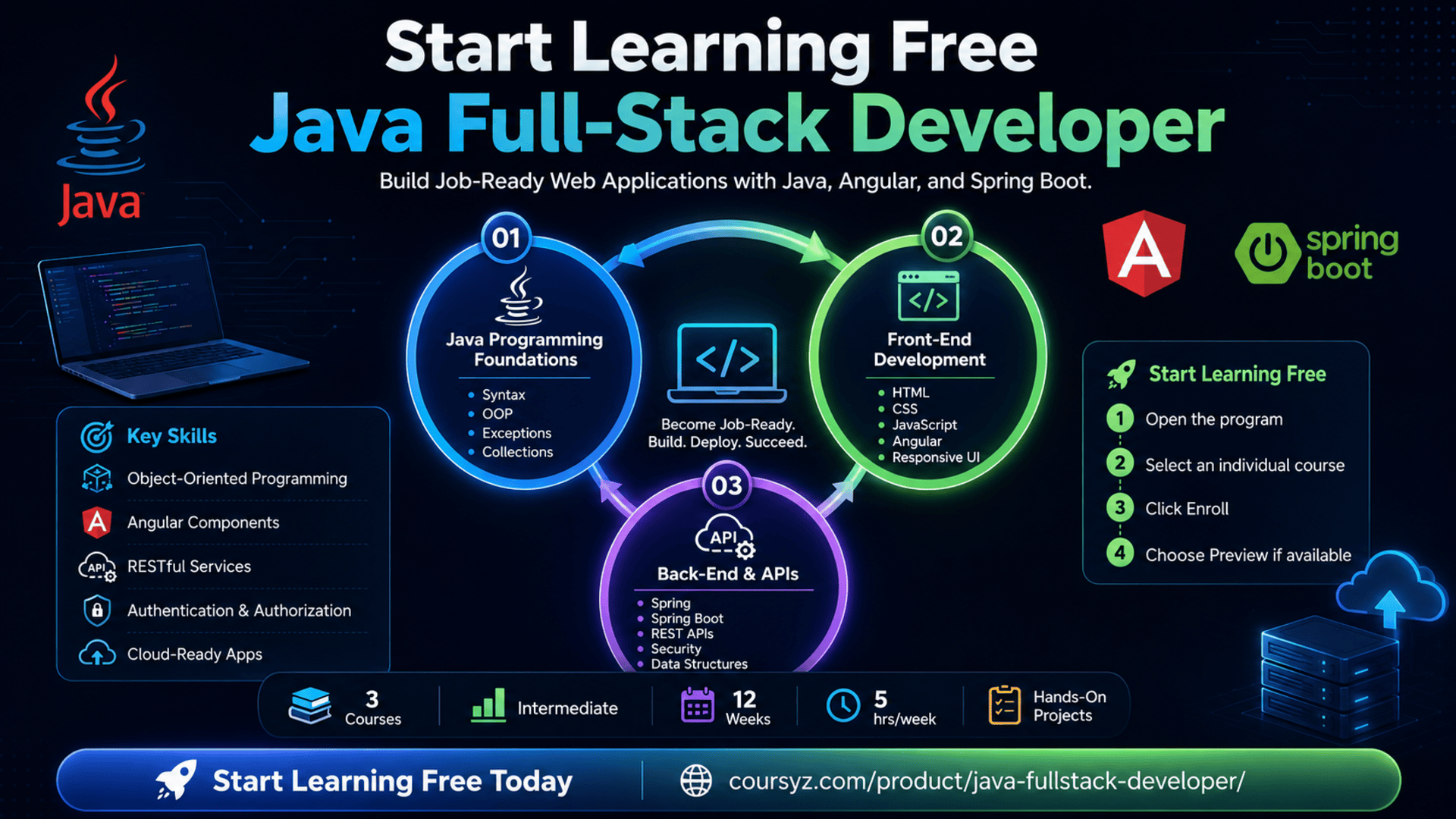
The program covers Java programming, object-oriented development, HTML, CSS, JavaScript, Angular, data structures, Spring, Spring Boot, RESTful APIs, application security, and cloud-ready application development.
Why Learn Java Full-Stack Development?
A full-stack developer can work across multiple layers of a web application.
This may include:
- Creating webpages and user interfaces
- Adding interactivity with JavaScript
- Building reusable Angular components
- Writing back-end logic with Java
- Creating APIs with Spring Boot
- Processing and validating data
- Managing authentication and authorization
- Connecting front-end and back-end systems
- Testing application features
- Preparing applications for deployment
Learning both front-end and back-end development can help you understand how an application works as one connected system.
Instead of focusing only on what users see or only on what happens on the server, full-stack developers can contribute across the complete product lifecycle.
About the Java Full-Stack Developer Specialization
The Java Full-Stack Developer Specialization is a three-course program designed to build end-to-end web development skills.
The program is listed at an intermediate level and is estimated to take approximately 12 weeks when studying for around five hours per week.
It follows a flexible, self-paced structure, allowing learners to study according to their schedules.
The three courses are:
- Fundamentals of Java Programming
- Frontend for Java Full Stack Development
- Data Structures and Backend with Java
Together, these courses cover the main technologies needed to design, build, integrate, and deploy a complete Java web application.
What You Will Learn
Throughout the specialization, you will learn how to:
- Understand Java syntax and programming fundamentals
- Work with variables, methods, operators, loops, and conditions
- Apply object-oriented programming principles
- Use inheritance, polymorphism, encapsulation, and abstraction
- Handle exceptions in Java
- Work with arrays, strings, and collections
- Build webpages with HTML and CSS
- Add interactivity with JavaScript
- Create reusable components with Angular
- Understand Angular modules, directives, and services
- Develop back-end applications with Spring
- Build RESTful APIs with Spring Boot
- Perform CRUD operations
- Apply authentication and authorization
- Protect services with Spring Security
- Integrate front-end and back-end systems
- Build scalable and cloud-ready web applications
- Apply full-stack skills to practical projects
Course 1: Fundamentals of Java Programming
Estimated duration: 23 hours
The first course introduces the foundations of Java programming.
Java is widely used in enterprise software, web applications, cloud systems, Android applications, financial platforms, and large-scale business systems.
This course helps learners understand how Java programs are written, executed, organized, and improved.
Key topics include:
- Java syntax
- Variables
- Data types
- Operators
- Methods
- Control statements
- Loops
- Conditional logic
- Arrays
- Java Virtual Machine
- Java Runtime Environment
- Java Development Kit
- Object-oriented programming
- Inheritance
- Polymorphism
- Encapsulation
- Exception handling
- Custom exceptions
- Development environments
- Eclipse
Understanding the Java Development Environment
Before building applications, developers should understand the tools behind Java programming.
JDK
The Java Development Kit contains the tools needed to write and compile Java applications.
JRE
The Java Runtime Environment provides the components required to run Java programs.
JVM
The Java Virtual Machine executes Java bytecode and allows Java applications to run across different operating systems.
Understanding these components helps explain why Java is known for portability.
Learn Java Syntax and Core Programming Concepts
The first course covers the building blocks of Java applications.
You will work with:
- Variables
- Primitive data types
- Operators
- Conditional statements
- Loops
- Methods
- Arrays
- Program flow
These concepts help developers create programs that make decisions, repeat actions, process information, and organize functionality.
For example, a web application may use conditional logic to determine whether a user is authorized to access a page.
Loops may be used to process lists of customers, products, or transactions.
Methods can organize reusable business logic.
Apply Object-Oriented Programming
Object-oriented programming is a major part of Java development.
It allows developers to organize software around objects that contain both data and behavior.
The program introduces key concepts such as:
Encapsulation
Encapsulation protects internal data and controls how it can be accessed.
Inheritance
Inheritance allows one class to reuse or extend the behavior of another class.
Polymorphism
Polymorphism allows different objects to respond to the same method in different ways.
Abstraction
Abstraction hides unnecessary complexity and exposes only the functionality needed by other parts of the application.
These principles help developers build applications that are more maintainable, reusable, and scalable.
Handle Exceptions Effectively
Applications can encounter many types of errors.
Examples include:
- Invalid user input
- Missing files
- Failed network connections
- Database errors
- Incorrect data types
- Unexpected application states
Java uses exception handling to manage these situations.
The course covers:
- Standard exceptions
- Multiple exceptions
- Custom exceptions
- Try and catch blocks
- Finally blocks
- Error-handling strategies
Good exception handling can prevent an application from failing unexpectedly and can provide clearer feedback to users and developers.
Course 2: Frontend for Java Full Stack Development
Estimated duration: 25 hours
The second course focuses on front-end web development.
The front end is the part of an application that users see and interact with.
It includes webpage layouts, menus, forms, buttons, navigation, content, and interactive features.
This course introduces:
- HTML
- CSS
- JavaScript
- Angular
- Web design
- Responsive interfaces
- UI components
- Angular modules
- Angular directives
- Angular services
- Code reusability
- Front-end architecture
- Web application development
Build Webpage Structure with HTML
HTML provides the structure of a webpage.
It defines elements such as:
- Headings
- Paragraphs
- Images
- Links
- Forms
- Tables
- Lists
- Navigation
- Sections
- Buttons
A well-structured HTML document makes content easier to understand, style, maintain, and optimize.
Semantic HTML can also improve accessibility and search-engine understanding.
Style Interfaces with CSS
CSS controls the visual appearance of webpages.
It can be used to manage:
- Colors
- Fonts
- Spacing
- Layouts
- Borders
- Backgrounds
- Responsive behavior
- Positioning
- Visual hierarchy
Developers use CSS to transform basic HTML into a professional interface.
A strong front-end developer should understand not only how to make a page look attractive but also how to keep the layout consistent and usable across different devices.
Add Interactivity with JavaScript
JavaScript adds behavior and interactivity to web applications.
It can be used to:
- Validate forms
- Respond to button clicks
- Update content dynamically
- Display messages
- Process user input
- Communicate with APIs
- Control interface elements
- Create interactive components
The course introduces JavaScript variables, data types, control structures, functions, and programming principles.
These skills prepare learners for Angular development.
Build Dynamic Applications with Angular
Angular is a front-end framework used to create complex and scalable web applications.
Instead of building every page as one large file, Angular allows developers to divide the application into reusable components.
The course introduces:
- Components
- Modules
- Directives
- Services
- Templates
- Application structure
- Reusable code
- Front-end architecture
Angular can help developers create applications that are easier to organize, test, maintain, and expand.
What Are Angular Components?
A component represents a reusable part of the user interface.
Examples include:
- Navigation bars
- Product cards
- Login forms
- Dashboards
- Search boxes
- User profiles
- Notification panels
Each component may contain its own structure, design, and behavior.
Using components reduces duplication and makes large applications easier to manage.
Understand Angular Services
Services are often used to manage shared functionality or data.
An Angular service may:
- Connect to an API
- Retrieve user information
- Store application settings
- Manage authentication
- Share data between components
- Process business logic
Separating this functionality from interface components helps create cleaner and more maintainable code.
Course 3: Data Structures and Backend with Java
Estimated duration: 20 hours
The third course combines Java data structures with back-end development.
The back end manages the logic, security, APIs, and data-processing operations behind the user interface.
The course covers:
- Java arrays
- Strings
- StringBuilder
- StringBuffer
- Collections Framework
- ArrayList
- LinkedList
- HashMap
- Algorithms
- Spring Framework
- Spring Boot
- Spring MVC
- Dependency injection
- RESTful APIs
- CRUD operations
- Authentication
- Authorization
- Spring Security
- Back-end development
- Application security
Understand Java Data Structures
Data structures determine how information is organized and accessed.
Different structures are appropriate for different problems.
Arrays
Arrays store multiple values of the same type in a fixed-size structure.
ArrayList
ArrayList stores dynamic lists that can grow or shrink.
LinkedList
LinkedList organizes elements through connected nodes and can be useful for certain insertion and removal operations.
HashMap
HashMap stores information as key-value pairs.
For example, a web application may use a HashMap to associate product IDs with product details.
Understanding these structures helps developers write more efficient applications.
Work with Strings Efficiently
Java applications frequently process text.
This may include:
- Usernames
- Email addresses
- Form data
- Search terms
- Product descriptions
- API responses
- Error messages
The course introduces the String class as well as StringBuilder and StringBuffer.
StringBuilder is useful when a program needs to modify or combine text repeatedly.
Build Back-End Applications with Spring
Spring is a popular framework for building Java applications.
It provides tools and patterns that help developers organize application logic, manage dependencies, connect components, and create web services.
The course introduces:
- Spring applications
- Dependency injection
- Spring MVC
- Application configuration
- Web application architecture
- Reusable services
What Is Dependency Injection?
Dependency injection is a design approach where an object receives the components it depends on instead of creating them internally.
This can make applications:
- Easier to test
- Easier to maintain
- More modular
- Less tightly coupled
- More flexible
Spring uses dependency injection as a central feature.
Build Applications with Spring Boot
Spring Boot simplifies the process of creating Spring-based applications.
It reduces manual configuration and provides tools for quickly building production-oriented applications.
Developers can use Spring Boot to:
- Create web applications
- Build REST APIs
- Configure services
- Manage dependencies
- Run embedded servers
- Connect application components
- Prepare applications for deployment
Create RESTful APIs
RESTful APIs allow different systems to communicate through web requests.
A front-end Angular application may send a request to a Spring Boot back end.
The back end processes the request, applies business logic, communicates with a database, and returns a response.
Common HTTP operations include:
- GET
- POST
- PUT
- PATCH
- DELETE
These operations often correspond to CRUD functions.
Understand CRUD Operations
CRUD represents four essential data operations.
Create
Add a new record.
Read
Retrieve stored information.
Update
Modify existing data.
Delete
Remove a record.
For example, a customer-management application may allow users to create, view, update, and delete customer records.
Spring Boot can expose these operations through RESTful endpoints.
Apply Authentication and Authorization
Authentication confirms who a user is.
Authorization determines what that user is allowed to do.
For example:
- A customer may view their own orders
- A manager may update inventory
- An administrator may manage user accounts
The course introduces application security and Spring Security concepts.
Security is essential because web applications often manage sensitive information.
Developers should understand how to protect:
- User credentials
- Private data
- Administrative functions
- API endpoints
- Business records
- Payment-related information
Connect Angular with Spring Boot
A full-stack application brings the front end and back end together.
Angular manages the user interface.
Spring Boot manages server-side logic and APIs.
A typical interaction may work like this:
- A user submits a form in Angular.
- Angular validates the input.
- Angular sends a request to a Spring Boot API.
- The back end processes the request.
- The server returns a response.
- Angular updates the user interface.
This integration is one of the most important skills in full-stack development.
Practical Learning and Projects
The specialization emphasizes hands-on learning.
Learners apply their skills to realistic scenarios involving Java, Angular, Spring, and Spring Boot.
Potential project activities include:
- Writing Java programs
- Building reusable Java classes
- Creating interactive webpages
- Developing Angular components
- Creating Angular services
- Building Spring applications
- Creating RESTful APIs
- Performing CRUD operations
- Applying authentication and authorization
- Integrating front-end and back-end systems
- Preparing a cloud-ready application
Practical work is essential because full-stack development requires the ability to connect many technologies.
Build a Complete Full-Stack Application
A strong portfolio project should demonstrate the complete development process.
Possible project ideas include:
- Customer-management system
- E-commerce application
- Employee portal
- Inventory-management tool
- Appointment-booking system
- Learning-management platform
- Expense tracker
- Help-desk application
- Restaurant-ordering system
- Project-management dashboard
Your project could include:
- Angular user interface
- Java business logic
- Spring Boot REST API
- Authentication
- Role-based access
- CRUD operations
- Form validation
- Error handling
- Responsive design
- Documentation
Tools and Technologies Covered
The program introduces important technologies such as:
- Java
- JVM
- JRE
- JDK
- Eclipse
- HTML
- CSS
- JavaScript
- Angular
- Spring Framework
- Spring Boot
- Spring MVC
- RESTful APIs
- Spring Security
- Data structures
- Collections Framework
- Web services
- Object-oriented programming
- Application security
- Cloud-ready web development
Who Should Take This Specialization?
The program may be suitable for:
Aspiring Java Developers
Learners who want to build a career around Java can develop programming, back-end, and web-development skills.
Front-End Developers
Developers familiar with HTML, CSS, or JavaScript can expand into Java back-end development.
Back-End Developers
Java developers can strengthen their front-end knowledge through Angular and web-interface development.
Software Engineering Students
Students can use the specialization to connect programming theory with practical full-stack projects.
Career Changers
Professionals moving into software development can follow a structured path across front-end and back-end technologies.
Freelancers
Freelancers can use full-stack skills to create complete web applications for clients.
Entrepreneurs
Entrepreneurs can develop a stronger understanding of how digital products are designed, built, secured, and deployed.
Recommended Skills Before Starting
The program is listed as intermediate.
Helpful previous knowledge includes:
- Basic programming
- Variables and data types
- Conditional statements
- Loops
- Functions or methods
- Basic web concepts
- Problem-solving
- Computer file management
Prior experience with Java, HTML, CSS, JavaScript, or databases can be useful but may not be mandatory for every learner.
Complete beginners may need additional practice alongside the course.
How to Start Learning Free
The complete specialization is not officially available entirely free.
However, you can check individual courses for any available Preview lessons, free trials, financial aid, scholarships, or sponsored access.
Follow these steps:
- Open the program link using the call-to-action button in this article.
- Scroll down to the three individual courses.
- Select the course you want to explore.
- Open the individual course page.
- Click Enroll.
- Sign in or create an account.
- Look for Preview instead of starting a paid trial.
- Open the available videos and start learning free.
Important Access Notice
The Preview option may not be available.
When no Preview option appears, full access may require paid enrollment.
Check the page for:
- Financial aid
- Scholarships
- Subscription trials
- Employer-sponsored access
- University access
- Government learning programs
Always review the payment terms before confirming enrollment.
How to Get the Best Results
Practise Java Every Day
Write small programs involving conditions, loops, methods, classes, and collections.
Build Independent Front-End Projects
Create landing pages, forms, dashboards, and Angular components.
Create REST APIs
Build small Spring Boot APIs before attempting a large application.
Use Version Control
Store your projects in Git repositories and document your work.
Test Every Layer
Test front-end components, APIs, business logic, and security rules.
Focus on Integration
Do not study Angular and Spring Boot as completely separate subjects.
Practise sending data between them.
Build a Portfolio
Create at least one complete application that demonstrates:
- Java
- Angular
- Spring Boot
- APIs
- Authentication
- CRUD operations
- Responsive design
- Error handling
Document Your Projects
Include:
- Project description
- Features
- Technologies
- Installation instructions
- API endpoints
- Screenshots
- Known limitations
- Future improvements
Potential Career Opportunities
After developing sufficient technical skills and completing practical projects, learners may explore roles such as:
- Junior Java developer
- Java full-stack developer
- Back-end developer
- Front-end developer
- Angular developer
- Spring Boot developer
- Web application developer
- Software engineer
- API developer
- Enterprise application developer
- Junior full-stack engineer
- Application support developer
Completing a specialization does not guarantee employment.
Employers may also evaluate:
- Coding ability
- Problem-solving
- Portfolio quality
- Git experience
- Database knowledge
- Testing skills
- Security awareness
- Communication
- Technical interview performance
- Understanding of software architecture
Frequently Asked Questions
Can I start learning free?
You can check the individual courses for Preview lessons or other no-cost access options. Full access is not guaranteed to be free.
How many courses are included?
The specialization contains three courses.
How long does the program take?
The listed estimate is approximately 12 weeks with around five hours of study per week.
Is the program suitable for beginners?
It is listed as intermediate. Basic programming knowledge is recommended, although the first course introduces Java fundamentals.
Does the program teach Java?
Yes. It covers Java syntax, object-oriented programming, exception handling, data structures, collections, and application development.
Does it teach front-end development?
Yes. The second course covers HTML, CSS, JavaScript, and Angular.
Does it include Spring Boot?
Yes. The third course covers Spring, Spring MVC, Spring Boot, RESTful APIs, and Spring Security.
Will I learn Angular?
Yes. You will learn Angular components, modules, directives, services, and scalable front-end development.
Are REST APIs covered?
Yes. The curriculum includes building secure RESTful web services using Spring Boot.
Does the course include security?
Yes. It introduces authentication, authorization, application security, and Spring Security.
Are practical projects included?
Yes. The program emphasizes hands-on learning and practical full-stack application development.
Does free preview include the certificate?
No. Preview access generally does not include complete assignments, projects, or the certificate.
Start Learning Free and Build Job-Ready Java Full-Stack Skills
Learn Java, object-oriented programming, HTML, CSS, JavaScript, Angular, data structures, Spring, Spring Boot, REST APIs, authentication, and application security.
Select an individual course and check for Preview, trial, or financial-aid options. Free access is not guaranteed. Complete courses, graded projects, and the certificate may require paid enrollment.