
Start Learning Free: Microsoft 365 Fundamentals Skills for Cloud Productivity, Collaboration, and Professional Success

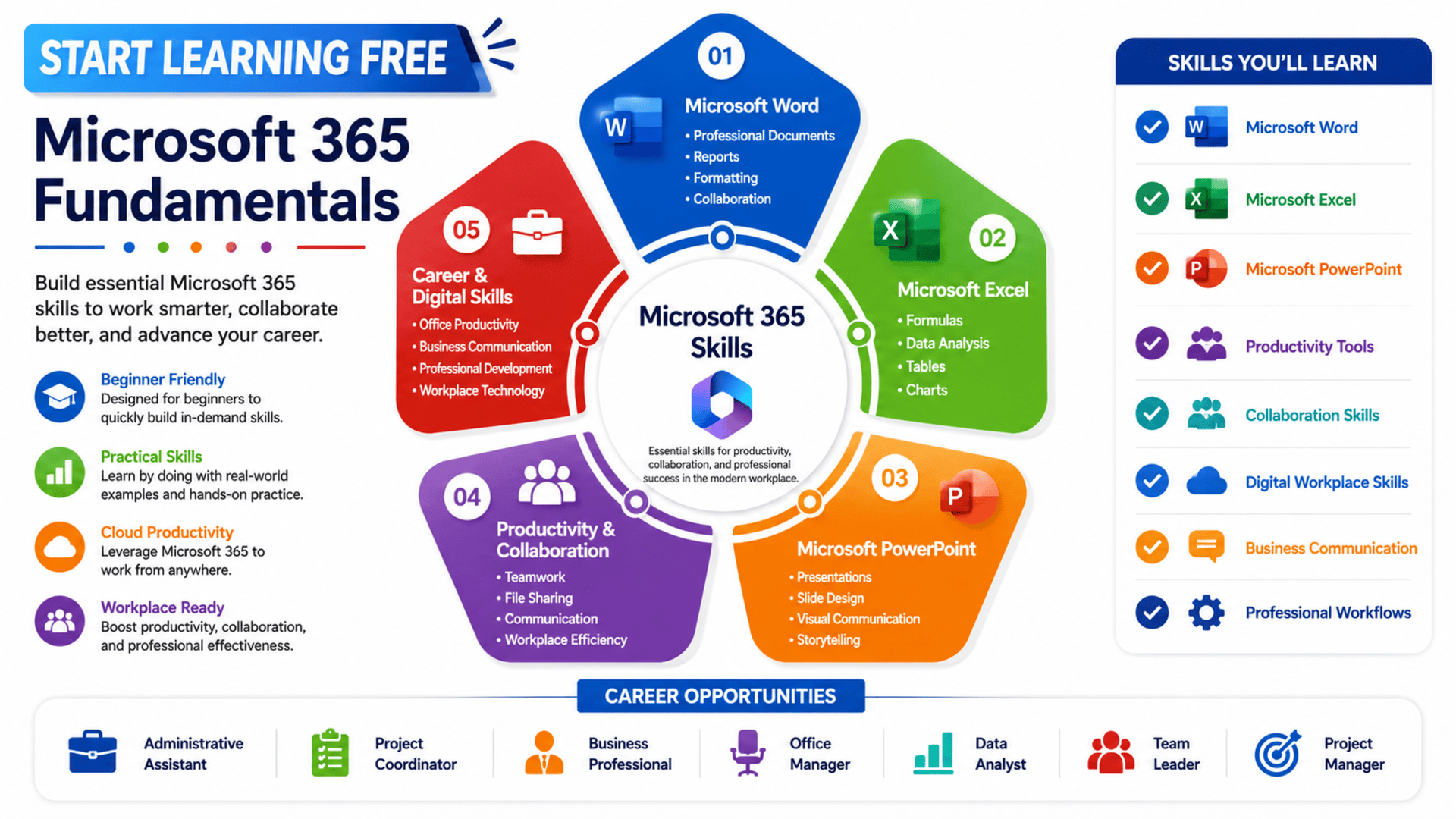
Microsoft 365 has become one of the most widely used productivity platforms in the world. From document creation and data analysis to presentations, collaboration, and cloud-based workflows, Microsoft 365 helps professionals and organizations work more efficiently every day.
The Microsoft 365 Fundamentals Specialization helps learners develop practical skills in Microsoft Word, Excel, and PowerPoint while improving productivity, communication, collaboration, and digital workplace effectiveness. Whether you’re a student, business professional, project manager, entrepreneur, or office worker, learning Microsoft 365 can help you become more productive and competitive in today’s job market.
The best part? You can start learning free and begin building valuable workplace skills immediately.
Why Microsoft 365 Skills Matter Today
Virtually every industry relies on productivity software to manage documents, analyze information, communicate with teams, and deliver professional presentations.
Microsoft 365 skills support:
✅ Workplace Productivity
✅ Team Collaboration
✅ Business Communication
✅ Data Analysis
✅ Document Management
✅ Presentation Design
✅ Project Coordination
✅ Professional Development
Organizations increasingly expect employees to understand modern productivity tools and digital collaboration platforms.
What Is the Microsoft 365 Fundamentals Specialization?
The Microsoft 365 Fundamentals Specialization is designed to help beginners become comfortable with the most important applications included in Microsoft 365.
The program focuses on three core areas:
✔️ Microsoft Word
✔️ Microsoft Excel
✔️ Microsoft PowerPoint
Learners build practical skills that can be used in school, business, project management, administration, and many other professional environments.
Work Smarter with Microsoft Word
Professional documents remain a critical part of business communication.
The Microsoft Word section teaches learners how to:
✅ Create Professional Reports
✅ Build Business Documents
✅ Design Newsletters
✅ Create Resumes
✅ Manage Document Collaboration
✅ Format Text and Graphics
✅ Work with Tables and Lists
These skills help professionals create polished and professional business documents.
Master Microsoft Excel for Data Management
Excel remains one of the most important business tools worldwide.
Learners develop skills related to:
✔️ Spreadsheet Creation
✔️ Formulas and Functions
✔️ Data Management
✔️ Worksheet Organization
✔️ Workbook Management
✔️ Tables and Data Ranges
✔️ Charts and Visualization
✔️ Spreadsheet Reporting
Excel skills are valuable for finance, operations, project management, business analysis, and administrative work.
Create Powerful Presentations with PowerPoint
Presentations help professionals communicate ideas clearly and effectively.
The program teaches learners how to:
✅ Create Professional Presentations
✅ Organize Slides
✅ Add Multimedia
✅ Apply Formatting Techniques
✅ Use Transitions and Animations
✅ Deliver Visual Business Messages
Strong presentation skills can improve communication with stakeholders, clients, executives, and team members.
Improve Workplace Productivity
One of the main goals of Microsoft 365 is improving productivity.
The specialization helps learners understand:
✔️ Efficient Workflows
✔️ Digital Organization
✔️ Collaboration Tools
✔️ Information Management
✔️ Time-Saving Features
✔️ Productivity Best Practices
These capabilities help professionals complete tasks more efficiently and effectively.
Learn Collaboration and Communication Skills
Modern workplaces depend on collaboration.
Learners gain experience with:
✅ Collaborative Software
✅ Shared Documents
✅ Team Communication
✅ Content Sharing
✅ Project Coordination
✅ Workplace Collaboration
These skills are increasingly important in remote, hybrid, and office environments.
Build Digital Workplace Confidence
Many professionals use Microsoft applications every day but never fully utilize their capabilities.
This specialization helps learners become more confident using:
✔️ Microsoft Word
✔️ Microsoft Excel
✔️ Microsoft PowerPoint
✔️ Microsoft 365 Services
✔️ Productivity Applications
✔️ Office Workflows
The result is improved efficiency and greater workplace confidence.
Skills You Can Build
By completing this specialization, learners can strengthen skills related to:
✔️ Microsoft 365
✔️ Microsoft Word
✔️ Microsoft Excel
✔️ Microsoft PowerPoint
✔️ Document Management
✔️ Data Management
✔️ Spreadsheet Software
✔️ Presentations
✔️ Writing and Editing
✔️ Collaborative Software
✔️ Computer Literacy
✔️ Productivity Software
These skills are valuable in nearly every professional environment.
Who Should Take This Program?
This specialization is ideal for:
✅ Students
✅ Office Professionals
✅ Project Managers
✅ Administrative Assistants
✅ Entrepreneurs
✅ Team Leaders
✅ Business Professionals
✅ Career Changers
✅ Job Seekers
✅ Anyone New to Microsoft 365
The program is specifically designed for beginners who want to quickly build practical workplace skills.
Why Microsoft 365 Skills Support Career Growth
Microsoft 365 remains one of the most requested skill sets in modern workplaces.
These skills can support careers in:
➡️ Administration
➡️ Project Management
➡️ Business Operations
➡️ Customer Support
➡️ Data Analysis
➡️ Human Resources
➡️ Marketing
➡️ Finance
➡️ Consulting
➡️ Entrepreneurship
Employers consistently value candidates who can work effectively with productivity software and digital collaboration tools.
Start Learning Free Today
One of the biggest advantages of this specialization is that you can start learning free before making any financial commitment.
Many learners do not realize they can access course content through the preview option.
How to Start Learning Free
✔️ Open the course link
✔️ If the page is a Professional Certificate or Specialization, scroll down and select one of the individual courses inside the program
✔️ Open the course you selected
✔️ Click Enroll
✔️ After signing in, choose Preview instead of Start Free Trial
✔️ You can now watch the course videos and start learning for free
This allows learners to explore Microsoft Word, Excel, and PowerPoint content before deciding whether to continue.
Why This Program Stands Out
Many productivity courses focus on a single application.
This specialization combines:
✔️ Microsoft Word
✔️ Microsoft Excel
✔️ Microsoft PowerPoint
✔️ Productivity Skills
✔️ Collaboration Skills
✔️ Digital Workplace Skills
✔️ Professional Communication
✔️ Business Productivity
This broad coverage helps learners become more effective across multiple workplace tasks.
Career Opportunities
The knowledge gained through this specialization can support growth in:
✅ Administrative Support
✅ Project Coordination
✅ Business Operations
✅ Office Management
✅ Data Analysis
✅ Customer Service
✅ Marketing Support
✅ Human Resources
✅ Consulting
✅ Entrepreneurship
Microsoft 365 proficiency remains one of the most transferable workplace skill sets available today. (coursera.org)
Microsoft 365 Fundamentals
Master Microsoft Word, Excel, PowerPoint, productivity tools, collaboration workflows, and digital workplace skills.
✔️ Microsoft Word
✔️ Microsoft Excel
✔️ Microsoft PowerPoint
✔️ Workplace Productivity
✔️ Career Growth





