
Do you want to manage code like a professional developer and collaborate confidently on software projects?
The Complete Git Mastery program is a beginner-friendly learning path designed to help developers, programmers, students, DevOps beginners, and IT professionals understand version control from the ground up.
You can start learning free by opening one of the individual courses and checking whether preview lessons are available before choosing complete enrollment.
What Is Git and Why Is It Important?
Git is one of the most important tools in modern software development.
It helps you track code changes, manage different versions of a project, collaborate with teammates, resolve conflicts, and work safely on new features without damaging the main codebase.
Whether you are learning programming, building websites, joining a software team, contributing to open-source projects, or preparing for a developer role, Git is a must-have skill.
What Will You Learn?
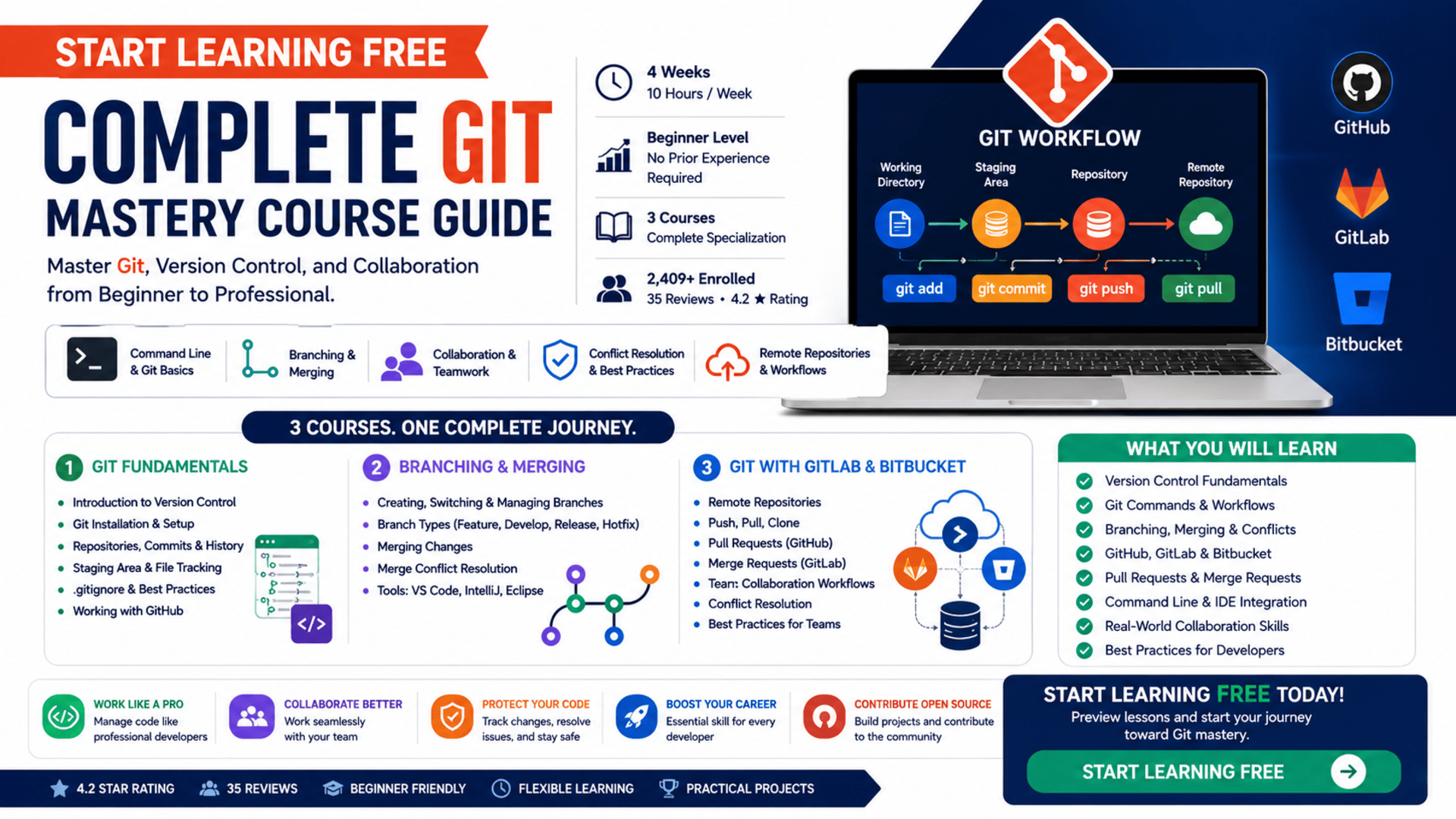
This program helps you build practical Git skills, including:
- Version control fundamentals
- Git installation and setup
- Repositories, commits, and file tracking
- Branching and merging
- Merge conflict resolution
- GitHub workflows
- GitLab and Bitbucket collaboration
- Push, pull, clone, and remote repositories
- Pull requests and merge requests
- Command-line Git operations
- Git integration with IDEs
- Collaboration workflows for software teams
- Open-source contribution basics
- Professional version-control best practices
The program includes hands-on demos, exercises, and real development workflows to help you practise Git in practical scenarios.
Courses Included in the Program
1. Git Fundamentals
Start with the basics of version control and Git architecture.
You will learn how to install Git, configure your environment, create repositories, track files, make commits, understand GitHub integration, and manage your code history.
2. Branching and Merging in Git
Learn how to create, switch, rename, track, and delete branches.
This course also explains branch types such as feature, release, hotfix, develop, and main branches. You will also practise merging changes and resolving merge conflicts using tools such as VS Code, IntelliJ, and Eclipse.
3. Git with GitLab and Bitbucket
Expand your collaboration skills by working with GitLab and Bitbucket.
You will learn how to manage remote repositories, use pull and merge requests, collaborate with team members, resolve conflicts, and apply Git workflows in real software development environments.
Who Should Take This Program?
This learning path is suitable for:
- Complete Git beginners
- Software development students
- Web developers
- Programmers
- DevOps beginners
- Software testers
- IT professionals
- Open-source contributors
- Freelancers working with code
- Anyone who wants to collaborate on technical projects
No previous Git experience is required, making this a strong starting point for learners who want to build professional development habits.
How to Start Learning Free
Follow these steps to check for available preview lessons:
- Open the program link below.
- Scroll down and select one of the individual courses.
- Open the course you want to explore.
- Click Enroll.
- After signing in, choose Preview instead of Start Free Trial.
- You can now watch the available preview videos and start learning for free.
Preview availability may vary. Complete lessons, exercises, assessments, and certificates may require paid enrollment. If preview access is unavailable, check whether financial aid is offered.
Build Professional Git and Version Control Skills
Git is not only a technical tool. It is part of how modern software teams plan, build, review, test, and release code.
By learning Git properly, you can improve your workflow, protect your projects, collaborate with others, contribute to open-source software, and prepare for real developer environments.
Start Learning Complete Git Mastery
Explore Git, version control, GitHub, GitLab, Bitbucket, branching, merging, conflict resolution, remote repositories, and team collaboration.
Start Learning FreePreview availability and included learning materials may vary.