
Start Learning Free: Master SwiftUI & Node.js Full-Stack Development by Building a Twitter Clone for iOS 16

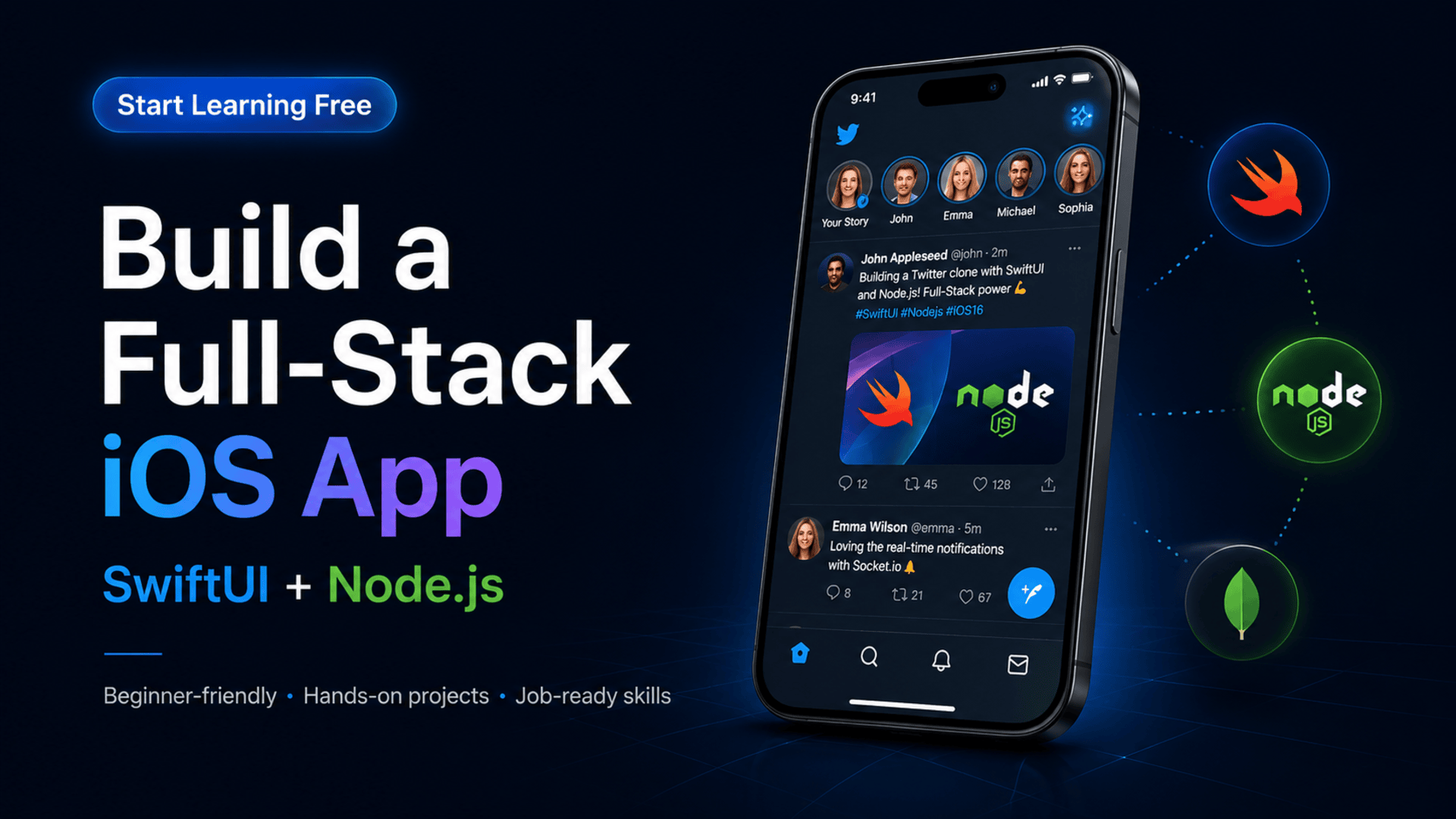
Modern mobile applications depend on much more than an attractive interface.
A complete social application needs user accounts, secure authentication, profile management, image uploads, database integration, API communication, dynamic content, social interactions, notifications, and a reliable server-side architecture.
The SwiftUI & Node.js Full-Stack Development Specialization provides a hands-on path for learners who want to understand how a native iOS interface connects with a custom back-end service.
Instead of studying SwiftUI and Node.js separately, you will use them together to build practical applications, including a Notes app and a functional Twitter-style social platform.
You may be able to start learning free by opening one of the individual courses and checking whether a Preview option is currently available. Preview access may include selected lessons, but the complete specialization, projects, assessments, and certificate may require paid enrollment.
Why Learn SwiftUI and Node.js Together?
Many mobile-development courses concentrate only on the visible interface.
However, real-world applications also need a back end that can:
- Create and manage user accounts
- Authenticate users securely
- Store application data
- Process API requests
- Upload and transform images
- Return content to the mobile application
- Manage profiles and posts
- Generate notifications
- Protect private information
- Scale as usage increases
SwiftUI provides the tools needed to create the native iOS experience, while Node.js supports the server-side functionality behind it.
Learning both sides helps you understand the complete application flow:
- A user performs an action in the iOS app.
- SwiftUI captures the action.
- The app sends a request to a REST API.
- Node.js and Express process the request.
- MongoDB stores or retrieves the required data.
- The API returns a JSON response.
- SwiftUI updates the interface.
This full-stack workflow is central to modern mobile development.
About the SwiftUI & Node.js Full-Stack Specialization
This beginner-friendly specialization consists of three courses and is designed to be completed in approximately four weeks at 10 hours per week.
The program is flexible and self-paced.
The three courses are:
- SwiftUI & Node.js: Introduction to Full-Stack Development
- Full-Stack Twitter Clone: API Development
- Advanced Full-Stack Development and SwiftUI Basics
The learning path progresses from environment configuration and basic application integration to secure API development, authentication, image handling, social features, profile management, and real-time notifications. (Coursera)
What You Will Learn
By following the complete program and completing the practical projects, you can build skills in:
- Swift 5 programming
- SwiftUI interface development
- Native iOS application development
- Node.js
- Express.js
- JavaScript
- MongoDB
- Mongoose
- REST API development
- CRUD operations
- JSON serialization
- Swift concurrency
- MVVM architecture
- User registration and login
- JSON Web Token authentication
- Profile management
- Tweet creation and management
- Image uploads
- Image processing with Sharp.js
- Social interactions
- Real-time notifications
- Front-end and back-end integration
- Secure coding
- Data modeling
- Application deployment
Course 1: Introduction to Full-Stack Development
Estimated duration: nine hours
The first course introduces the tools and architecture required to build a complete mobile and server-side application.
You will learn how to configure:
- Node.js
- Express
- MongoDB
- Mongoose
- Swift and SwiftUI
- API communication
- Development environments
- Full-stack project structure
You will also begin creating RESTful APIs and connect a mobile interface to back-end services. (Coursera)
Set Up the Node.js Environment
Node.js allows JavaScript to run outside the browser.
It is commonly used to create:
- Web servers
- REST APIs
- Authentication services
- Real-time applications
- Data-processing tools
- Mobile-application back ends
A typical Node.js project may contain:
- Application entry point
- Routes
- Controllers
- Database models
- Middleware
- Utility functions
- Environment configuration
- Package dependencies
Organizing these parts properly makes the application easier to develop, test, and maintain.
Build APIs with Express
Express is a Node.js framework used to create server-side applications and APIs.
An API endpoint might allow the iOS application to:
- Register a new user
- Sign in
- Retrieve a profile
- Create a tweet
- Delete a tweet
- Upload an image
- Follow another user
- Retrieve notifications
Common HTTP methods include:
GETto retrieve informationPOSTto create informationPUTorPATCHto update informationDELETEto remove information
A simple Express route might look like this:
app.get("/api/tweets", async (req, res) => {
  const tweets = await Tweet.find().sort({ createdAt: -1 });
  res.json(tweets);
});
The mobile application can request this endpoint and display the returned content.
Store Application Data with MongoDB
MongoDB is a document-oriented database that stores information in flexible records.
A social application may need collections for:
- Users
- Tweets
- Comments
- Likes
- Followers
- Notifications
- Uploaded media
A tweet document might contain:
{
  "authorId": "user_105",
  "text": "Building an iOS app with SwiftUI and Node.js",
  "imageUrl": "https://example.com/image.jpg",
  "createdAt": "2026-07-03T10:00:00Z"
}
MongoDB’s flexible data model can be useful when developing applications whose content structure may evolve.
Use Mongoose for Data Modeling
Mongoose provides tools for defining and validating MongoDB data inside a Node.js application.
A schema can specify:
- Required fields
- Field types
- Default values
- Relationships
- Validation rules
- Timestamps
This helps protect data quality and makes the database layer easier to manage.
Apply CRUD Operations
CRUD represents four essential operations:
- Create: Add a new record
- Read: Retrieve existing information
- Update: Modify a record
- Delete: Remove a record
A social application uses CRUD operations to manage users, tweets, profiles, comments, and notifications.
Learning these operations prepares you to build many other application types, including booking platforms, marketplaces, learning systems, and customer portals.
Course 2: Full-Stack Twitter Clone — API Development
Estimated duration: six hours
The second course concentrates on the back-end API that supports the Twitter Clone.
You will learn how to:
- Configure the Node.js development environment
- Build REST APIs with Express
- Connect the application to MongoDB
- Model data with Mongoose
- Secure API endpoints
- Authenticate users with JWT
- Process image uploads
- Manage tweets
- Support social interactions
- Create notification features
The course places particular emphasis on secure server-side development and dynamic application behavior. (Coursera)
Implement User Registration
A registration endpoint may receive:
- Name
- Username
- Email address
- Password
The server should then:
- Validate the submitted information.
- Check whether the account already exists.
- Hash the password securely.
- Create the user record.
- Generate an authentication response.
- Avoid returning sensitive information.
Professional applications should never store passwords as readable text.
Add Secure Login
During login, the API should:
- Receive the email or username.
- Locate the user account.
- Compare the submitted password securely.
- Generate a token if the credentials are correct.
- Return a safe user response.
- Reject invalid credentials without exposing sensitive details.
Authentication determines who the user is.
Authorization determines which information and features that user is permitted to access.
Use JSON Web Tokens
JSON Web Tokens can represent an authenticated session.
A typical workflow is:
- The user submits valid login credentials.
- The server creates a signed token.
- The iOS app stores the token securely.
- The token is included with protected API requests.
- The server verifies it before returning private information.
JWT authentication may protect actions such as:
- Editing a profile
- Creating a tweet
- Deleting content
- Following users
- Viewing private notifications
Tokens and signing secrets must be managed carefully.
Manage Tweets
The API may provide endpoints for:
- Creating tweets
- Retrieving recent tweets
- Retrieving one user’s tweets
- Deleting tweets
- Adding images
- Recording interactions
The server must validate both the submitted content and the user’s authorization.
For example, users should not be able to delete tweets created by another account unless their role explicitly permits it.
Process Image Uploads
Social applications frequently allow users to upload:
- Profile photographs
- Cover images
- Tweet images
- Media attachments
Image-processing tools such as Sharp.js can help:
- Resize images
- Change file formats
- Compress files
- Create thumbnails
- Reduce storage and bandwidth requirements
The API should also validate file type, file size, and ownership.
Add Social Features
A Twitter-style application may include:
- Follow and unfollow
- Likes
- Replies
- Profile feeds
- User search
- Image posts
- Activity notifications
Each feature requires careful coordination between the database, API, authentication layer, and mobile interface.
Course 3: Advanced Full-Stack Development and SwiftUI
Estimated duration: 11 hours
The third course connects the API with the SwiftUI application and adds advanced user-facing functionality.
You will work with:
- Swift programming
- SwiftUI components
- User authentication
- Profile management
- Tweet interfaces
- Image handling
- Navigation
- API integration
- Real-time notifications
- Secure data management
- Full-stack application workflows
The completed project combines the native iOS experience with the server-side services created during the earlier courses. (Coursera)
Build Interfaces with SwiftUI
SwiftUI is Apple’s declarative framework for creating interfaces.
It can be used to build:
- Login screens
- Registration forms
- Profile pages
- Tweet cards
- Image displays
- Search interfaces
- Navigation flows
- Notification views
- Menus
- Resizable sheets
A SwiftUI view describes how the interface should appear based on the current application state.
Use MVVM Architecture
MVVM stands for:
- Model
- View
- ViewModel
The model represents application information.
The view displays the interface.
The view model handles presentation logic and connects the interface with the application’s services.
This separation can make an application:
- Easier to test
- Easier to maintain
- More organized
- Less tightly coupled
- More scalable
For example, a tweet view model may retrieve tweets from the API and make them available to a SwiftUI list.
Integrate REST APIs with SwiftUI
The iOS application must send requests to the Node.js API.
A typical request may involve:
- Building the endpoint URL.
- Adding headers and an authentication token.
- Encoding request data.
- Sending the request.
- Receiving the server response.
- Decoding JSON.
- Updating the SwiftUI state.
- Displaying success or error feedback.
Reliable API integration also requires loading indicators and error handling.
Work with JSON Serialization
The server returns information in JSON format.
Swift models can use Codable to encode and decode this data.
A tweet model might look like:
struct Tweet: Codable, Identifiable {
    let id: String
    let text: String
    let imageURL: String?
    let createdAt: String
    let author: User
}
Accurate data models help ensure that the application correctly interprets the API response.
Apply Swift Concurrency
Network requests should not freeze the application interface.
Swift concurrency supports asynchronous operations using features such as:
asyncawait- Tasks
- Main-actor updates
These tools help the app retrieve data while remaining responsive.
Create Authentication Screens
The SwiftUI application may include:
- Registration
- Login
- Logout
- Profile editing
- Authentication-state handling
- Protected navigation
The application should clearly communicate:
- Loading status
- Validation errors
- Invalid credentials
- Successful registration
- Network failures
Build Profile Management
A profile may display:
- Name
- Username
- Biography
- Profile image
- Followers
- Following
- Tweet history
Users may also update their profile information and images through protected API requests.
Display Tweets and Social Content
A reusable tweet component may include:
- Profile photograph
- Display name
- Username
- Tweet text
- Uploaded image
- Date
- Like button
- Reply option
- Social statistics
Reusable views help maintain visual consistency across the feed, profile, and search screens.
Add Real-Time Notifications
Notifications can inform users about activities such as:
- New followers
- Likes
- Replies
- Mentions
- Profile interactions
The application must retrieve or receive notification data and present it clearly.
Even when an application does not use permanent real-time connections, it can periodically refresh notification content through the API.
Practical Projects Included
The specialization includes two major application projects.
Notes Application
The Notes app introduces:
- Swift programming
- SwiftUI interfaces
- Data management
- Navigation
- Application structure
- Core Data concepts
Twitter Clone
The Twitter Clone combines:
- SwiftUI
- Node.js
- Express
- MongoDB
- Mongoose
- REST APIs
- JWT authentication
- User accounts
- Profile management
- Tweets
- Images
- Social interactions
- Notifications
These projects provide experience that can be presented in a mobile-development portfolio. (Coursera)
Tools and Technologies Covered
The program introduces or uses:
- Swift 5
- SwiftUI
- Xcode
- iOS 16
- Node.js
- JavaScript
- Express.js
- MongoDB
- Mongoose
- REST APIs
- JSON
- JSON Web Tokens
- Sharp.js
- Swift concurrency
- Swift Package Manager
- MVVM
- Core Data
- Image processing
- Authentication
- Real-time data
- Secure coding
Who Should Take This Specialization?
The program may be suitable for:
Complete Beginners
The learning path begins with foundational concepts and does not require previous professional development experience.
Aspiring iOS Developers
Learners can build Swift, SwiftUI, Xcode, and native application skills.
JavaScript Developers
JavaScript developers can expand into Node.js APIs and native iOS integration.
Mobile Developers
Developers can learn how to design and manage their own application back end.
Aspiring Full-Stack Developers
The specialization covers mobile interfaces, APIs, authentication, databases, and deployment concepts.
Students
Students can complete two practical projects for their portfolios.
Freelancers and Entrepreneurs
Freelancers and founders can better understand how complete social and mobile applications are developed.
Technical Requirements
You will need access to a Mac capable of running Xcode or a suitable supported development environment or emulator.
A stable internet connection is also required for:
- Installing dependencies
- Accessing database services
- Testing APIs
- Downloading development tools
- Following online lessons
How to Start Learning Free
The complete specialization is not offered entirely free, but individual courses may occasionally provide Preview lessons.
Follow these steps:
- Open the program page using the call-to-action button below.
- Scroll to the three individual courses.
- Select the course you want to explore.
- Open the individual course page.
- Click Enroll.
- Sign in or create an account.
- Look for Preview instead of starting a paid trial.
- Open any available videos and start learning free.
Important Access Notice
Preview availability may vary according to the course, account, country, device, and current enrollment options.
When Preview is unavailable, check whether the program provides:
- Financial aid
- A scholarship
- Employer-sponsored access
- Educational-institution access
- A limited subscription trial
The official program information states that complete course access is not free, but financial aid may be available for eligible learners. (Coursera)
How to Get the Best Results
Build Every Feature Yourself
Do not only watch demonstrations. Recreate the API and iOS features inside your own project.
Test API Endpoints Independently
Verify registration, login, profile updates, tweets, and image uploads before connecting them to SwiftUI.
Protect Sensitive Information
Never publish:
- Database credentials
- JWT secrets
- API keys
- Private environment variables
- User passwords
Use Git and GitHub
Create separate commits for authentication, database models, API routes, SwiftUI screens, and notifications.
Customize the Twitter Clone
Change the name, branding, colors, interface, and business rules.
Add original features such as:
- Bookmarks
- Hashtags
- Direct messages
- Content reporting
- Dark mode
- Search filters
- Video posts
- Push notifications
Document the Architecture
Explain how SwiftUI, Node.js, Express, MongoDB, JWT, and image processing work together.
Potential Career Opportunities
After developing sufficient experience and building additional projects, learners may explore roles such as:
- Junior iOS developer
- Swift developer
- SwiftUI developer
- Mobile application developer
- Node.js developer
- JavaScript back-end developer
- Junior full-stack developer
- API developer
- Application-development intern
- Freelance mobile developer
Completing the specialization does not guarantee employment.
Employers may also evaluate your Swift knowledge, API-development ability, database skills, authentication experience, project quality, Git usage, problem-solving, testing, and technical communication.
Frequently Asked Questions
Can I start learning free?
You can check the individual courses for any available Preview lessons. Complete free access is not guaranteed.
Is the specialization beginner-friendly?
Yes. It is currently classified as beginner level.
How many courses are included?
The program contains three courses.
How long does the program take?
The estimated completion time is four weeks at approximately 10 hours per week.
Does the program teach SwiftUI?
Yes. SwiftUI is used to build the native iOS application interfaces.
Will I learn Node.js?
Yes. Node.js and Express are used to create the application back end.
Does it include MongoDB?
Yes. MongoDB and Mongoose are used for application data and modeling.
Is authentication included?
Yes. The program covers user authentication and JWT-based security.
Will I build a Twitter Clone?
Yes. The main applied project is a full-stack Twitter-style iOS application.
Are image uploads included?
Yes. The API includes image handling and processing.
Does the program include notifications?
Yes. The final course includes notification functionality within the SwiftUI application.
Is a Mac required?
Access to a Mac or suitable emulator is required for the native iOS development portions.
Start Learning Free and Build a Full-Stack Twitter Clone for iOS
Master Swift 5, SwiftUI, Node.js, Express, MongoDB, REST APIs, JWT authentication, profile management, image uploads, tweets, social features, and notifications.
Open an individual course and check whether Preview is available. Free preview access is not guaranteed. Complete courses, graded projects, and the certificate may require paid enrollment. Financial aid may be available for eligible learners.





