Start Learning Free: Become a Meta Full-Stack Developer and Build Job-Ready Web Application Skills

Modern organizations depend on web applications to sell products, manage customers, deliver services, process information, and support daily business operations.
Every complete web application contains multiple connected layers. The front end controls what users see and interact with. The back end processes requests, applies business rules, communicates with databases, and delivers information through APIs.
A full-stack developer understands how these layers work together.
The Meta Full Stack Developer Specialization provides a structured learning path for beginners who want to build practical front-end and back-end development skills.
You may be able to start learning free by opening one of the individual courses and checking whether Preview or another free-access option is available. This can help you explore selected lessons before deciding whether you need complete access to assignments, projects, assessments, and the certificate.
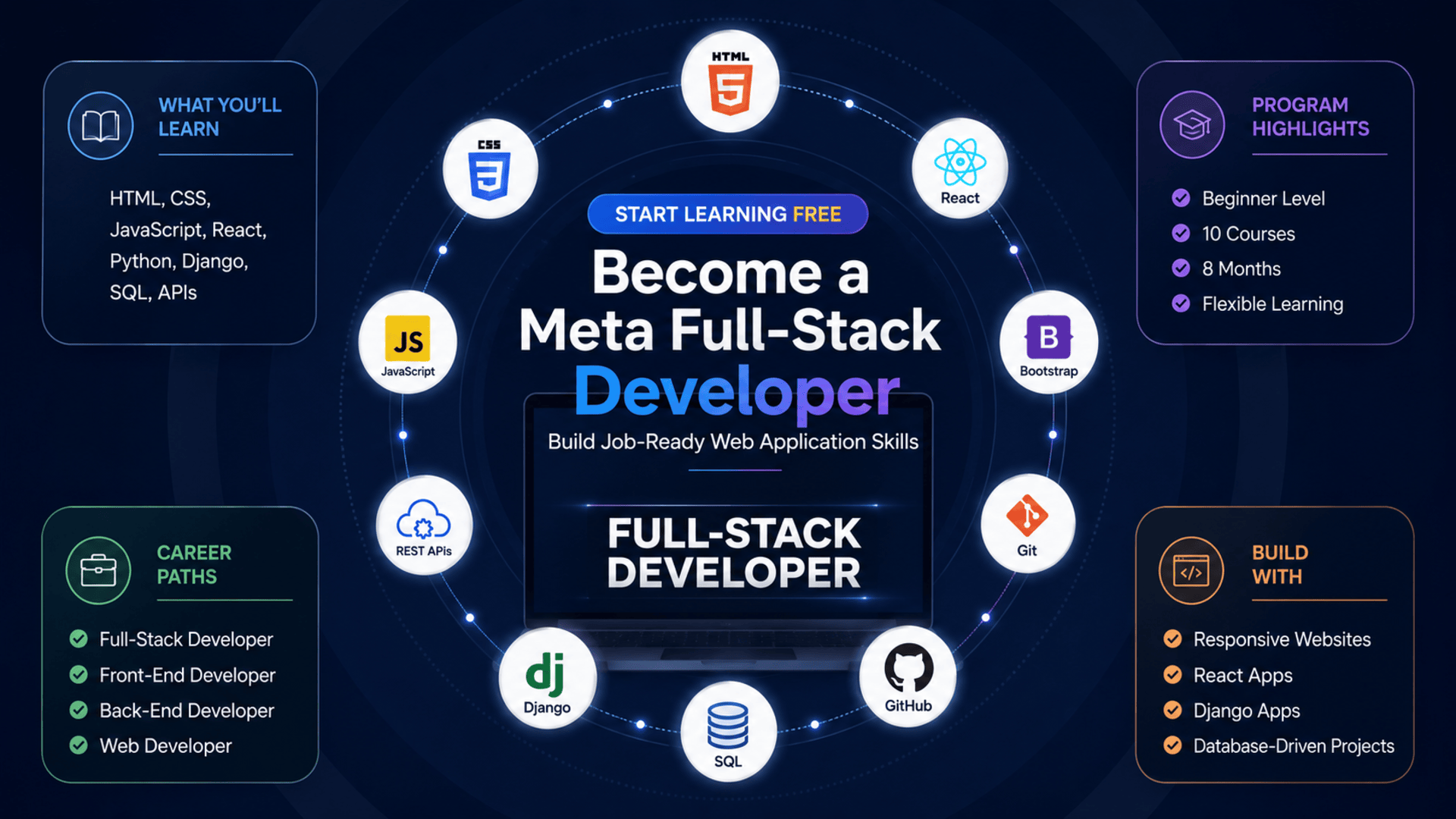
Throughout the program, you will study HTML, CSS, Bootstrap, JavaScript, React, Git, GitHub, Python, SQL, relational databases, Django, REST APIs, authentication, testing, responsive design, and full-stack application development.
What Is Full-Stack Development?
Full-stack development covers both the client-facing and server-side parts of an application.
Front-End Development
The front end includes everything users see and interact with, such as:
- Page layouts
- Navigation menus
- Forms
- Buttons
- Product cards
- Dashboards
- Search tools
- Responsive mobile layouts
- Interactive components
Front-end developers commonly work with HTML, CSS, JavaScript, Bootstrap, and React.
Back-End Development
The back end manages the systems operating behind the interface.
It may handle:
- User authentication
- Application logic
- Database operations
- API requests
- Data validation
- Permissions
- Server responses
- Security
- Performance
Back-end developers commonly work with Python, Django, SQL, databases, and REST APIs.
Full-Stack Integration
A complete application connects these layers.
For example:
- A user submits a form in the browser.
- JavaScript or React sends a request to the server.
- Django receives and validates the request.
- The back end reads or updates the database.
- The server returns a response.
- The front end displays the result.
Understanding this complete process allows full-stack developers to contribute across an entire application.
About the Meta Full-Stack Developer Specialization
The program currently contains 10 courses and is designed for beginners.
The suggested completion time is approximately eight months when studying around 10 hours per week.
The program follows a flexible, self-paced format. You can study according to your own schedule and progress through the courses in sequence.
The learning path covers:
- Introduction to Front-End Development
- Programming with JavaScript
- Version Control
- HTML and CSS in Depth
- React Basics
- Advanced React
- Programming in Python
- Introduction to Databases for Back-End Development
- Django Web Framework
- APIs
The courses move from foundational webpage development into interactive front-end applications, server-side programming, databases, Django, and API development.
What You Will Learn
By following the complete program, you can learn how to:
- Explain the role of front-end, back-end, and full-stack developers
- Structure webpages with HTML
- Style responsive interfaces with CSS
- Use Bootstrap components
- Add interactivity with JavaScript
- Work with JavaScript objects and arrays
- Test JavaScript code with Jest
- Manage projects with Git and GitHub
- Use Linux and Unix commands
- Build reusable React components
- Manage props, state, forms, and events
- Retrieve data from remote APIs
- Test React applications
- Write Python programs
- Apply object-oriented programming
- Design relational databases
- Write SQL queries
- Build server-side applications with Django
- Create secure REST APIs
- Work with JSON and XML
- Apply authentication and authorization
- Connect front-end and back-end systems
- Build complete portfolio-ready web applications
Course 1: Introduction to Front-End Development
Estimated duration: 19 hours
The first course introduces the technologies and roles involved in creating modern websites and applications.
You will explore:
- Front-end development
- Back-end development
- Full-stack development
- HTML
- CSS
- Bootstrap
- React concepts
- Responsive web design
- Web browsers
- Web servers
- User interfaces
- General networking concepts
You will create and style a webpage while learning how browsers interpret HTML and CSS.
Build Webpage Structure with HTML
HTML defines the content and structure of a webpage.
It is used to create:
- Headings
- Paragraphs
- Navigation
- Images
- Links
- Forms
- Tables
- Lists
- Buttons
- Page sections
Semantic HTML makes content easier for browsers, developers, search engines, and assistive technologies to understand.
Style Responsive Pages with CSS
CSS controls how webpages look and behave visually.
It can manage:
- Colors
- Fonts
- Spacing
- Backgrounds
- Borders
- Layouts
- Positioning
- Responsive behavior
- Visual hierarchy
Responsive design allows pages to adapt to desktop computers, tablets, and smartphones.
Course 2: Programming with JavaScript
Estimated duration: 48 hours
JavaScript adds logic and interactive behavior to websites.
The course covers:
- Variables
- Data types
- Operators
- Conditions
- Loops
- Functions
- Objects
- Arrays
- JSON
- Event-driven programming
- Functional programming
- Object-oriented programming
- Node.js
- Package management
- Debugging
- Unit testing
- Jest
Add Dynamic Behavior to Webpages
JavaScript can be used to:
- Respond to clicks
- Validate forms
- Filter data
- Display messages
- Update content
- Control menus
- Process user input
- Communicate with APIs
- Manage application state
These capabilities help transform static webpages into interactive applications.
Test JavaScript Code with Jest
Testing helps verify that code continues to work as an application changes.
A unit test may confirm that:
- A function returns the correct value
- Invalid information is rejected
- A calculation works
- An object is updated
- An error is handled correctly
Jest provides tools for organizing and running automated JavaScript tests.
Course 3: Version Control
Estimated duration: 15 hours
Version control helps developers manage code changes and collaborate safely.
The course introduces:
- Git
- GitHub
- Repositories
- Commits
- Branches
- Merging
- Code revisions
- Command-line tools
- Linux commands
- Unix commands
- File management
- Collaborative workflows
Why Git and GitHub Matter
Git and GitHub allow developers to:
- Save project history
- Restore earlier versions
- Experiment in branches
- Collaborate with teams
- Review changes
- Resolve conflicts
- Publish projects
- Build a professional portfolio
A well-organized GitHub profile can demonstrate your coding ability and project experience.
Course 4: HTML and CSS in Depth
Estimated duration: 30 hours
This course expands your knowledge of front-end structure, design, responsiveness, accessibility, and debugging.
Topics include:
- Semantic HTML
- Advanced CSS
- Responsive layouts
- HTML forms
- Bootstrap
- UI components
- Browser compatibility
- Debugging tools
- Accessibility
- Web analytics
- Search-engine fundamentals
- Front-end performance
Build Accessible Web Interfaces
Accessible interfaces can be used by people with different abilities and assistive technologies.
Important practices include:
- Semantic HTML
- Clear labels
- Keyboard navigation
- Alternative image text
- Sufficient color contrast
- Logical heading order
- Visible focus indicators
- Accessible form errors
Accessibility improves usability and helps your applications serve a wider audience.
Course 5: React Basics
Estimated duration: 30 hours
React is a JavaScript library used to build dynamic user interfaces.
The course introduces:
- Components
- JSX
- Props
- State
- Forms
- Events
- Data flow
- Project organization
- Reusable code
- Interactive interfaces
You will build an application using reusable React components.
Work with Components, Props, and State
A component represents a reusable section of an interface, such as:
- Navigation bar
- Login form
- Product card
- Dashboard widget
- Search field
- User profile
Props pass data between components.
State stores information that changes while the application runs, such as:
- Form values
- Search results
- Selected products
- User preferences
- Loading status
Course 6: Advanced React
Estimated duration: 26 hours
The sixth course introduces more advanced React development techniques.
You will explore:
- Reusable component patterns
- Context management
- API integration
- Remote data
- Advanced state handling
- React libraries
- Software design patterns
- Unit testing
- React Testing Library
- Jest
Connect React to Remote APIs
A React application may retrieve information such as:
- Customer records
- Products
- Articles
- User profiles
- Messages
- Booking availability
- Financial data
The application sends a request to an API, receives data, and displays it through reusable components.
This connection between the front end and back end is essential in full-stack development.
Course 7: Programming in Python
Estimated duration: 45 hours
Python is one of the primary back-end technologies used in the program.
The course covers:
- Python syntax
- Variables
- Data types
- Conditions
- Loops
- Functions
- Objects
- Classes
- Methods
- Data structures
- Debugging
- Unit testing
- Test-driven development
- Modules and packages
Why Python Is Valuable for Back-End Development
Python is known for readable syntax and a large development ecosystem.
Developers can use it to:
- Process server requests
- Apply business logic
- Work with databases
- Build APIs
- Automate tasks
- Test applications
- Create Django projects
A strong Python foundation prepares you for Django and server-side application development.
Course 8: Introduction to Databases for Back-End Development
Estimated duration: 27 hours
Most applications depend on databases to store and retrieve information.
This course introduces:
- Relational databases
- SQL
- MySQL
- Database design
- Tables
- Primary keys
- Foreign keys
- Data integrity
- Query languages
- Database relationships
- Database management systems
- NoSQL concepts
Write SQL Queries
SQL is used to communicate with relational databases.
Developers use it to:
- Create tables
- Insert information
- Retrieve records
- Update data
- Delete information
- Filter results
- Join tables
- Generate reports
Example:
SELECT name, email
FROM customers
WHERE account_status = 'active';
Understanding SQL is essential for building data-driven web applications.
Course 9: Django Web Framework
Estimated duration: 45 hours
Django is a Python framework for building structured and secure web applications.
It includes tools for:
- URL routing
- Templates
- Forms
- Models
- Authentication
- Database access
- Administration
- Security
- Data migration
The course covers:
- Django projects
- Django applications
- Models
- Views
- Templates
- MySQL
- Data modeling
- Object-relational mapping
- Web servers
- Secure coding
- Application security
Build Server-Side Applications with Django
Django helps developers organize back-end applications and avoid rebuilding common features from the beginning.
You can use it to create:
- Customer portals
- Booking systems
- E-commerce platforms
- Content websites
- Business dashboards
- Data-management tools
- REST APIs
Its built-in tools support rapid development, authentication, database integration, and application administration.
Course 10: APIs
Estimated duration: 20 hours
The final course focuses on creating and securing APIs.
Topics include:
- API development
- REST architecture
- API endpoints
- HTTP methods
- JSON
- XML
- Data validation
- Authentication
- Authorization
- API design
- API testing
- Debugging
- Documentation
- Performance tuning
Understand REST API Operations
REST APIs commonly use HTTP methods such as:
GET
Retrieve information.
POST
Create new information.
PUT or PATCH
Update an existing resource.
DELETE
Remove a resource.
These methods often correspond to CRUD operations: create, read, update, and delete.
Apply Authentication and Authorization
Authentication confirms who a user is.
Authorization determines what that user can access.
For example:
- A customer may view their own orders
- A manager may update products
- An administrator may manage accounts
Secure API development also requires:
- Input validation
- Protected credentials
- Encrypted connections
- Controlled permissions
- Safe error handling
- Secure coding practices
Hands-On Projects and Practical Learning
The program includes practical assessments and projects designed to simulate real development scenarios.
You may complete projects involving:
- Responsive webpages
- JavaScript applications
- GitHub repositories
- React interfaces
- Python programs
- SQL databases
- Django applications
- REST APIs
- API documentation
- Full-stack integration
These projects can help you build a portfolio that demonstrates your ability to work across the complete web application stack.
Suggested Full-Stack Portfolio Projects
Consider building projects such as:
- E-commerce application
- Customer-management system
- Appointment-booking platform
- Restaurant ordering application
- Project-management dashboard
- Inventory-management system
- Learning platform
- Help-desk application
- Expense tracker
- Job board
A strong project could include:
- Responsive React interface
- Python and Django back end
- Relational database
- REST API
- User authentication
- CRUD features
- Validation
- Testing
- GitHub documentation
- Live deployment
Who Should Take This Program?
The specialization may be suitable for:
Complete Beginners
The program is designed to introduce the major front-end and back-end technologies from the beginning.
Career Changers
Professionals interested in moving into software development can follow a structured path through the full stack.
Students and Recent Graduates
Students can complement academic learning with practical applications and portfolio projects.
Front-End Developers
Front-end developers can expand into Python, Django, SQL, and API development.
Back-End Developers
Back-end developers can strengthen their skills in HTML, CSS, JavaScript, and React.
Freelancers
Freelancers can learn how to deliver complete web applications instead of only one technical layer.
Entrepreneurs
Entrepreneurs can gain a stronger understanding of how digital products are designed, built, secured, and maintained.
How to Start Learning Free
You may be able to explore selected course lessons before paying for the complete program.
Follow these steps:
- Open the program page using the call-to-action button in this article.
- Scroll down to the individual courses.
- Select the course you want to explore.
- Open the selected course.
- Click Enroll.
- Sign in or create an account.
- Choose Preview instead of Start Free Trial, when available.
- Open the included videos and start learning free.
Important Access Notice
The Preview option may not appear for every course or account.
Availability can depend on:
- The course selected
- Your location
- Your account
- Your device
- Current enrollment conditions
Preview access may not include assignments, graded projects, complete course materials, instructor support, or the certificate.
Always review the enrollment and payment terms before confirming.
How to Get the Best Results
Code Along with Every Lesson
Recreate the examples instead of only watching the videos.
Practise Front-End and Back-End Skills Together
Build small applications that connect React interfaces to Django APIs.
Use GitHub Consistently
Create a repository for every significant project.
Practise SQL Independently
Design databases and write your own queries.
Build REST APIs
Create, document, test, and secure API endpoints.
Write Automated Tests
Test JavaScript functions, React components, Python logic, and Django APIs.
Focus on Accessibility and Security
Build applications that are both inclusive and protected.
Document Your Projects
Include:
- Project overview
- Features
- Technologies
- Database schema
- API endpoints
- Installation instructions
- Testing information
- Screenshots
- Future improvements
Potential Career Opportunities
After developing sufficient skills and building a strong portfolio, learners may explore roles such as:
- Junior full-stack developer
- Front-end developer
- Back-end developer
- React developer
- Python developer
- Django developer
- Web application developer
- API developer
- Junior software engineer
- Freelance web developer
Completing the specialization does not guarantee employment.
Employers may also evaluate:
- JavaScript knowledge
- React ability
- Python proficiency
- Django experience
- SQL skills
- API development
- Testing knowledge
- Git usage
- Portfolio quality
- Technical interview performance
Frequently Asked Questions
Can I start learning free?
You may be able to preview selected lessons by choosing an individual course and selecting Preview when that option is displayed.
Is previous experience required?
The program is designed for beginners, although basic computer and problem-solving skills are helpful.
How many courses are included?
The current specialization contains 10 courses.
How long does the program take?
The suggested completion time is approximately eight months at around 10 hours per week.
Does the program cover both front-end and back-end development?
Yes. It covers HTML, CSS, JavaScript, React, Python, databases, Django, and APIs.
Will I learn React?
Yes. The program includes React Basics and Advanced React.
Does it teach Python and Django?
Yes. Python programming and Django development are major parts of the back-end learning path.
Are databases covered?
Yes. You will learn SQL, relational databases, database design, MySQL, and data integrity.
Will I learn API development?
Yes. The final course covers REST APIs, authentication, authorization, JSON, XML, testing, and documentation.
Are practical projects included?
Yes. The program includes practice-based assessments and projects covering both front-end and back-end development.
Does Preview access include the certificate?
No. Preview access generally does not include the complete graded experience or the certificate.
Start Learning Free and Build Job-Ready Full-Stack Development Skills
Learn HTML, CSS, JavaScript, Bootstrap, React, Git, GitHub, Python, SQL, relational databases, Django, REST APIs, authentication, testing, and complete web development.
Open an individual course and look for Preview or another available free-access option. Availability may vary. Complete courses, assignments, projects, and the certificate may require paid enrollment.