
Start Learning Free: Become an IBM iOS and Android Mobile App Developer with Job-Ready Skills

Mobile applications have transformed how people communicate, shop, learn, manage money, access healthcare, enjoy entertainment, and interact with businesses.
Organizations across nearly every industry need reliable, user-friendly mobile applications that work across Android and iOS devices. As a result, professionals who can design, build, test, and deploy mobile apps can contribute to a wide range of digital products and services.
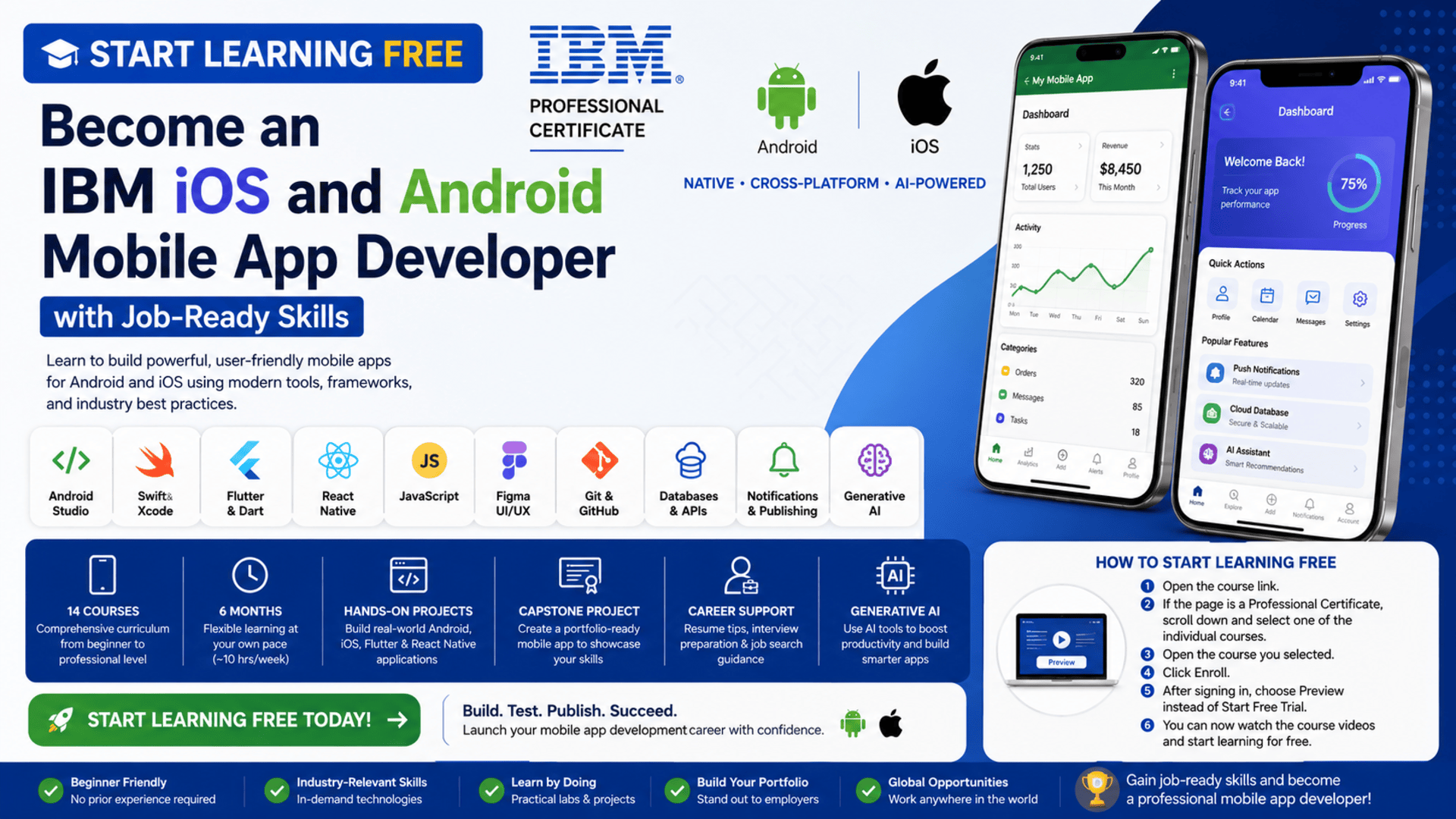
The IBM iOS and Android Mobile App Developer Professional Certificate provides a structured learning path for beginners who want to develop practical mobile application development skills.
You can start learning free by opening an individual course inside the program and selecting the Preview option when it is available. This allows you to explore selected course videos and learning materials before deciding whether you need complete access to projects, assessments, or the professional certificate.
Throughout the program, you will explore native Android development, native iOS development, cross-platform frameworks, user interface design, version control, application databases, notifications, publishing, generative AI, and mobile application deployment.
Why Learn Mobile App Development?
Smartphones have become essential tools for both personal and professional activities.
People use mobile apps to:
- Communicate with friends and colleagues
- Manage bank accounts and payments
- Shop for products and services
- Attend online courses
- Track health and fitness
- Book travel and transportation
- Access entertainment
- Manage business operations
- Collaborate with remote teams
- Use artificial intelligence tools
Behind each successful mobile application is a team of developers, designers, product managers, testers, and other specialists.
Mobile application developers are responsible for turning product ideas and interface designs into functional applications. They may build native apps for one operating system or create cross-platform apps that work across both Android and iOS.
Learning mobile development can help you understand the complete process of creating an application—from planning and interface design to coding, testing, publishing, and updating it.
About the IBM iOS and Android Mobile App Developer Professional Certificate
The IBM iOS and Android Mobile App Developer Professional Certificate is a beginner-friendly, career-focused learning program designed to introduce the technologies and practices used by modern mobile developers.
The program currently contains 14 courses and is designed to be completed in approximately six months when studying for around 10 hours each week.
It follows a flexible, self-paced structure, allowing learners to study according to their schedules.
No previous professional programming experience is required.
The program introduces both native and cross-platform development.
You will learn how to build:
- Android applications with Android Studio
- Native iOS applications with Swift and Xcode
- Cross-platform applications with Flutter and Dart
- Cross-platform mobile apps with React Native and JavaScript
- Interactive interfaces with React
- Responsive pages with HTML and CSS
- Data-driven mobile experiences using APIs and databases
The curriculum also covers UI and UX design, Git and GitHub, notifications, Firebase, SQLite, application publishing, app marketing, generative AI tools, software engineering, and portfolio development.
What You Will Learn
By following the complete learning path, you can develop knowledge in several major areas of mobile application development.
You will learn how to:
- Explain the mobile application development lifecycle
- Compare native, hybrid, and cross-platform development
- Understand front-end and back-end application components
- Create Android applications using Android Studio
- Build iOS applications using Swift and Xcode
- Design interfaces using Figma
- Apply UI and UX design principles
- Develop cross-platform apps with Flutter and Dart
- Create mobile applications with React Native
- Use HTML, CSS, and JavaScript
- Build reusable components with React
- Manage code using Git and GitHub
- Connect applications to APIs
- Store data locally and in cloud databases
- Add notifications to mobile applications
- Test and debug applications
- Prepare applications for publishing
- Apply generative AI to software and mobile app development
- Complete a portfolio-ready mobile application capstone
Course 1: Introduction to Mobile App Development
Estimated duration: 10 hours
The first course provides an overview of the mobile application development landscape.
You will learn how mobile applications are structured and how different components work together.
Topics include:
- Native mobile applications
- Cross-platform development
- Front-end application components
- Back-end services
- Data management
- Application hosting
- Mobile development languages
- Frameworks and development tools
- Integrated development environments
- Device emulators
- Application testing tools
- Mobile development career paths
You will also explore popular development technologies such as Android Studio, Xcode, Flutter, Swift, and React Native.
By the end of this introductory course, you should have a clearer understanding of the mobile developer role and the learning path needed to pursue it.
Course 2: Introduction to Software Engineering
Estimated duration: 15 hours
Professional mobile developers need more than coding knowledge. They must understand how software products are planned, designed, developed, tested, deployed, and maintained.
This course introduces the fundamentals of software engineering and the Software Development Life Cycle.
You will explore:
- Software engineering principles
- The Software Development Life Cycle
- Programming language categories
- Software development tools
- Technology stacks
- Basic programming constructs
- Loops and conditional statements
- Functions
- Software architecture
- Design patterns
- Deployment approaches
- Software documentation
- Development methodologies
- Software engineering career paths
The course also introduces basic Python programming concepts to help explain general programming logic.
These foundations can help you approach mobile app development as a structured engineering process rather than simply writing isolated pieces of code.
Course 3: Get Started with Android App Development
Estimated duration: 6 hours
This course introduces the Android application development environment.
You will learn about the tools, languages, frameworks, and workflows used to build applications for Android devices.
Topics include:
- Android operating system fundamentals
- Android Studio
- Android application structure
- User interface components
- Interaction design
- Mobile usability
- Application testing
- Android emulators
- Dynamic application features
- AI-assisted development
- Installing and configuring development tools
As part of the practical learning experience, you will work on building and testing a fitness tracker application.
This project helps demonstrate how Android interfaces, application logic, and testing processes work together.
Course 4: Designing User Interfaces and Experiences
Estimated duration: 19 hours
A successful mobile application must be functional, intuitive, accessible, and visually appealing.
This course introduces the principles of user interface and user experience design.
You will study:
- UI design
- UX design
- User-centered design
- Design thinking
- Visual design principles
- Typography
- Color
- Layout
- Interface components
- Wireframing
- Prototyping
- Responsive web design
- Progressive web development
- Application usability
- Mobile interface design
You will also learn how to use Figma to create wireframes, mockups, prototypes, and interface designs.
Understanding UI and UX helps developers build applications around user needs rather than focusing only on technical functionality.
Course 5: Getting Started with Git and GitHub
Estimated duration: 11 hours
Version control is an essential part of professional software and mobile application development.
Git enables developers to track changes, manage different versions of a project, create branches, and collaborate safely.
GitHub allows developers to host repositories, share projects, review code, and contribute to open-source software.
You will learn how to:
- Explain version control
- Create Git repositories
- Clone repositories
- Create and manage branches
- Commit code changes
- Merge changes
- Fork projects
- Create pull requests
- Collaborate with other developers
- Resolve common development workflow issues
- Publish an open-source project
- Begin building a development portfolio
A well-organized GitHub profile can help demonstrate your technical abilities to potential employers or clients.
Course 6: Introduction to HTML, CSS, and JavaScript
Estimated duration: 15 hours
Mobile application developers often benefit from understanding front-end web technologies, especially when working with cross-platform tools, web-based interfaces, APIs, or hybrid application environments.
This course introduces:
- HTML webpage structure
- CSS styling
- Responsive design
- JavaScript programming
- Browser compatibility
- Form validation
- DOM manipulation
- Client-side scripting
- Development tools
- Online code editors
- Integrated development environments
- Front-end and back-end terminology
You will learn how HTML structures content, how CSS controls appearance, and how JavaScript adds interactive behavior.
These skills also provide a foundation for React and React Native development later in the program.
Course 7: Get Started with iOS App Development
Estimated duration: 8 hours
This course introduces the Apple application development ecosystem.
You will learn how to use Xcode to create, run, test, and debug iOS applications.
The course covers:
- The Apple development environment
- Xcode
- Swift programming
- Swift structures
- Closures
- Enumerations
- Error handling
- Asynchronous programming
- SwiftUI
- Interface components
- Application previews
- Data management
- Debugging iOS apps
- iOS application architecture
You will apply these concepts by developing a functional recipe application with features such as search and favorites.
This project demonstrates how Swift and SwiftUI can be used to create a modern native iOS experience.
Course 8: Flutter and Dart for iOS, Android, and Mobile Apps
Estimated duration: 22 hours
Flutter is a cross-platform framework that allows developers to create applications for multiple operating systems from a shared codebase.
Dart is the programming language used with Flutter.
This course introduces:
- Flutter architecture
- Dart programming
- Dart libraries
- Command-line tools
- Flutter widgets
- Screen layouts
- Application navigation
- Routing
- State management
- Plugins
- APIs
- Local data persistence
- Cross-platform development
- Application debugging
You will learn how widgets control what users see and interact with on the screen.
You will also explore how to manage navigation, connect applications to external services, and preserve application data.
Course 9: Developing Front-End Applications with React
Estimated duration: 16 hours
React is a JavaScript library used to create interactive user interfaces.
Understanding React is particularly valuable before moving into React Native because the two technologies share several important concepts.
This course covers:
- React components
- JSX
- JavaScript ES6
- Props
- State
- React hooks
- Forms
- Event handling
- Data flow
- Redux
- Reusable components
- API integration
- Interactive application development
You will complete practical exercises and build applications such as a shopping cart.
The course helps you understand how to divide an interface into reusable components and manage data across a larger application.
Course 10: React Native for Android and iOS Apps
Estimated duration: 23 hours
React Native allows developers to use JavaScript and React concepts to create mobile applications for both Android and iOS.
The course focuses on practical cross-platform development skills.
You will learn about:
- React Native components
- React Native styling
- Application layouts
- Props
- Events
- Context management
- Data validation
- Data persistence
- Redux
- Mobile navigation
- React development tools
- Expo
- Application testing
- Debugging
- Publishing concepts
You will gain hands-on experience building applications with Expo and learn how to prepare a cross-platform app for testing and distribution.
Course 11: Mobile App Notifications, Databases, and Publishing
Estimated duration: 28 hours
Modern applications often need to save data, communicate with users, connect to cloud services, and be published through application marketplaces.
This course introduces the back-end services and publishing activities that support a complete mobile application.
Topics include:
- Mobile application databases
- SQLite
- Firebase
- Cloud services
- Local and remote storage
- Data management
- Push notifications
- User engagement
- Application deployment
- Marketplace publishing
- App listing preparation
- Mobile application marketing
- UI principles
- Application design
You will learn how databases and cloud services can be used to store information and synchronize data.
You will also explore how notifications can bring users back to an application and how developers prepare apps for public release.
Course 12: Mobile App Development Capstone Project
Estimated duration: 19 hours
The capstone project brings together the major skills taught throughout the certificate.
You will design and develop a functional mobile application using either Flutter or React Native.
The project may involve:
- Creating a GitHub repository
- Writing user stories
- Planning development tasks
- Designing interfaces with Figma
- Creating login and registration features
- Building a home screen
- Adding application navigation
- Developing detail screens
- Storing application data
- Connecting to external APIs
- Displaying real-time information
- Adding user settings
- Implementing notifications
- Testing the application
- Exploring publishing strategies
- Planning application marketing
This capstone can become an important portfolio project because it demonstrates your ability to plan, design, build, test, and improve a complete mobile application.
Course 13: Generative AI for Software Development Careers
Estimated duration: 25 hours
Generative AI is changing how developers plan applications, write code, review programs, debug problems, create documentation, and automate repetitive tasks.
This course explores how software professionals can use AI responsibly and effectively.
Tools and concepts may include:
- Generative AI
- Agentic AI
- AI-assisted coding
- ChatGPT
- GitHub Copilot
- Google Gemini
- Workflow automation tools
- Code generation
- Script development
- Bug detection
- Code refactoring
- Program optimization
- Application architecture
- Prompt patterns
- AI risks
- Data ethics
- Application security
- Responsible AI practices
The goal is not to replace core programming knowledge but to show how AI tools can support development workflows.
Course 14: Generative AI for Mobile App Development
Estimated duration: 9 hours
The final course focuses specifically on the role of generative AI in mobile app development.
You will explore:
- AI-driven application design
- Generative AI concepts
- AI personalization
- AI integrations
- Large language model applications
- Cloud AI tools
- Dialog systems
- AI-assisted marketing
- Application prototyping
- Opportunities and challenges of AI-powered mobile apps
Tools and technologies may include Vertex AI, Dialogflow, Apple Intelligence, and other generative AI systems.
You will also build a mobile application prototype using generative AI tools.
Native vs. Cross-Platform Mobile Development
One of the strongest aspects of this program is its coverage of multiple development approaches.
Native Android Development
Native Android apps are built specifically for Android devices.
Common tools include:
- Android Studio
- Kotlin
- Java
- Android SDK
- Android emulators
Native development can provide deep access to operating-system features and strong device-specific performance.
Native iOS Development
Native iOS applications are created specifically for Apple devices.
Common technologies include:
- Swift
- SwiftUI
- Xcode
- Apple development tools
Native iOS development allows developers to work closely with Apple’s platform, interface standards, and device capabilities.
Cross-Platform Development
Cross-platform frameworks allow developers to create applications that can run on multiple operating systems.
This program introduces:
- Flutter and Dart
- React Native and JavaScript
Cross-platform development can help teams share code across Android and iOS projects while still creating mobile-friendly interfaces.
Understanding all three approaches can help you choose the right technology for different projects.
Practical Projects and Portfolio Development
The program has a strong emphasis on applied learning.
You will not only study concepts. You will also complete labs, exercises, and development projects.
Potential projects include:
- An Android fitness tracker
- An iOS recipe application
- Responsive webpages
- A React shopping cart
- Flutter applications
- React Native applications
- API-connected mobile interfaces
- Database-enabled applications
- Notification features
- A cross-platform capstone application
- A generative-AI mobile application prototype
- An open-source GitHub project
These projects can help you demonstrate your ability to apply technical concepts.
However, simply completing a guided project may not be enough to stand out. Consider customizing your strongest projects with your own designs, features, data sources, branding, and documentation.
Tools and Technologies Covered
The learning path introduces a broad range of tools and technologies, including:
- Android Studio
- Android
- Java
- Kotlin
- Apple iOS
- Xcode
- Swift
- SwiftUI
- Flutter
- Dart
- React
- React Native
- JavaScript
- HTML
- CSS
- Bootstrap
- Figma
- Git
- GitHub
- Expo
- APIs
- SQLite
- Firebase
- Cloud services
- Application notifications
- Generative AI tools
- AI coding assistants
- Testing and debugging tools
This combination helps learners understand both the development and design sides of mobile application creation.
Who Should Take This Program?
The IBM iOS and Android Mobile App Developer Professional Certificate may be suitable for several types of learners.
Complete Beginners
No previous professional programming experience is required. The program starts with introductory mobile development and software engineering concepts.
Career Changers
Professionals who want to move into technology can use the structured curriculum to explore several mobile development paths.
Students and Recent Graduates
Students can use the projects to complement their academic studies and begin building a practical development portfolio.
Web Developers
Web developers who already understand HTML, CSS, JavaScript, or React can expand into mobile development through React Native, Flutter, Android, or iOS.
Freelancers
Freelancers can use mobile development skills to offer application design, prototyping, development, testing, and maintenance services.
Entrepreneurs
Entrepreneurs with mobile app ideas can learn how applications are planned, built, tested, and published.
UI and UX Designers
Designers can strengthen their technical knowledge and understand how Figma designs are converted into functional mobile interfaces.
How to Start Learning Free
You may be able to preview selected lessons from an individual course before paying for the full program experience.
Follow these steps:
- Open the program link using the call-to-action button in this article.
- Scroll down to the list of individual courses included in the Professional Certificate.
- Select one of the courses you want to explore.
- Open the individual course page.
- Click Enroll.
- Sign in or create an account.
- Choose Preview instead of Start Free Trial, when the option is available.
- Open the available course videos and start learning free.
Preview access can help you explore the teaching style and course topics before deciding whether to continue with the complete program.
Important: Preview availability may vary by course, account, location, device, or current enrollment options. Preview access may not include graded assignments, projects, assessments, instructor support, or the professional certificate.
Always review the enrollment information displayed before starting a subscription or confirming payment.
How to Get the Best Results from the Program
Follow the Recommended Course Order
The courses build progressively. Completing them in the listed order can make advanced topics easier to understand.
Practise Every Coding Concept
Do not only watch videos. Recreate each example in your own development environment.
Build Independent Applications
After completing a guided project, create your own version with different screens, features, and designs.
Use Git and GitHub Consistently
Create a repository for every major project and write clear README documentation.
Test on Different Devices
Check how your apps behave on different screen sizes, operating-system versions, and device types.
Focus on User Experience
A technically functional application can still fail if it is difficult to use. Apply navigation, accessibility, readability, feedback, and consistency principles.
Learn to Debug
Errors are a normal part of development. Read error messages carefully, isolate problems, and test one solution at a time.
Customize Your Capstone
Add original features, branding, data, and design elements so your portfolio project reflects your own abilities.
Use AI Responsibly
AI tools can support coding and debugging, but review all generated code. Make sure you understand how it works and verify its security and accuracy.
Potential Career Opportunities
After developing sufficient technical knowledge and a strong portfolio, learners may explore roles such as:
- Junior mobile application developer
- Android developer
- iOS developer
- Cross-platform mobile developer
- Flutter developer
- React Native developer
- Swift developer
- Mobile UI developer
- Front-end developer
- Application development intern
- Mobile software engineer
- Freelance app developer
- Mobile application tester
- Junior software developer
Completing a certificate does not guarantee employment.
Employers may also evaluate your portfolio, programming knowledge, debugging ability, communication skills, problem-solving approach, technical interview performance, and understanding of development workflows.
Frequently Asked Questions
Can I start learning free?
You may be able to start learning free by selecting an individual course and choosing the Preview option when it is available.
Is previous programming experience required?
No previous professional programming experience is required. The certificate is designed for beginners.
How many courses are included?
The current program includes 14 courses.
How long does the program take?
The suggested completion time is approximately six months when studying around 10 hours each week. Your actual completion time will depend on your schedule and experience.
Will I learn both Android and iOS development?
Yes. The program introduces native Android development, native iOS development, and cross-platform frameworks that can target both systems.
What programming languages are covered?
Technologies include JavaScript, Swift, Dart, HTML, CSS, and concepts related to Java and Kotlin for Android development.
Does the program include Flutter?
Yes. You will learn Flutter and Dart for cross-platform application development.
Does it include React Native?
Yes. The curriculum includes React fundamentals followed by React Native mobile application development.
Will I build practical projects?
Yes. The program includes hands-on labs, exercises, application projects, and a capstone mobile app.
Does it cover application publishing?
Yes. You will explore databases, notifications, app marketplaces, publishing concepts, and application marketing.
Are generative AI skills included?
Yes. The current program includes courses on using generative AI for software development and mobile application development.
Does free preview include the professional certificate?
Preview access generally does not include the complete graded learning experience or the professional certificate. Full access may require paid enrollment.
Start Learning Free and Build Job-Ready Mobile App Development Skills
Learn how to build Android, iOS, and cross-platform mobile applications using Android Studio, Swift, Flutter, Dart, React Native, GitHub, databases, APIs, and generative AI.
Open an individual course and look for the Preview option. Availability and included materials may vary. Full projects, graded assessments, and the professional certificate may require paid enrollment.





